


Table of Contents Show
Project management tools for architecture firms are software platforms that combine time tracking, fee monitoring, resource planning, and client communication into one system tailored to design workflows. The best project management tools replace scattered spreadsheets and email threads with phase-based dashboards, billing automation, and AI-driven forecasting that match how architecture practices actually operate.
Architecture firms are not like marketing agencies, software companies, or construction contractors. A residential remodel does not move in a straight line from kickoff to delivery. Schematic design loops back when a client changes the kitchen layout. Permits stall a project for weeks. Three consultants need access to the same drawing set on the same afternoon. Generic task boards rarely keep up with that rhythm, which is why most firms eventually look for tools built around fees, phases, and timesheets rather than tickets and sprints.
This guide breaks down the project management tools that architecture firms actually use in 2026, what each one does well, and how to pick the right fit for the size of your practice. We will look at AEC-specific platforms, general-purpose tools that adapt well to design work, free options for solo architects, and the AI features starting to reshape how firms forecast workload and risk.
What Are Project Management Tools for Architecture Firms?

A project management tool for an architecture firm is a software platform that organizes the business side of design work, from fee proposals and timesheets to deliverable tracking and invoicing. Unlike 3D architectural design software such as Revit or SketchUp, which handles the creative output, project management software handles the contracts, hours, and money behind that output.
For most architecture practices, the daily reality looks something like this: principals juggle five projects in different phases, project architects track hours across overlapping deadlines, and admin staff chase consultants for invoices that should have arrived two weeks ago. A good project management tool brings all of that into a single dashboard so the team can see who is overbooked, which project is over budget, and which deliverable is late, all without opening four different spreadsheets.
The category splits into three rough groups. Specialized AEC platforms like Monograph, BQE Core, and Deltek Ajera are built around architecture-specific workflows: phase-based fees, AIA-style billing, and timesheet-driven profitability. Generic project management tools like Asana, ClickUp, and monday.com offer flexible boards that can be configured for design work but require setup. Free or low-cost project management tools like Trello, Notion, and Asana’s free tier work for solo architects or very small studios that mainly need a shared task list.
💡 Pro Tip
When evaluating project management tools, principals often focus on features, but the real test is timesheet adoption. A platform with a confusing time entry screen will sit unused, no matter how powerful its reporting is. Ask for a free trial and watch how long it takes a junior staff member to log a full week of hours without help. If they need more than five minutes, the tool will quietly fail in production.
Why Do Architecture Firms Need Specialized Project Management Tools?
Architecture firms need specialized project management tools because design work is measured in hours, fees are tied to phases, and profitability lives or dies by how accurately a firm tracks time against budget. Generic tools rarely capture this structure, leaving principals to reconstruct project health from spreadsheets at the end of every month.
The numbers behind tool adoption tell a clear story. Only 23% of organizations presently employ dedicated project management software, even though 77% of high-performing projects utilize project management software. For architecture practices, the gap is even wider because most firms started with QuickBooks plus Excel and slowly added tools as projects multiplied.
🔢 Quick Numbers
- Project management software market valued at $7.24 billion in 2025, projected to reach $12.02 billion by 2030 (Mosaic, 2025)
- 77% of high-performing projects use dedicated project management software (PMI Pulse of the Profession via Mosaic, 2025)
- Project management software saves the average employee 498 hours per year (PMI Pulse of the Profession, cited by Monograph)
The cost of not using the right tools shows up in three places. The first is fee leakage, where hours worked never make it onto a timesheet and therefore never make it onto an invoice. The second is staffing chaos, where a project architect is double-booked across two deadlines because no one had a real-time view of capacity. The third is scope creep, which tends to slip past principals when there is no baseline to compare against actual hours and deliverables.
Specialized platforms address these directly. Monograph, for example, organizes everything around time as the unit of measurement, so logged hours automatically flow into profitability dashboards, billing, and staffing forecasts. BQE Core layers in built-in accounting and CRM, which suits mid-size firms that want one platform instead of three. Deltek Ajera and Vantagepoint serve larger AEC firms with multi-office reporting needs. The choice depends on firm size, billing complexity, and how much accounting integration you actually need.
Best Project Management Tools for Architecture Firms in 2026

The best project management tools for architecture firms in 2026 fall into three categories: AEC-specialized platforms built specifically for design practices, general-purpose tools adapted for architecture workflows, and free or freemium options for solo practitioners and small studios. Each has a sweet spot, and matching tool to firm size matters more than chasing whichever platform reviews highest in a generic listicle.
Comparison Table: Top Project Management Tools for Architects
The table below summarizes how the leading project management tools compare on pricing, AEC focus, and ideal firm size. Pricing reflects publicly listed rates as of early 2026 and may vary with promotions or annual commitments.
| Tool | Starting Price | AEC-Specific | Best For | Free Tier |
|---|---|---|---|---|
| Monograph | ~$30/mo (small teams) | Yes | Small to mid A&E firms | No (free trial) |
| BQE Core | From ~$10–29/user/mo | Yes | Mid to large firms | No |
| Deltek Ajera | Custom quote | Yes | Large multi-office firms | No |
| Asana | $0–$24.99/user/mo | No | Task-heavy small teams | Yes (up to 10 users) |
| monday.com | ~$10/user/mo (3 min) | No | Visual collaboration | Yes (limited) |
| ClickUp | ~$7/user/mo Unlimited | No | Highly customizable workflows | Yes (free forever) |
| Trello | $0–$10/user/mo | No | Solo / very small studios | Yes |
| Autodesk Construction Cloud | Custom quote | Yes (CDE) | Doc control + BIM coordination | No |
1. Monograph
Monograph is one of the most recognizable project management tools built specifically for architecture and engineering firms. The platform is designed around time as the central metric, so every logged hour feeds directly into profitability reports, staffing forecasts, and invoicing. For small to mid-size practices, this single-source-of-truth approach removes the need to reconcile QuickBooks, Excel, and a separate task tracker every month.
Monograph organizes work by project phase, which fits how architecture fees are typically structured. You can set a phase budget at, say, 200 hours for design development, and the platform shows real-time burn against that target. Reviewers consistently highlight the visual interface as a strong point for adoption among teams that have never used a dedicated project management tool before. The trade-offs are real, though. Reporting flexibility is more limited than enterprise platforms, and very small invoicing edge cases sometimes require workarounds.
Monograph integrates with QuickBooks Online for accounting sync, which most A&E firms already use, and offers a free trial before commitment. Pricing scales with team size. You can find current details on the official Monograph website.
2. BQE Core
BQE Core is a more comprehensive platform that combines project management, time tracking, billing, and built-in accounting into a single system. Where Monograph leans into simplicity for small firms, BQE Core targets mid-size to larger architecture practices that need AIA-style invoicing, detailed financial reporting, and CRM functionality without buying separate tools. The platform descends from ArchiOffice, an older AEC-specific product, which explains some of its depth in industry-specific workflows.
The strength of BQE Core is that it handles the full back office. You can manage proposals, track time, generate AIA G702/G703 invoices, monitor accounts receivable, and run profitability reports in one place. The trade-off is complexity. The platform has a steeper learning curve, and smaller firms sometimes find the feature set heavier than they need. For practices with 10 to 50 employees and revenues in the seven-figure range, the depth tends to be a fair trade. For two-person studios, it is usually overkill.
BQE Core does not integrate with QuickBooks because it includes its own accounting module, which is either a benefit or a friction point depending on what your firm already uses. Pricing details and demos are available through the official BQE Software site.
🎓 Expert Insight
“Project management software saves the average employee 498 hours per year.” — PMI, Pulse of the Profession Report
For an architecture firm with ten staff, this translates to roughly 5,000 reclaimed hours annually, time that can flow back into design, client work, or business development rather than chasing missing timesheets and reconciling spreadsheets.
3. Deltek Ajera and Vantagepoint
Deltek’s AEC products serve larger architecture and engineering firms that need enterprise-grade project accounting, multi-office reporting, and advanced resource planning. Ajera is positioned for mid-size firms, while Vantagepoint targets larger practices with complex regulatory or government work. Both integrate deeply with financial reporting, payroll, and federal compliance requirements that smaller tools simply cannot match.
The trade-off is implementation. Deltek deployments often involve consultants, dedicated training, and several months of setup. For a 100-person firm with multiple offices and federal contracts, this investment pays back over time. For a ten-person studio, it is the wrong tool. Pricing is custom-quoted, which is a signal in itself: Deltek is sold to firms that want a long-term enterprise platform, not a quick-start solution.
4. Asana
Asana is one of the most widely adopted general-purpose project management tools, and many architecture firms use it as a task and deliverable tracker even though it is not built for AEC workflows. The platform’s strengths are its clean visual interface, flexible task lists, timeline views, and integration ecosystem. For coordinating internal deliverables, drawing reviews, and client deadlines, Asana works well.
The limits show up around fees, time tracking, and billing. Asana does not natively handle phase-based budgets, AIA invoicing, or hourly profitability reporting. Some firms work around this by pairing Asana with a separate timesheet tool and accounting software, but the hand-offs add friction. Asana is also limited around assignees on a single task, which can complicate the multi-disciplinary coordination typical of architecture projects.
For very small studios or solo architects who mainly need a shared task list and simple project boards, Asana’s free tier covers up to ten users and is a reasonable starting point. Details and pricing are available on the Asana website.
5. monday.com
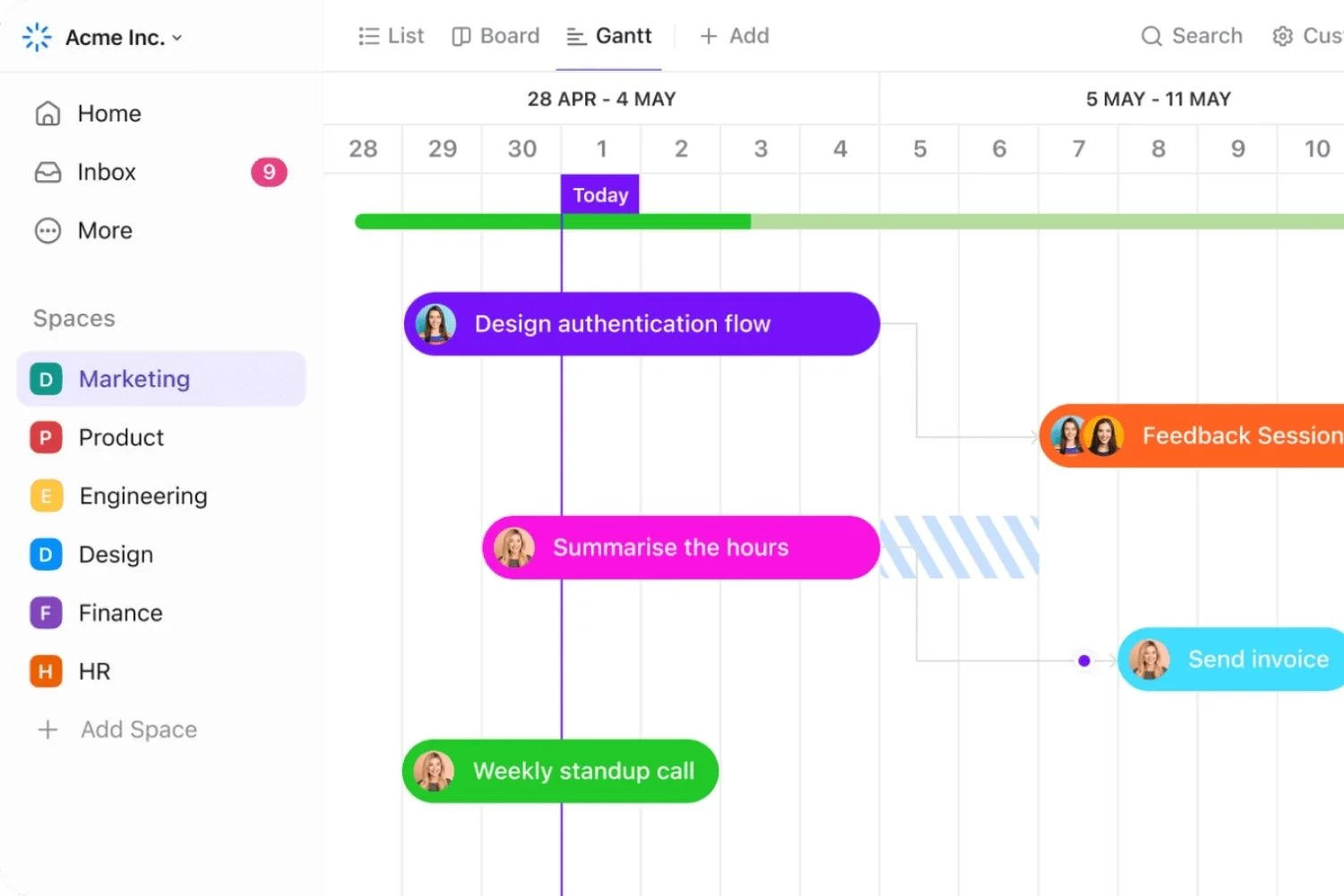
monday.com offers a highly visual project management interface that adapts well to architecture workflows when configured thoughtfully. The platform’s color-coded boards, multiple view types (timeline, Kanban, calendar, Gantt), and automation features make it useful for tracking design phases, RFIs, and consultant coordination. Several recent listings have placed monday.com among the leading collaborative work management platforms for AEC use cases.
Like Asana, monday.com is not AEC-specific. You will need to build templates for architecture phases yourself or import community-shared boards. Pricing starts around $10 per user per month with a three-seat minimum, which puts it within range for small firms but adds up quickly at scale. The free tier is limited to two users, so it is more useful as a trial than a long-term free option. Visit monday.com for current pricing and features.
6. ClickUp
ClickUp positions itself as the most configurable general-purpose project management tool, and that reputation holds up in practice. Architecture firms with non-standard workflows, mixed disciplines, or unusual project types often gravitate to ClickUp because nearly every aspect of the interface can be customized. The platform offers task dependencies, time tracking, dashboards, native docs, and over a thousand integrations.
The downside of all that flexibility is setup time and a steep learning curve. Firms that adopt ClickUp without dedicating someone to configure it well often end up with sprawling, inconsistent workspaces that nobody fully trusts. The free tier is genuinely usable for small teams, and the Unlimited plan at roughly $7 per user per month is competitive against monday.com and Asana.
7. Trello
Trello remains a solid choice for solo architects, very small studios, or as a lightweight tool for client-facing project boards. The Kanban-style interface is intuitive, the free tier is generous, and integrations cover the basics. Trello will not replace a fee tracker or billing system, but for visualizing what is in design development, what is out for permit, and what is awaiting client approval, it is hard to beat for the price.
8. Autodesk Construction Cloud
Autodesk Construction Cloud sits in a slightly different category. Rather than handling fees and timesheets, it focuses on document management, BIM coordination, RFIs, and project communication across the design and construction phases. Many firms pair it with a fee-focused tool like Monograph or BQE Core. For practices working on large or complex projects with extensive consultant coordination, Construction Cloud is often the system of record for drawings and project data. Visit the Autodesk Construction Cloud page for product details.
Free Project Management Tools for Architects
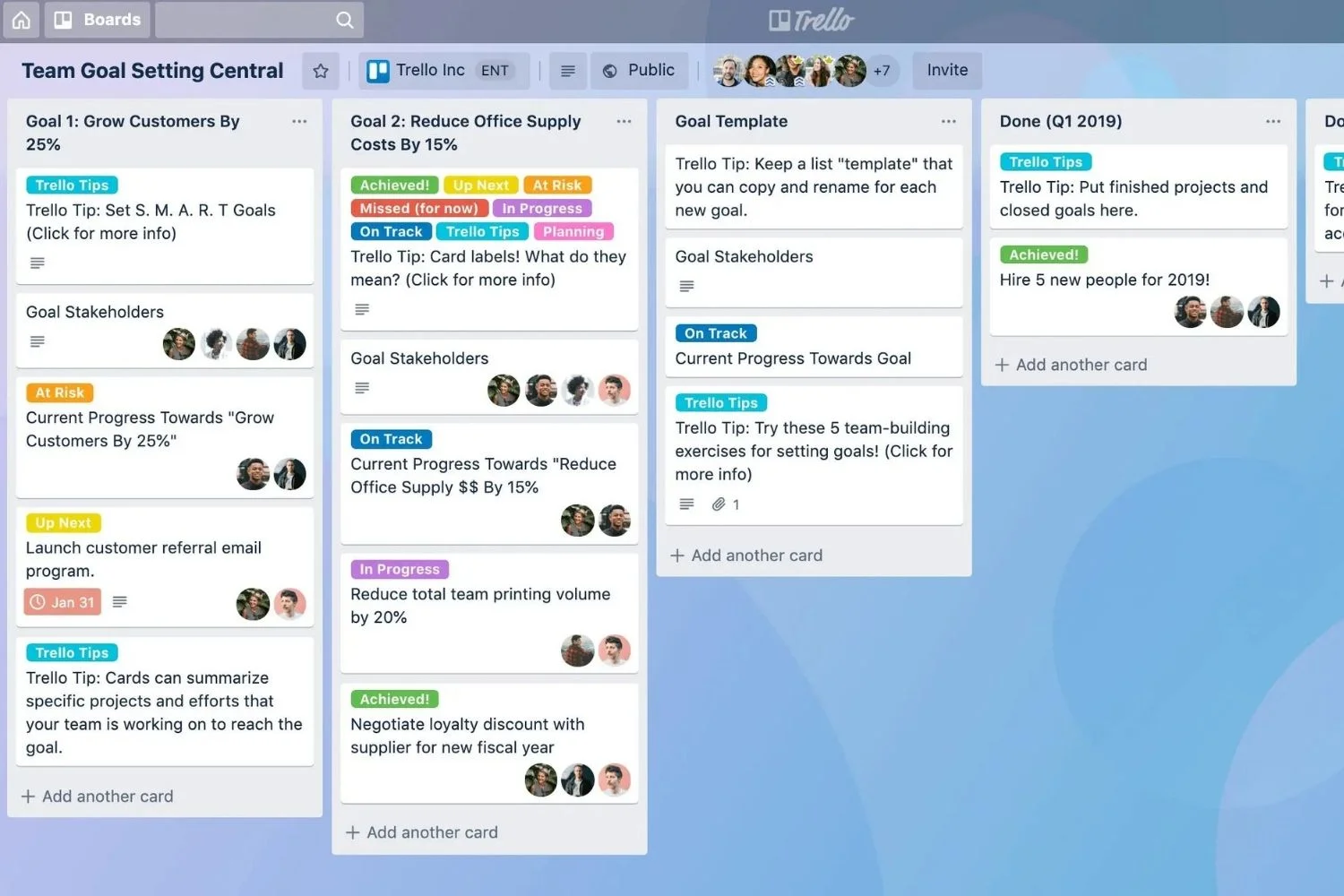
Free project management tools work well for solo architects, students, and very small studios that mainly need a shared task list, basic file sharing, and simple deadline tracking. They generally fall short for fee tracking, AIA-style billing, or detailed profitability reporting, but for someone running their first few independent projects, the free tiers cover most daily needs.
Asana’s free plan supports up to ten collaborators with task lists, project boards, calendar views, and basic reporting. ClickUp’s free forever plan offers unlimited tasks for small teams along with time tracking, whiteboards, and docs, though storage and advanced automations are capped. Trello’s free tier handles unlimited cards across up to ten boards per workspace, which is enough for managing a handful of small residential projects in parallel. Notion is sometimes used as a free hybrid system, combining documentation, project pages, and lightweight databases that solo architects build out into custom workflows.
The honest limitation across all free project manager tools is profitability tracking. None of them turn timesheets into real-time fee burn reports the way Monograph or BQE Core do. For architects who bill hourly or on phase-based fees, this is the moment to consider upgrading. As soon as the cost of leaked hours and missed invoices exceeds the price of a paid plan, the math flips. For a deeper look at no-cost design options that pair well with these task tools, see our guide to free architectural digital tools you can try today.
📌 Did You Know?
According to the 2025 Mosaic project management software trends report, 70% of projects are prone to failure partly due to poor resource allocation, yet only 10% of organizations fully trust the accuracy of their resource data. For architecture firms, this gap is the single biggest argument for moving off spreadsheets, since real-time visibility into who is overbooked tends to surface problems early enough to fix them.
AI Project Management Tools for Architecture
AI project management tools for architecture firms automate resource allocation, predict project risks, generate status updates from raw data, and forecast workload bottlenecks before they hit. The most useful AI features in 2026 are not flashy chatbots but quiet background work: pattern recognition across past projects, automatic timesheet suggestions, and risk alerts that surface deadlines likely to slip.
Most AEC-specific platforms are layering AI into existing workflows rather than launching standalone AI products. Monograph uses pattern detection to flag projects trending over budget. BQE Core has added AI-assisted insights for forecasting profitability. Mosaic, a newer entrant, is built around AI-driven resource forecasting and project staffing recommendations. Generic platforms like ClickUp, Asana, and monday.com have all rolled out AI assistants for summarizing comments, drafting status updates, and surfacing overdue tasks.
The real productivity gain in architecture comes from reducing the administrative weight of running projects. AI can auto-populate timesheet entries based on calendar activity, draft client status updates from project data, and predict which active projects are most likely to miss the next milestone. None of this replaces the project architect’s judgment, but it consistently saves a few hours per week for firms that adopt it well. For a broader look at how AI is changing the design side of practice, see our guide on AI-powered architecture design software.
⚠️ Common Mistake to Avoid
Many firms confuse project management software with design or construction administration software. Tools like Autodesk Construction Cloud, Newforma, or Procore handle drawings, RFIs, and submittals, but they do not track fees, timesheets, or profitability in the way an architecture practice needs. Most firms end up using one platform for project finances and a separate platform for document control, and that is the right answer rather than forcing a single tool to do both poorly.
How to Choose the Right Project Management Tool for Your Firm
Choosing the right project management tool comes down to three questions: how big is your firm, how complex are your fees, and how much accounting integration do you actually need. The mistake most practices make is starting with feature comparisons before they have answered these basics.
Solo architects and two- to three-person studios usually do not need a full AEC platform yet. The free tiers of Asana, ClickUp, or Trello cover task management, while time tracking through Toggl or Harvest plus QuickBooks covers fees and invoicing. The real upgrade trigger is when this stack starts taking more than thirty minutes a week to maintain across tools. At that point, a platform like Monograph or Paymo becomes worth the cost.
Mid-size firms (roughly 5 to 25 staff) face the biggest choice. Monograph, BQE Core, Synergy, and Productive all target this segment, and the right pick depends on how much built-in accounting you want and how complex your billing is. Firms doing federal or AIA-format work often lean toward BQE Core or Deltek Ajera. Firms wanting the simplest setup tend toward Monograph. Either approach works, but switching costs are real, so trial periods and pilot projects are worth taking seriously.
Larger firms (30+ staff, multi-office, complex regulatory work) generally end up with Deltek Vantagepoint, BQE Core at the enterprise tier, or a combination of Autodesk Construction Cloud for documents and a separate platform for fees. At this scale, integration with payroll, HRIS, and corporate finance becomes the deciding factor, not the project management features themselves.
Construction managers, who often coordinate closely with architecture firms but operate slightly differently, may want a different toolset focused on schedule and budget control. Our career guide to construction management walks through the broader project oversight discipline if you are looking at the field from that angle.
🏗️ Real-World Example
Swatchroom (Washington D.C.): This design studio publicly described testing thirty to forty different platforms before settling on Monograph for project management, citing ease of use and graphic clarity as deciding factors. The case illustrates a common pattern in architecture practice: firms cycle through generic tools like Asana and Trello before recognizing that AEC-specific platforms address the time-to-fee mapping that drives studio profitability.
💡 Pro Tip
Before signing any annual subscription, run a single live project through the trial version end to end: proposal, phase setup, weekly timesheets, mid-project status report, change order, and final invoice. Most tools look great in a demo but reveal awkward edges (poor consultant management, weak retainer handling, clumsy phase rollover) only when you push real work through them. A two-week pilot beats any review article.
How to Implement a New Project Management Tool
Switching to a new project management tool is more about people than software. The platform you choose matters less than how consistently the team actually uses it, and most failed rollouts trace back to weak onboarding rather than a bad product choice.
Start with one pilot project rather than migrating everything at once. Pick a representative job with three to four phases, ideally one in design development where time tracking and fee burn are most active. Run it in parallel with your existing system for two to four weeks so you can compare outputs. This pilot phase is where you discover which fields your firm actually needs, which custom phases or roles you want, and which integrations are worth setting up.
Designate one internal owner. Every successful rollout I have seen has a single person, usually a senior associate or the office manager, who answers questions, sets up templates, and chases anyone who falls behind on timesheets in the first month. Without this role, the platform becomes another tool nobody fully trusts. Within three to six months of consistent use, most firms see measurable gains in invoicing accuracy and project visibility, with some reporting administrative time savings of 30% or more.
Once the pilot succeeds, roll out firm-wide in waves rather than all at once. Bring on existing active projects in batches of three to five, train staff on the live data they already know, and only retire the old system once the new one has run a complete billing cycle without major issues. For mobile-friendly companion tools that pair well with project management platforms, see our guide on essential apps for architects.
Project Management Tools vs Design Software: Where the Line Falls

Project management tools and design software solve different problems, and confusing the two leads firms to either over-invest in features they do not need or under-invest in the systems that actually run the business. The best architecture practices use both, and they keep the boundary clear.
Design software (Revit, ArchiCAD, SketchUp, Rhino) handles the creative output: 3D modeling, drafting, BIM coordination, and visualization. Project management tools handle the business of delivering that output: time, fees, deliverables, billing, and resource allocation. There is overlap at the edges, particularly with platforms like Autodesk Construction Cloud that manage drawing files, but the core split holds. If you are evaluating CAD or BIM tools, our comparison of ArchiCAD vs SketchUp walks through the design side in detail, and our guide to must-have tools for architects covers the broader toolkit.
✅ Key Takeaways
- Project management tools for architecture firms organize time, fees, deliverables, and billing in ways generic software does not.
- Specialized AEC platforms (Monograph, BQE Core, Deltek) match design workflows better than general tools, but cost more and require commitment.
- General-purpose tools (Asana, ClickUp, monday.com) work well for task tracking but rarely cover fees and profitability without add-ons.
- Free project management tools (Asana free, Trello, ClickUp free) are fine for solo architects but break down when fees and timesheets matter.
- AI features in 2026 add value mainly through resource forecasting, automated status updates, and risk alerts rather than headline-grabbing chatbots.
- The right choice depends on firm size, billing complexity, and existing accounting setup more than on which tool ranks highest in a generic listicle.
Frequently Asked Questions
What are the best project management tools for small architecture firms?
For small architecture firms with two to ten staff, Monograph is the most often-cited specialized choice because it is built around time tracking and phase-based fees. Asana, ClickUp, and Trello free tiers cover task management for very small teams. Pairing a free task tool with a dedicated time tracker like Toggl can work as a starter setup, but most firms upgrade to a unified platform within their first two years.
What is the best free project management tool for architects?
Asana’s free plan supports up to ten collaborators with full task management features, while ClickUp’s free forever plan offers unlimited tasks plus time tracking. Trello is a strong simple Kanban option for solo architects. None of these handle fee tracking or billing, so they work best alongside QuickBooks or a separate timesheet tool.
How much do project management tools for architecture firms cost?
Pricing varies widely. General tools like ClickUp and Asana start at $7 to $13 per user per month on paid plans. AEC-specialized platforms run higher: Monograph starts around $30 per month for very small teams and scales by user, BQE Core is roughly $10 to $29 per user per month with feature add-ons, and Deltek products are custom-quoted for larger firms. Pricing changes frequently and should be verified directly with each vendor.
How do AI project management tools help architects?
AI project management tools help architects by automating resource allocation, predicting project risks before they impact deadlines, and generating status updates from raw project data. The most practical 2026 features are background ones: pattern detection across past projects, automated timesheet suggestions, and bottleneck alerts that surface staffing conflicts early.
Can I use Asana or monday.com instead of architecture-specific software?
Yes, many small firms run successfully on Asana or monday.com paired with QuickBooks for accounting and a time tracker like Harvest or Toggl. The trade-off is integration friction: data lives in three places instead of one. Once a firm reaches roughly ten staff or fees become more complex, the case for AEC-specific platforms gets stronger.
Software pricing and feature availability change frequently. Verify current details directly with each vendor before making purchasing decisions.
















Leave a comment