



Table of Contents Show
AI tools every architect should know now span the full design workflow, from early concept sketches to construction documentation. These platforms handle visualization, generative floor plans, site feasibility, energy analysis, and BIM automation, giving architects more time for the design decisions that actually matter.
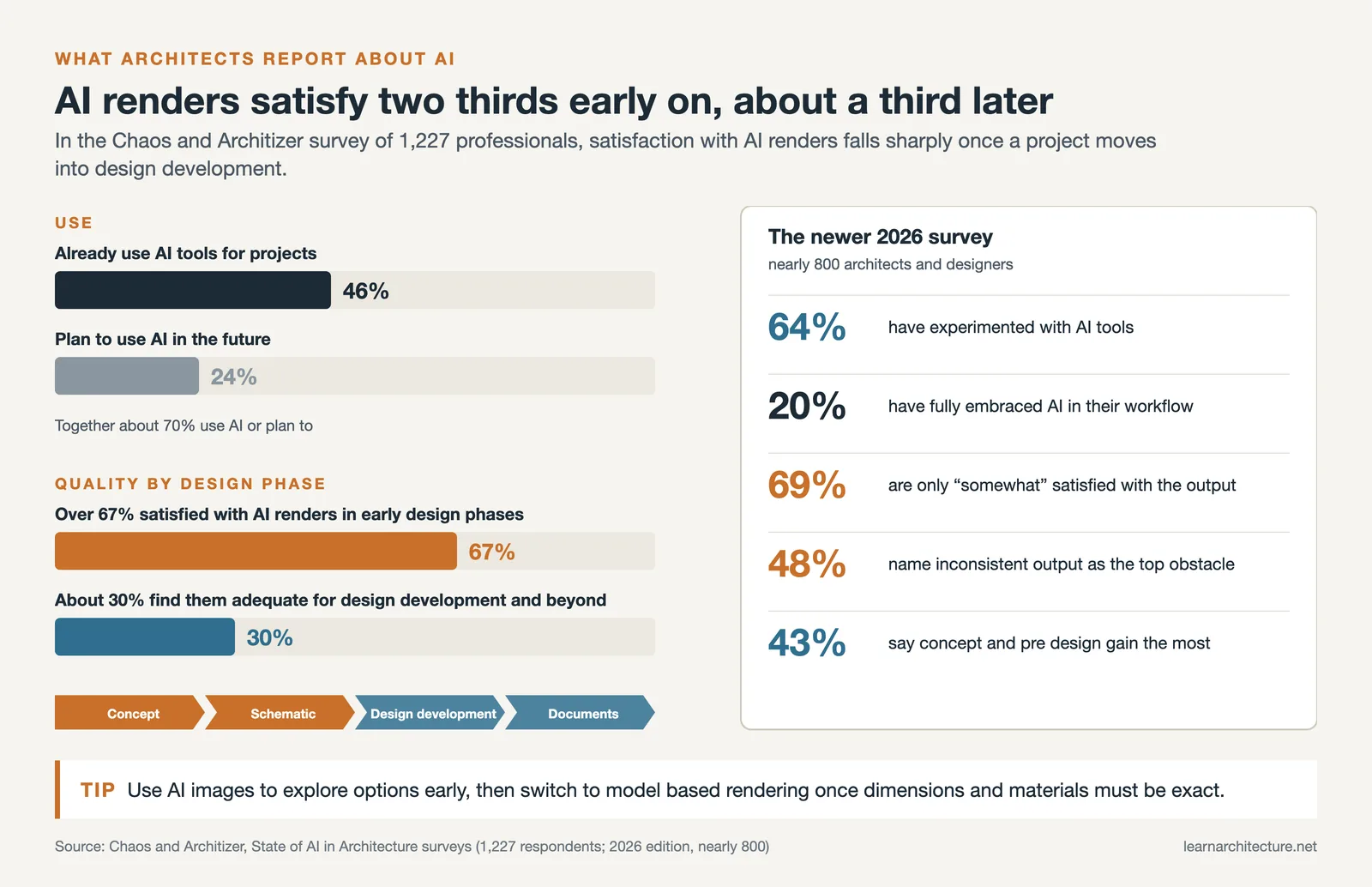
According to a 2024 survey by Chaos and Architizer covering 1,227 architecture professionals, 46% of architects already use AI tools in their work, with another 24% planning to adopt them. In Chaos’s following report, excitement around AI experimentation was up 20% on the previous year. Yet choosing the right tools remains a challenge: each platform fits a different stage of the project pipeline, and many overlap. This list organizes the 10 most practical AI tools by workflow category so you can match each one to the phase where it delivers real value.

AI Architecture Design Tools for Visualization
Visualization is where most architects first encounter AI. These tools convert rough geometry, sketches, or text prompts into presentation-quality images in seconds rather than hours. The shift is significant: over 67% of professionals in the Chaos/Architizer survey reported satisfaction with AI-generated renderings during initial design phases, though only about 30% found them adequate for design development and beyond.
1. Veras by Chaos
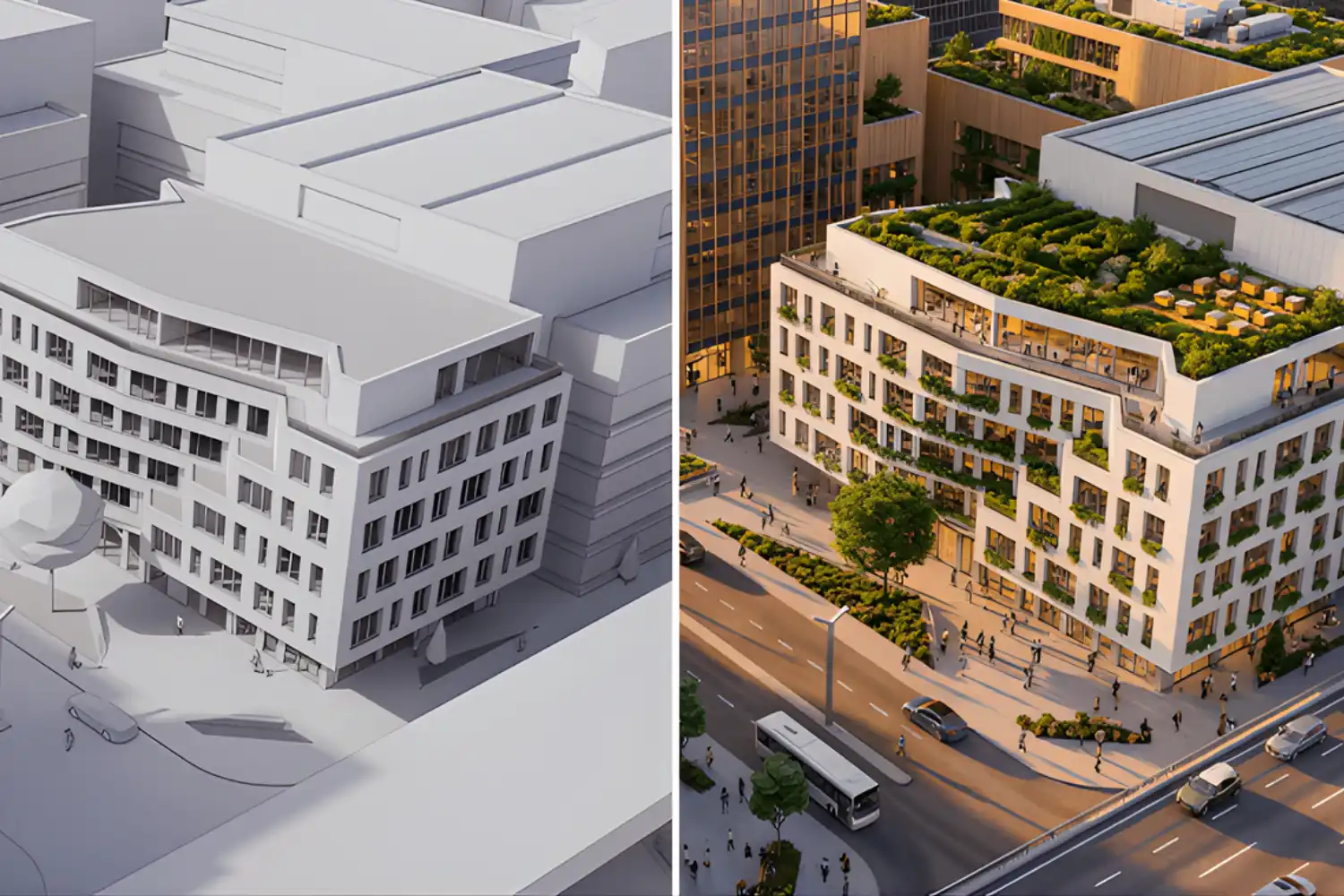
Veras is an AI-powered visualization plugin that connects directly to Revit, Rhino, SketchUp, Archicad, Vectorworks, Forma, and AllPlan. You describe atmosphere, materials, and style through text prompts, and Veras applies those instructions to your actual 3D model using diffusion-based AI. The Geometry Override slider controls how much the AI departs from your design, while Render Same Seed keeps iterations consistent across rounds of feedback.
Since early 2025, Veras has been part of the Chaos ecosystem alongside V-Ray and Enscape. For firms already paying for Enscape, Veras is available through the Enscape Premium or ArchDesign Collection bundles. A free trial is available for new users.
💡 Pro Tip
When using Veras for client presentations, set the Geometry Override between 1.0 and 1.5 to keep the AI close to your actual model while still adding atmospheric detail. Higher values produce more dramatic images but can distort proportions enough to create unrealistic expectations with stakeholders.
2. Midjourney
Midjourney remains one of the most widely used AI tools for ai architecture design among professionals focused on early-stage concept imagery. It generates images from text prompts through Discord or the Midjourney web interface, producing visuals with a distinctive artistic quality suited for mood boards, competition entries, and design brainstorming. Architect and AI artist Hassan Ragab has become known for his experimental blends of architectural styles using the platform, demonstrating how skilled prompting can push concept ideation far beyond standard reference image searches.
The key limitation is that Midjourney outputs are completely disconnected from your model geometry. It works best as a concept exploration and visual communication tool, not as a rendering replacement. For professional client work, label AI-generated images as “concept explorations” or “design mood studies” to set correct expectations.
3. D5 Render
D5 Render is a real-time visualization platform with integrated AI features. The AI Material Generator creates textures from reference photographs, turning product images into PBR-ready materials. The AI Atmosphere Match handles roughly 60% of your lighting setup automatically, letting you test mood variations quickly. The AI Scatter tool populates scenes with vegetation without manual placement.
D5 Render works well for rapid iteration on lighting and atmosphere during design development. Its style transfer feature modifies original geometry, which makes it better for internal exploration than polished client deliverables.

Best AI for Architectural Design: Generative Layout Tools
Generative design tools automate the creation of floor plans and building layouts based on parameters you define. They are especially useful during schematic design, where architects need to test multiple options against site constraints, zoning, and program requirements.
4. Maket.ai
Maket.ai is a generative design assistant focused on residential architecture. You describe your requirements, including room count, dimensions, adjacencies, and site shape, and the AI generates multiple layout options in seconds. The platform also produces 3D renderings from generated plans, allowing quick visual comparisons across options.
Maket is particularly useful for architects who need to present multiple scheme alternatives during early client meetings without manually drafting each one. The free tier provides enough access to test the tool, with premium plans available for higher usage. The current limitation is that it focuses on residential projects and may not support complex commercial programming.
🎓 Expert Insight
“Generative AI tools are changing my entire perspective about what architecture is and what makes architecture beautiful. It’s changing my methodologies and changing my identity as an architect.”
Hassan Ragab, Architect and Conceptual Artist
Ragab’s work demonstrates how generative AI tools can shift the creative process from searching for references to actively co-creating with algorithms, a workflow shift many firms are beginning to adopt in concept phases.
5. TestFit
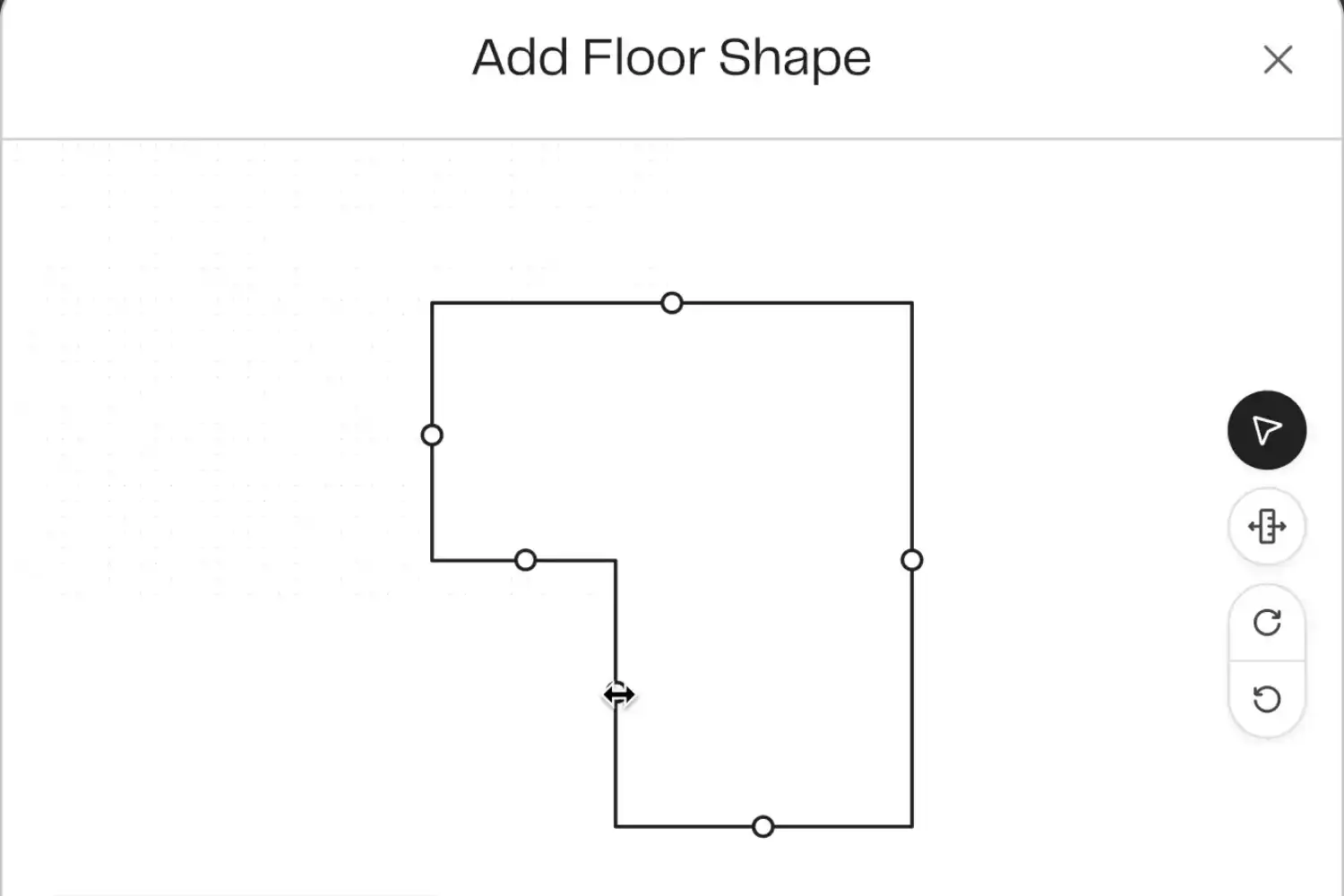
TestFit is a generative design tool built specifically for site planning and building layout feasibility. Enter your site boundaries, zoning constraints, unit mix, and parking ratios, and TestFit’s solver generates complete building configurations in real time, including unit layouts, cores, and parking structures. It also calculates pro forma metrics like rentable area and unit counts, making it a standard tool for go/no-go feasibility studies in multifamily and hospitality projects.
TestFit is strongest for apartment blocks, student housing, hotels, and parking structures. It is less useful for highly unique or sculptural designs. Most architecture firms treat TestFit output as a starting point for further design development rather than a final layout.
AI Tool for Architecture Design: Site Analysis and Planning
Site analysis has traditionally been one of the more time-consuming phases of early design. AI-powered platforms now automate environmental data gathering and massing optimization, compressing weeks of manual analysis into hours.
6. Autodesk Forma (formerly Spacemaker)
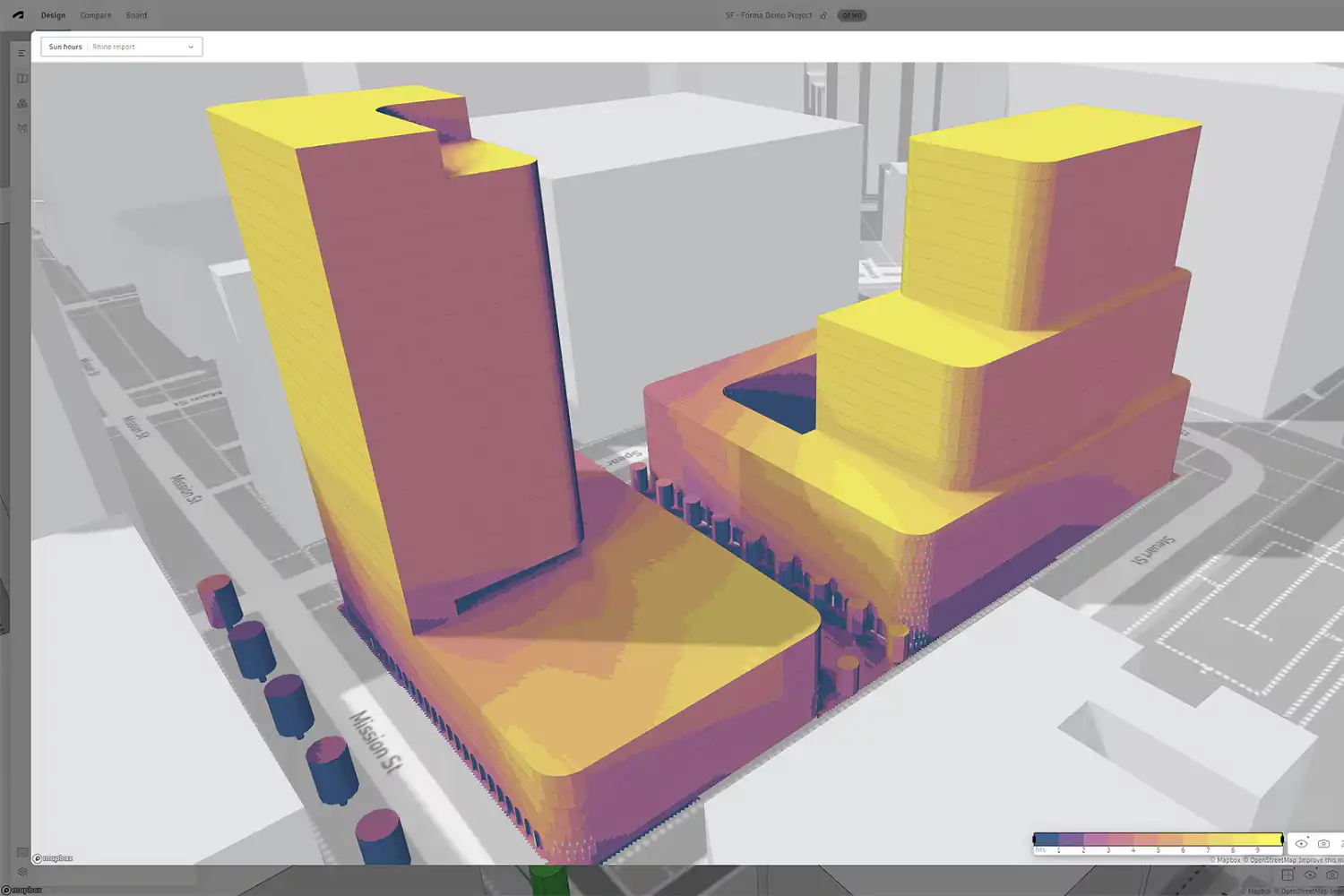
Autodesk Forma is a cloud-based AI platform for early-stage site and massing design. It analyzes environmental factors including sun exposure, wind patterns, noise levels, and daylight availability, then generates optimal building positions and massing options based on those inputs. Each design adjustment triggers instant recalculation, so you can see how moving a building or changing its height affects daylight hours, density, or wind comfort at ground level.
Forma integrates with Autodesk’s broader ecosystem, making it straightforward to push massing studies into Revit for further development. Subscription costs can be significant for smaller firms, which is worth considering before committing.
⚠️ Common Mistake to Avoid
Many architects treat AI-generated site analysis outputs as final data without cross-checking against local conditions. Tools like Autodesk Forma rely on the accuracy of your zoning and environmental inputs. Incorrect setback values or missing local wind data will produce flawed massing recommendations. Always validate AI analysis against on-site observations and local planning authority records before presenting results to clients.
AI Architecture Design Software for BIM Automation
BIM workflows involve significant repetitive work: tagging elements, creating sheet sets, generating schedules, and maintaining documentation consistency. AI-powered ai architecture design software now handles many of these tasks automatically, saving hours of manual effort per project.
7. Archicad AI Visualizer
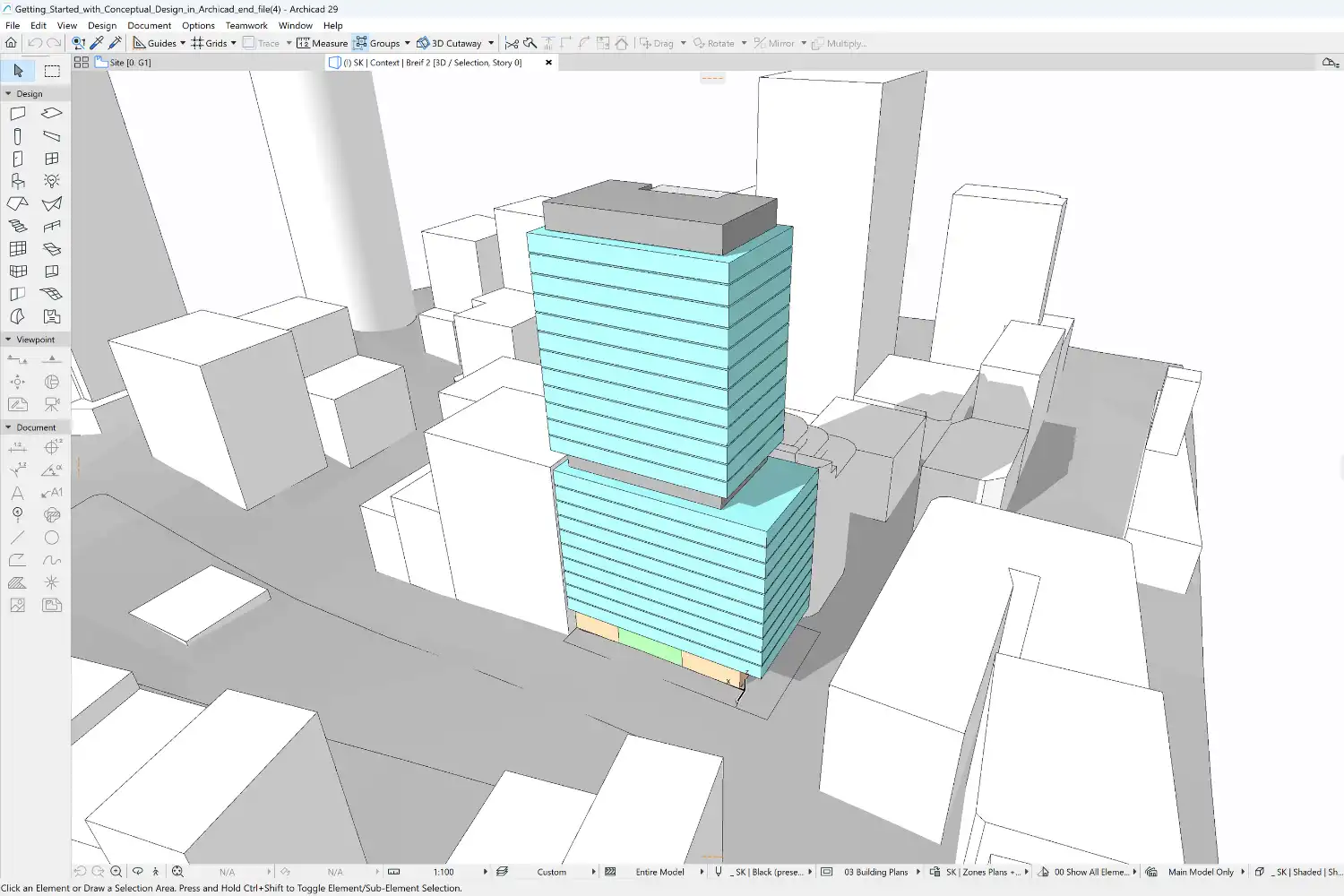
Graphisoft’s native AI Visualizer for Archicad generates presentation-ready visuals directly from your live BIM model using prompt-based controls. Plan and section changes update automatically because everything stays within the Archicad environment. It ships free with the Technology Preview build and works best for design reviews and internal presentations rather than final marketing renders.
8. BricsCAD BIM
BricsCAD BIM uses AI-driven model recognition to identify and classify design elements such as walls, slabs, and doors from generic geometry. It automatically converts conceptual 3D models into fully classified BIM models and generates schedules, dimensions, and annotations from the BIM data. For firms transitioning from 2D CAD to BIM workflows, BricsCAD offers a lower barrier to entry than some alternatives.
How AI in Architecture Design Supports Project Management
AI is also changing how architects manage projects, documentation, and construction administration. Two tools stand out for different stages of the project lifecycle.
9. Snaptrude
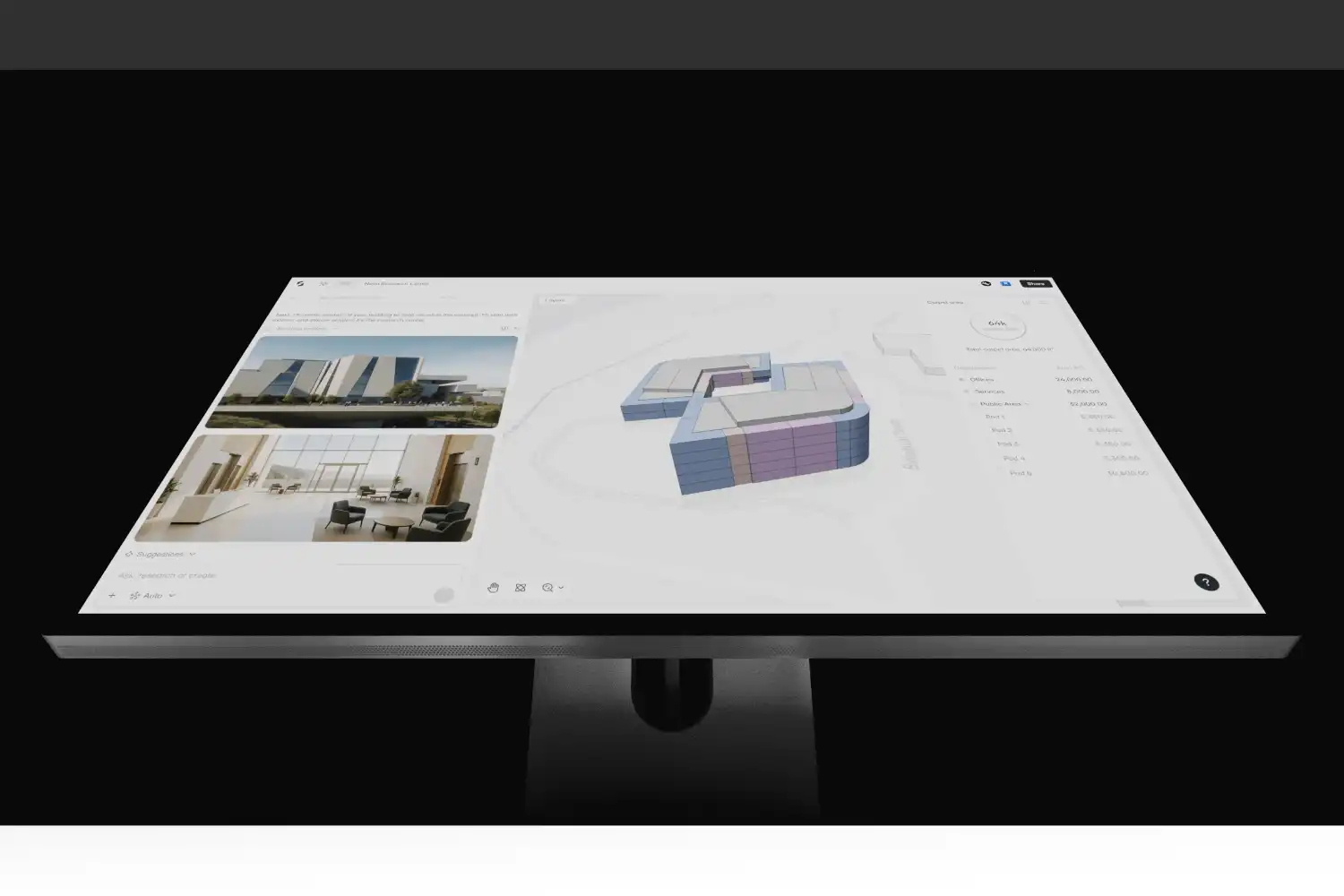
Snaptrude is a cloud-based platform that covers the full early-stage design process. Start with a text prompt or upload an RFP, and the AI agents analyze the site, generate a structured architectural program, assign dimensions based on building codes like IBC and ADA, stack spaces across stories, and produce presentation-ready diagrams. The output is an editable BIM model that you can refine and export to Revit with all parameters intact.
What sets Snaptrude apart from most ai for architecture design tools is that the AI is built into the platform from the ground up rather than bolted onto an existing CAD tool. Real-time collaboration is included, and the geometry, program data, and constraints all work together natively.
10. ChatGPT and General AI Assistants
General-purpose AI assistants like ChatGPT have become surprisingly practical for architecture firms. They handle tasks including writing design briefs, drafting specification outlines, summarizing meeting notes, generating project narratives, and creating client communications. For architects working on proposals or competition entries, an AI writing assistant can cut documentation time significantly.
The key is using these tools as support for tasks where speed matters and perfection is not critical. Double-check outputs against your professional knowledge, especially for anything involving codes, standards, or technical specifications.
🔢 Quick Numbers
- 46% of architects currently use AI tools, with 24% planning to adopt them (Chaos/Architizer, The State of AI in Architecture, 2024)
- 67% of professionals reported satisfaction with AI renderings during initial design phases (Chaos/Architizer, 2024/25)
- Excitement around AI experimentation rose 20% on the previous year (Chaos/Architizer State of Architectural Visualization Report, 2024/25)
Comparison of the Top 10 AI Architecture Design Tools
The table below summarizes each tool’s primary function, platform compatibility, and pricing model to help you match them to your workflow.
| Tool | Category | Platform | Pricing | Best For |
|---|---|---|---|---|
| Veras | Visualization | Revit, Rhino, SketchUp, Archicad, Vectorworks | Free trial, then subscription | BIM-integrated concept renders |
| Midjourney | Visualization | Web / Discord | From $10/month | Concept art, mood boards |
| D5 Render | Visualization | Standalone, SketchUp, Revit | Free community edition available | Real-time lighting and material tests |
| Maket.ai | Generative Design | Web-based | Free tier, premium plans | Residential floor plan generation |
| TestFit | Generative Design | Web-based | Subscription | Multifamily site feasibility |
| Autodesk Forma | Site Analysis | Cloud, Autodesk ecosystem | Subscription | Environmental site analysis and massing |
| Archicad AI Visualizer | BIM Visualization | Archicad | Free with Archicad | Quick BIM model presentations |
| BricsCAD BIM | BIM Automation | Desktop | Perpetual license available | CAD-to-BIM conversion |
| Snaptrude | Design + Project Management | Cloud-based | Free tier, premium plans | Brief-to-BIM workflow |
| ChatGPT | Writing + Documentation | Web, mobile, API | Free tier, Plus from $20/month | Briefs, specs, meeting notes |
Where These Tools Earn Their Keep, by Project Type
The same tool pays back very differently depending on what you are designing. Three project types account for most of the practical return architects report.
Housing and mixed-use massing studies
This is where generative layout tools are strongest, because the problem is genuinely combinatorial: unit mix, core placement, daylight, parking ratios and planning envelope all constrain each other, and testing options by hand is slow. TestFit and Maket.ai are built for exactly this, and a feasibility study that took two days of manual iteration commonly comes down to an afternoon. The output is not a design; it is a shortlist of configurations worth developing.
Workplace planning and fit-out
Fit-out work is repetitive in a way that suits automation: desk counts, circulation widths, meeting room ratios and adjacency rules applied to a shell that is already fixed. Generative layout tools handle the first pass, and BIM automation handles the documentation tail, which on fit-out projects is disproportionately large relative to design time.
Retrofit and adaptive reuse
The weakest fit of the three, and worth being honest about. Retrofit is constrained by conditions no model knows: what is actually behind the wall, what the structure will accept, what the survey missed. AI tools help with option testing and performance analysis once the constraints are established, but they cannot substitute for site investigation, and treating a generated option as buildable on an existing structure is how retrofit budgets fail.
Across all three, the tools that hold up are the ones you can audit. Before adopting any of them, it is worth settling the questions of client data, bias and professional liability that come with them, which the guide to using AI in architecture design covers in detail.
How to Choose the Right AI Architecture Design Tools for Your Firm
Picking the right ai architecture design tools depends on where your firm spends the most time and where delays typically occur. A small studio doing residential work will get different value from these tools than a large firm handling multifamily feasibility studies across multiple cities.
Start by mapping your current workflow bottlenecks. If client presentations eat up your visualization team’s capacity, test Veras or Midjourney first. If schematic design involves manually drafting dozens of layout options for feasibility reports, AI-powered architecture design software like TestFit or Maket will show immediate returns. For firms drowning in documentation and BIM management, BricsCAD’s AI classification or Snaptrude’s brief-to-BIM pipeline addresses the pain point directly.
Most firms benefit from combining two or three tools rather than adopting everything at once. A practical combination might include one visualization tool (Veras or Midjourney), one generative layout tool (Maket or TestFit), and ChatGPT for documentation support. Test each tool during free trials or free tiers before committing to annual subscriptions.
💡 Pro Tip
Set a firm time limit when experimenting with AI visualization tools. Midjourney’s infinite variation capability can easily consume an entire afternoon. Experienced architects recommend capping exploration sessions at 30 minutes, then moving to modeling. The tool should speed up your workflow, not replace it with a new time sink.
Frequently Asked Questions
What is the best AI architecture software?
There is no single best; the tools split by the problem they solve. For visualisation, Veras and Midjourney dominate concept imagery while D5 Render handles real-time output. For generative layouts, TestFit and Maket.ai are purpose-built. For site and planning work, Autodesk Forma. For BIM automation, BricsCAD BIM and Snaptrude. Pick by identifying which stage of your workflow is actually slow, rather than by which tool is most discussed.
What AI tools do architects actually use?
In practice most firms settle on two or three rather than a full suite: one visualisation tool for client-facing imagery, one generative layout tool if they do feasibility or residential work, and a general assistant such as ChatGPT for documentation, specification drafting and correspondence. Firms doing heavy BIM production add a documentation copilot. Adoption tends to fail when a practice buys everything at once instead of solving one bottleneck first.
Is there a free AI tool for architectural design?
Several offer free tiers worth testing before committing. ChatGPT’s free tier handles documentation and research support. Autodesk Forma includes limited free functionality. Most visualisation and generative layout tools run free trials rather than free tiers, which is enough to evaluate them against a real project. Treat trials as a genuine test: run one live project through the tool rather than a demo file, since demo files are chosen to make tools look good.
Can AI design a building on its own?
No, and the tools that come closest are the ones most easily misread. Generative layout software can produce a plan that satisfies the constraints you fed it, but it has no view on whether those were the right constraints, how the building meets its street, or what the client actually needs. It also does not carry professional liability; the architect who stamps the drawing does. AI expands how many options you can test, not who decides.
How much do AI architecture tools cost?
The range is wide and the pricing models differ. Concept visualisation tools sit at the low end on monthly subscriptions, generative layout platforms aimed at developers and feasibility work are considerably more expensive and often quoted per seat or per project, and BIM automation is usually bundled into an existing platform subscription. Because vendors reprice frequently and often regionally, confirm current figures on the vendor’s own page before budgeting.
Final Thoughts
The AI tools covered here are not theoretical. They are already in daily use at firms ranging from solo practices to large international offices. The 46% adoption rate will only increase as these platforms mature, integrate more deeply with BIM software, and deliver higher-quality outputs. The architects who will benefit most are those who test, adopt, and refine their AI workflows now, while the learning curve is still manageable and the competitive advantage is still real.
If you are exploring how AI fits into architectural visualization workflows, our guide to AI visualization tools covers the rendering side in more detail. For a broader look at how AI is reshaping design practice, see our article on the impact of AI in architecture. And if you are interested in the design philosophy behind algorithm-driven form, our piece on generative design as a new visual language provides a deeper look at the topic.














Leave a comment