



Table of Contents Show
Architecture software learning becomes faster when you replace passive tutorial-watching with deliberate practice on real projects, master keyboard shortcuts within the first two weeks, and pick one tool to focus on instead of spreading attention across many. Working architects who follow this approach typically reach productive proficiency in a single program within 60 to 90 days.
Most students approach architectural design software the wrong way. They binge YouTube tutorials, jump between five tools at once, and end up six months later still unable to model a simple project from start to finish. The solution is not more hours, it is better-structured hours. Below is the workflow used by productive architects to compress the learning timeline on tools like Revit, AutoCAD, Rhino, SketchUp, and ArchiCAD.
Why Most People Learn Architecture Software Too Slowly
The biggest reason architecture students and junior staff fall behind on software is that they treat tutorials as the goal rather than the warm-up. Watching a 4-hour Revit course feels productive, but if you close the application without rebuilding the project from scratch on your own machine, the knowledge fades within a week. Memory works through retrieval, not exposure.
The second reason is tool sprawl. Trying to learn AutoCAD, Revit, Rhino, SketchUp, Lumion, and V-Ray simultaneously means none of them get enough deep practice to become reliable. Pick one primary tool tied to your immediate goal, get to a working level, then add the next one.
💡 Pro Tip
Before opening any tutorial, write down a specific small project you want to recreate, such as a 60 m² studio apartment with one bathroom and a kitchen. Then watch tutorials only as needed to solve problems you hit while building it. This flips the order from “learn then build” to “build then learn”, which is how most experienced architects actually became fast.
What Is the Best Architecture Software to Learn First?
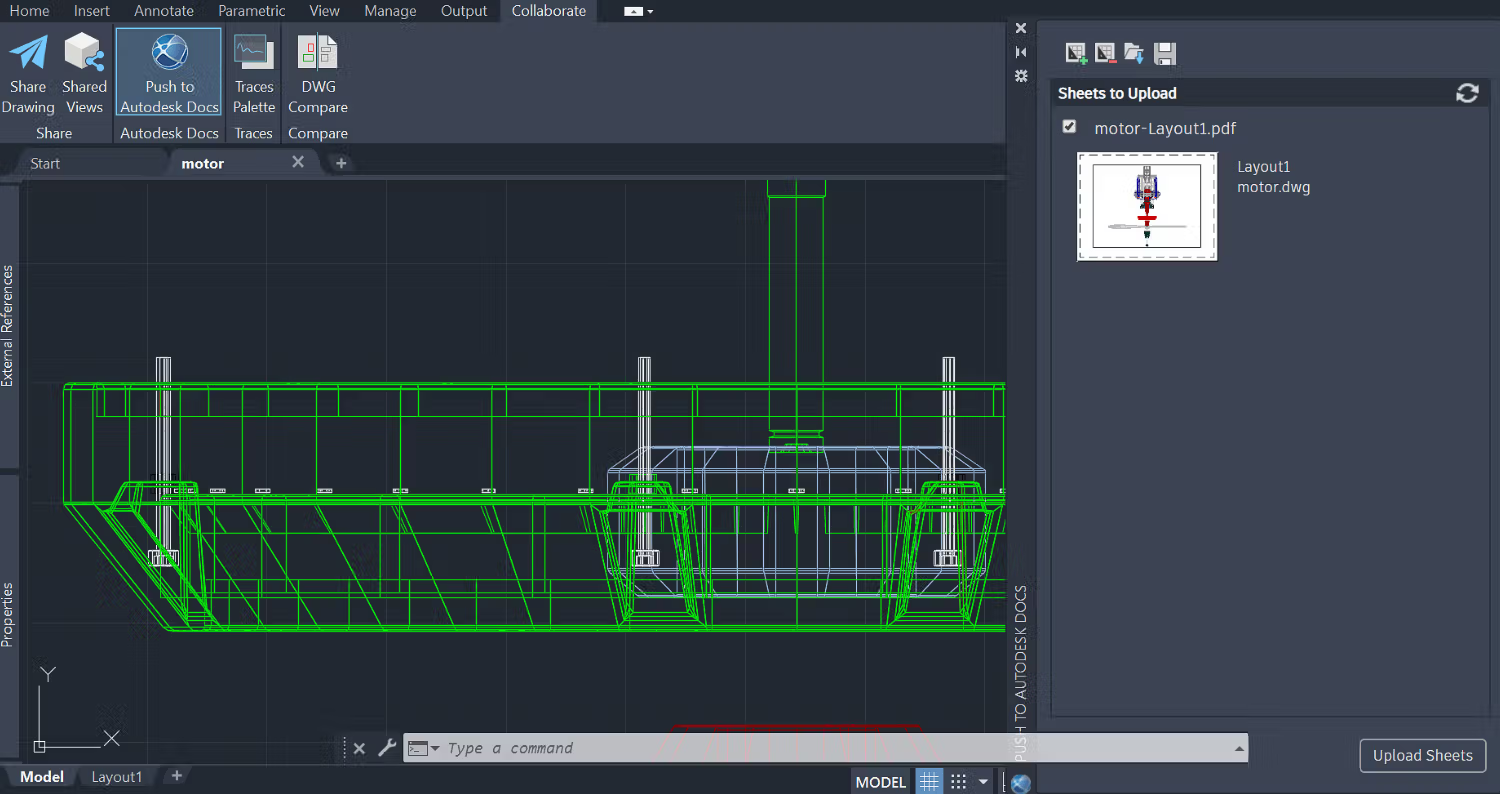
The best architecture software to learn first depends on your immediate goal. If you need a job in a typical architecture firm, Revit is the strongest starting point because most large studios run on BIM workflows. If you are a student working on conceptual design or competitions, SketchUp gets you producing models within hours. If you are aiming at parametric or computational work, Rhino with Grasshopper is the better path.
A useful way to choose is to look at the job listings in the city where you want to work. If 7 out of 10 architecture postings ask for Revit, that is your priority. Skill-building should follow market demand, not personal preference, especially early in your career.
Comparison: Common Architecture Software for Beginners
The table below summarises the typical learning curve, ideal use case, and starting cost for the most common architecture design software options today.
| Software | Learning Curve | Best For | Starting Cost (Annual Unless Noted) |
|---|---|---|---|
| SketchUp Pro | Gentle (1-2 weeks to basics) | Concept design, quick massing | ~$399/year |
| AutoCAD | Moderate (3-6 weeks to fluency) | 2D drafting, technical drawings | ~$2,030/year |
| Revit | Steep (2-3 months to working level) | Full BIM workflow, documentation | ~$2,805/year |
| ArchiCAD | Moderate to steep | Full BIM, especially for small to mid firms | ~$2,800/year |
| Rhino 8 | Moderate to steep | Complex geometry, parametric design | ~$995 perpetual license |
Pricing reflects publicly listed commercial rates from Autodesk, Trimble, Graphisoft, and McNeel as of early 2026 and may vary by region. Students typically have access to free educational licenses for all of the above. For a deeper breakdown of two of the most common dilemmas, see our comparisons of SketchUp vs Rhino 8 and ArchiCAD vs SketchUp.
The Project-First Method: Learn 3D Architecture Software by Building Real Things
The single biggest accelerator for any architectural drawing software is replacing passive learning with project-based practice. Research on skill acquisition consistently shows that focused, goal-directed practice produces faster gains than open-ended exposure. According to research on deliberate practice published in ScienceDirect, individuals rarely engage in this kind of focused effort spontaneously, and structured goals plus feedback are required to make it stick.
Here is how to apply this to architecture software:
- Pick a small, real project. A house you have lived in, a coffee shop you visit regularly, or a published case study from ArchDaily with available plans.
- Set a clear deliverable: floor plan, three sections, four elevations, and one rendered perspective.
- Give yourself a deadline. Two weeks is usually right for a small residential project in a tool you are learning.
- When you hit a wall, search for the specific problem. Do not start from a generic “Revit tutorial” video.
- At the end, redo the project. The second pass takes a fraction of the time and exposes everything you faked the first time.
This is the method most working architects use without naming it. Tutorials fill in gaps; the project carries the learning.
🎓 Expert Insight
“The right sort of practice over a sufficient period of time leads to improvement. Nothing else.”, K. Anders Ericsson, Professor of Psychology, Florida State University
Ericsson’s three-decade research programme on expert performance is the foundation of the deliberate practice framework. For architecture students, the takeaway is that hours alone do not produce skill; structured, goal-bound effort with fast feedback does.
How to Master Keyboard Shortcuts in Architectural Software CAD Tools
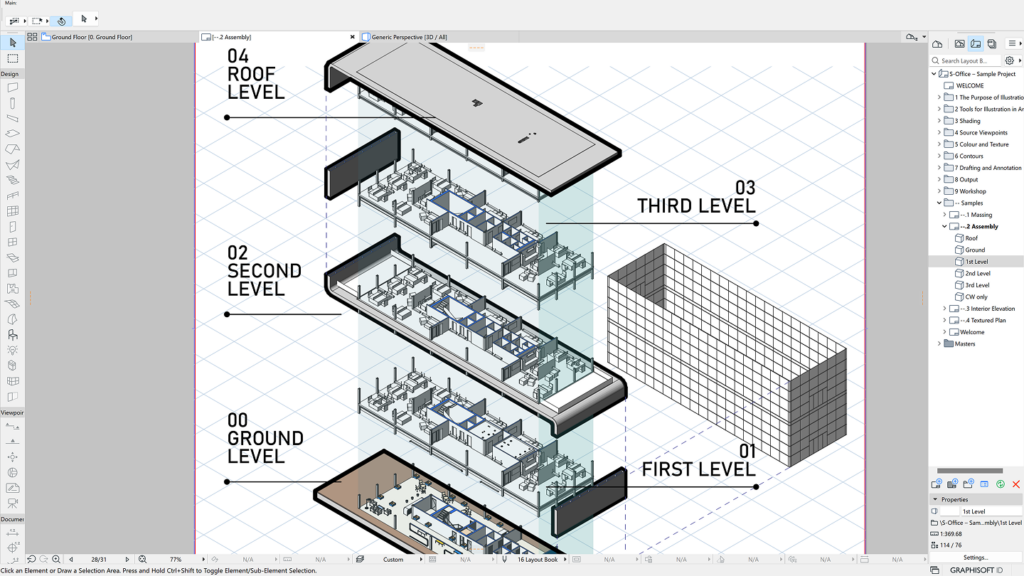
Mouse-only users are typically two to three times slower than keyboard-fluent users in the same architectural software CAD environment. The gap widens as drawings get more complex. Closing it is one of the highest-return investments in your first month with any tool.
A workable approach:
- Week 1: print the official shortcut cheat sheet for your tool (Autodesk, Trimble, and Graphisoft all publish them) and tape it next to your monitor.
- Week 2: force yourself to use the shortcut every time, even when the mouse would be faster. This feels slow at first; it is the bottleneck breaking.
- Weeks 3 and 4: customise the 10 commands you use most. In Revit, this means editing the KeyboardShortcuts.xml file. In Rhino, it is the Aliases panel.
- Ongoing: whenever you catch yourself reaching for the mouse for a repeated action, find and assign a shortcut for it.
Within six weeks, your hand will know the 30 to 40 commands that account for 80% of your work. That is the threshold where the software starts to feel transparent rather than obstructive.
How Long Does It Take to Learn Architecture Software?
Realistic timelines for becoming productively skilled (not expert) in common architecture software, assuming roughly 1-2 hours of focused practice per day:

- SketchUp: 2 to 4 weeks to working proficiency on basic massing and concept models.
- AutoCAD: 1 to 2 months to produce clean 2D drawings independently.
- Revit: 2 to 3 months to handle a small project from model to documentation.
- Rhino: 2 to 3 months to model confidently; Grasshopper adds another 1 to 2 months for basics.
- ArchiCAD: similar to Revit, 2 to 3 months for a working command of the BIM workflow.
These ranges assume project-based practice. Tutorial-only learners often double or triple these timelines without ever reaching real fluency. The difference is not talent or hours, it is practice structure.
⚠️ Common Mistake to Avoid
Many students assume that finishing an online course means they have learned the software. Course completion is not the same as skill. If you cannot, without help, model a small house in your tool of choice within a normal working day, you have not finished learning yet, regardless of how many certificates are on your wall. Treat the certificate as a starting line, not a finish line.
BIM, 3D Architecture Software, and What Order to Learn Them In
A common question is how to sequence 3D architecture software learning when there are so many overlapping options. A useful order for most architecture students:
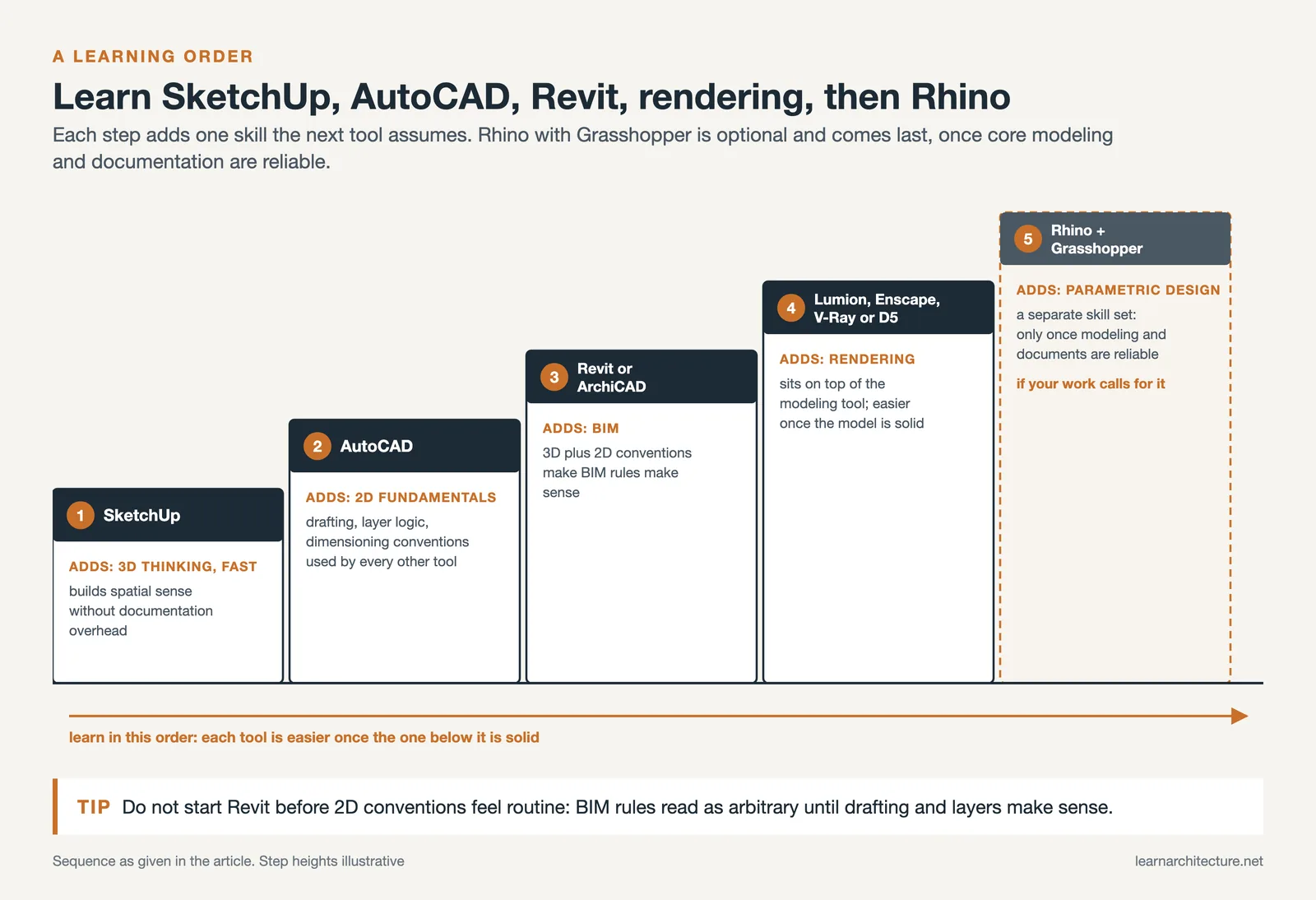
- SketchUp first. It builds 3D thinking quickly without overwhelming you with documentation features.
- AutoCAD next. It gives you the 2D drafting fundamentals, layer logic, and dimensioning conventions that show up in every other tool.
- Then Revit (or ArchiCAD). Now that you understand both 3D modeling and 2D conventions, BIM concepts make sense rather than feeling like arbitrary rules.
- Rendering after that: Lumion, Enscape, V-Ray, or D5 Render. These sit on top of your modeling tool and become much easier to learn once the model side is solid.
- Rhino plus Grasshopper if your work calls for it. Parametric and computational design is a separate skill set; do not pick it up until your core modeling and documentation are reliable.
For students mapping out a longer learning path, we have a deeper look at the best 3D architectural design software and how each fits into a working architect’s toolkit. For an overview of how AI is starting to integrate into these workflows, see our coverage of AI-powered architecture design software.
Best Free Resources to Learn Architectural Software Faster

Paid courses are not necessary. The official platforms from software vendors plus a handful of well-known YouTube channels cover almost everything a beginner needs.
Highest-quality free resources by category:
- Official vendor learning: Autodesk Learning offers free skill-builder and certification prep courses for AutoCAD, Revit, and Civil 3D. Graphisoft Learn covers ArchiCAD. Trimble Learn covers SketchUp.
- Reference documentation: the official user guides at help.autodesk.com and McNeel’s Rhino docs are dramatically better than most third-party tutorials and tend to be ignored by students.
- YouTube channels: Balkan Architect for Revit, The SketchUp Essentials for SketchUp, Designer Hacks for general workflow.
- Community forums: the Autodesk Community forums and McNeel Discourse are where you find solutions to specific weird problems that no tutorial covers.
Video: 5 Programs Architects Must Learn
This 11-minute overview from the Balkan Architect channel breaks down the five core software categories every architect should be familiar with: AutoCAD for drafting, Revit or ArchiCAD for BIM, Photoshop for post-production, a 3D modeller (SketchUp, Rhino, or 3ds Max), and visual programming via Dynamo or Grasshopper. It is a useful mental map before you commit to a learning order.
Learning Architectural Designs Software in a Studio or Office Setting
If you are already working at an architecture firm, your learning environment is a major asset that students do not have. Architectural designs software gets internalised faster when you can see senior staff use it daily, ask questions in real time, and work on real client projects.
To make the most of an office setting:
- Sit next to the fastest user in the office for at least an hour a week. Watch how they move, what they shortcut, and how they organise files.
- Volunteer for the small but tedious tasks (sheet setup, view templates, family creation in Revit, block libraries in AutoCAD). These are the parts that look boring but encode the firm’s working standards.
- Read at least one review redline per week and trace why each correction was made. This is where firm-specific drawing conventions live.
- Ask for the office BIM standard or CAD standard document. Most firms have one; most juniors never read it.
Six months in a well-organised office can deliver more software fluency than two years of self-study, simply because you are getting feedback on real work from people who care about the output.
Avoiding the Trap of Endless Tutorial Watching
Tutorials are useful, but they are also the most common source of false progress. The brain registers watching a problem being solved as similar to solving it yourself, even though the skill transfer is much weaker. As freeCodeCamp’s analysis of deliberate practice notes, real improvement requires stretch goals: tasks that push slightly past your current ability, not passive consumption.
A practical rule: for every 30 minutes of tutorial watching, spend at least 60 minutes doing the same thing in your own file with different inputs. If you watched someone model a stair, model a different stair afterward. If they modelled a residential plan, model a small commercial plan. Same techniques, different problem.
This 1:2 ratio of watching to doing is roughly where most students start to see real software speed gains within a month rather than the typical six.
📐 Technical Note
Hardware matters more than most beginners think. For Revit and ArchiCAD on mid-size projects, 16 GB of RAM is the realistic minimum and 32 GB is the working standard, with a dedicated GPU rather than integrated graphics. SketchUp and AutoCAD are forgiving on hardware, while Rhino with Grasshopper benefits substantially from a multi-core CPU when running heavy definitions. Investing in adequate hardware before serious learning saves hours of frustration that beginners often misread as software difficulty.
Building a Personal Library: Files, Templates, and Components
Speed in architectural drawing software comes as much from reusable assets as from typing speed. Every senior architect carries a private library of templates, blocks, families, hatches, and view configurations that compress repetitive setup down to seconds.
Start building yours from week one:
- Save your title block, layer standards, and view templates from your first project as a reusable template file.
- Whenever you draw something twice (a typical wall section, a door schedule, a north arrow), save it to a clearly named library folder.
- Download from reputable free CAD block libraries to avoid drawing from scratch. Our breakdown of the top free CAD block sites covers the most useful options.
- Maintain a single naming convention for files. “ProjectName_DocumentType_Date” is a common, durable format.
Within a year, your library will save more time than any tutorial ever did.
What About Architecture Software Cad Certifications?
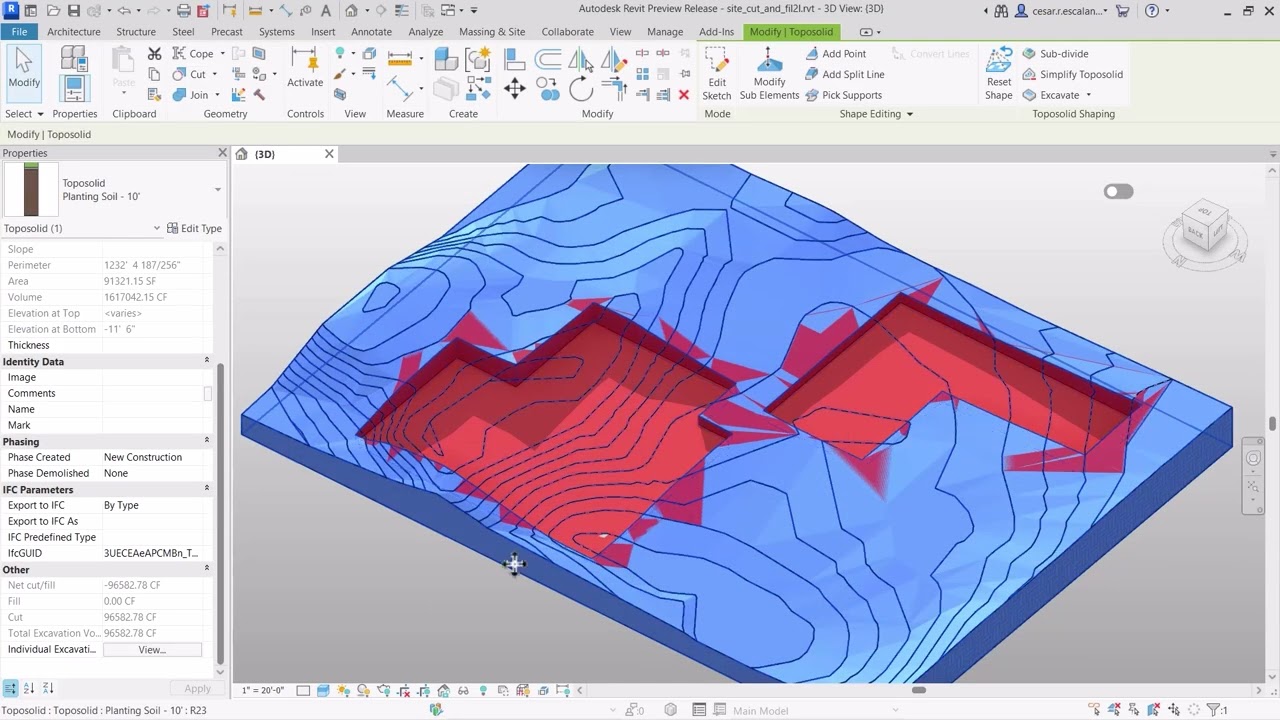
Certifications matter in some markets and not in others. Autodesk Certified User and Certified Professional exams are recognised globally, and many job postings in the United States, Middle East, and parts of Asia explicitly mention them. In Europe, certifications carry less weight than a strong portfolio of executed projects.
If you are early in your career and your portfolio is thin, a certification is a low-cost signal that you have working knowledge. If you already have built work or detailed academic projects to show, your time is better spent making those examples sharper than chasing badges.
One useful application of the certification path: the practice tests are a good self-diagnostic. They expose gaps in your knowledge faster than any tutorial would, even if you never sit the actual exam.
⚖️ Pros & Cons at a Glance
✔️ Pros of certification: Recognised credential, structured learning path, useful self-diagnostic via practice tests
✖️ Cons of certification: Time-consuming, exam fees, less weight than a strong portfolio in many markets
A Realistic 90-Day Plan to Learn Architecture Software Faster
Pulling everything together, here is a focused 90-day plan that assumes one to two hours per day on a single tool, plus weekends for project work.
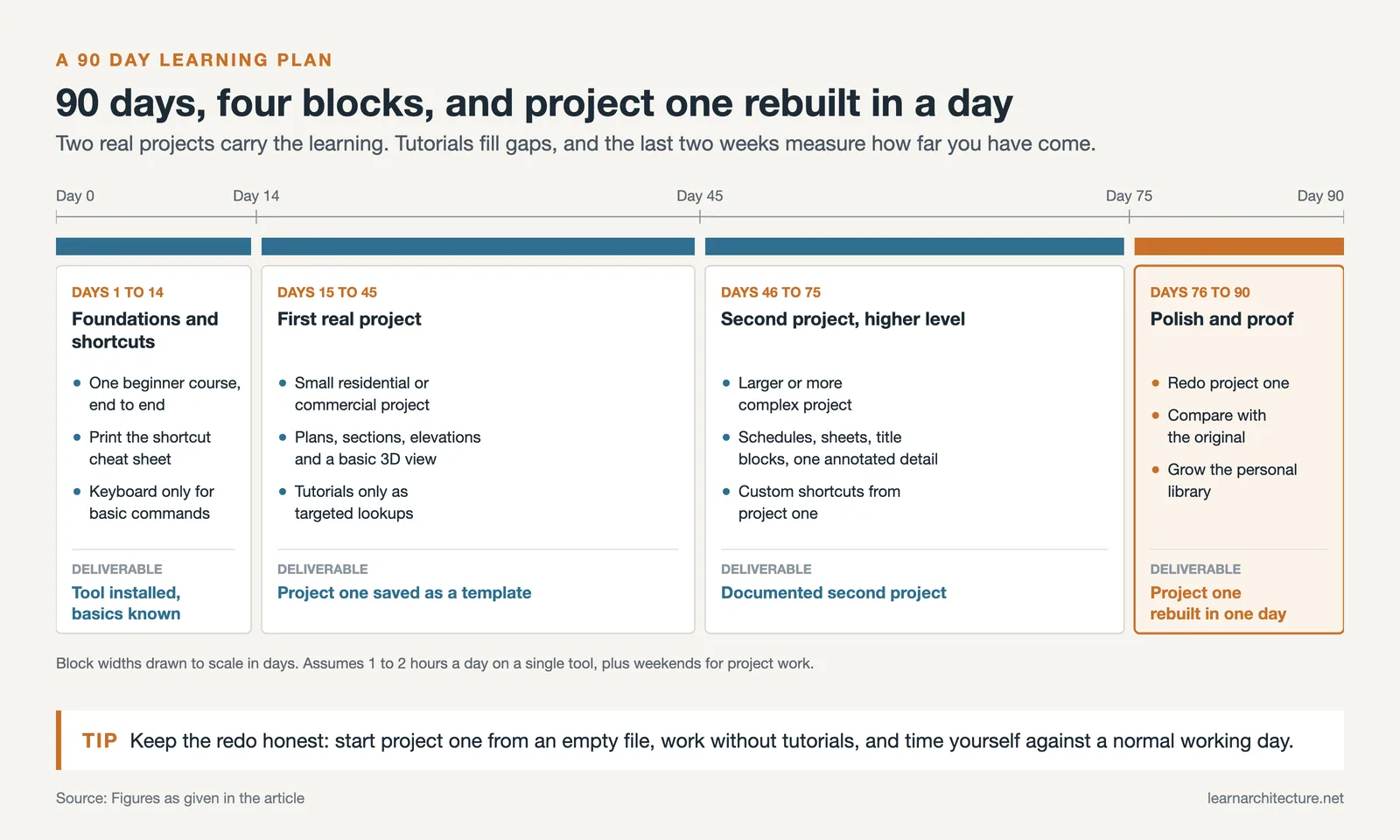
Days 1 to 14, foundations and shortcut layout. Install the software with educational licence if eligible. Watch one beginner course end-to-end (Autodesk Learning, Trimble Learn, or Graphisoft Learn). Print the shortcut cheat sheet. Force keyboard-only use from day one for the basic commands.
Days 15 to 45, first real project. Pick a small residential or commercial project. Build it from scratch with floor plans, sections, elevations, and a basic 3D view. Use tutorials as targeted lookups when you hit walls. Save your first project file as a template.
Days 46 to 75, second project at a higher level. Pick a slightly larger or more complex project. Add documentation: schedules, sheets, title blocks, and at least one annotated detail. Customise your shortcuts based on what you actually used in project one.
Days 76 to 90, polish and proof. Redo project one from scratch in a single working day. Compare to your original; the difference is the measure of how far you have come. Build out your personal library with the most reused elements.
At the end of 90 days, you will not be an expert. You will be productive, which is what employers and clients actually pay for.
✅ Key Takeaways
- Pick one architecture software at a time based on the jobs you actually want, not the tools that look impressive.
- Replace tutorial binge-watching with project-based practice; aim for at least 1 hour of doing for every 30 minutes of watching.
- Master keyboard shortcuts in the first month: the 30 to 40 most-used commands account for the majority of your work.
- Realistic productive proficiency in a major tool takes 2 to 3 months of daily focused practice, not the years many beginners assume.
- Build a personal library of templates, blocks, and reusable components from week one; long-term speed comes from reuse.
- Certifications matter in some markets but rarely substitute for a portfolio of real or detailed academic projects.
FAQ: How to Learn Architecture Software Faster
How can I learn architecture software faster as a complete beginner?
Start with one tool tied to a clear goal, build a small real project from your second week onwards, and force keyboard shortcut use from day one. Watch tutorials only to solve specific problems you hit while building, not as a replacement for building.
Which architecture software is the easiest to learn?
SketchUp is widely considered the easiest, with a free browser version and intuitive push-pull modeling that produces visible results within hours. It is a useful first step before tackling more complex BIM tools like Revit or ArchiCAD.
Do I need to learn AutoCAD if I already know Revit?
For most modern architecture practice, basic AutoCAD literacy is still expected because legacy projects, consultant drawings, and many small firms still use it. You do not need expert-level AutoCAD if Revit is your primary tool, but enough to read and lightly edit DWGs is the minimum useful level.
How long does it take to learn Revit for an architecture job?
With one to two hours of daily focused practice on real projects, most learners reach a working level in Revit within two to three months, enough to handle a small project from model through basic documentation. Mastery takes years, but employability comes much earlier.
Are paid architecture software courses worth it?
Paid courses can compress the timeline if they are tightly project-based and include feedback from instructors. For self-motivated learners, free official resources from Autodesk, Trimble, and Graphisoft cover almost everything a beginner needs, and the money is often better spent on hardware or a personal project budget.
















Leave a comment