


Table of Contents Show
Revit families are pre-built, parametric components (doors, windows, furniture, fixtures, MEP equipment) that you load directly into your Revit projects. Building every element from scratch takes hours, so downloading free Revit families from trusted online libraries is one of the fastest ways to speed up your BIM workflow and keep project files consistent.
Every Revit user eventually hits the same wall: the default family library that ships with the software covers only the basics. You need a specific sink, a particular curtain wall panel, or an exact lighting fixture from a real manufacturer. That is where dedicated Revit family download sites become essential. The eight sources listed below offer high-quality, free content that ranges from generic parametric objects to manufacturer-specific BIM models you can drop into production drawings.
What Are Revit Families and Why Do They Matter?
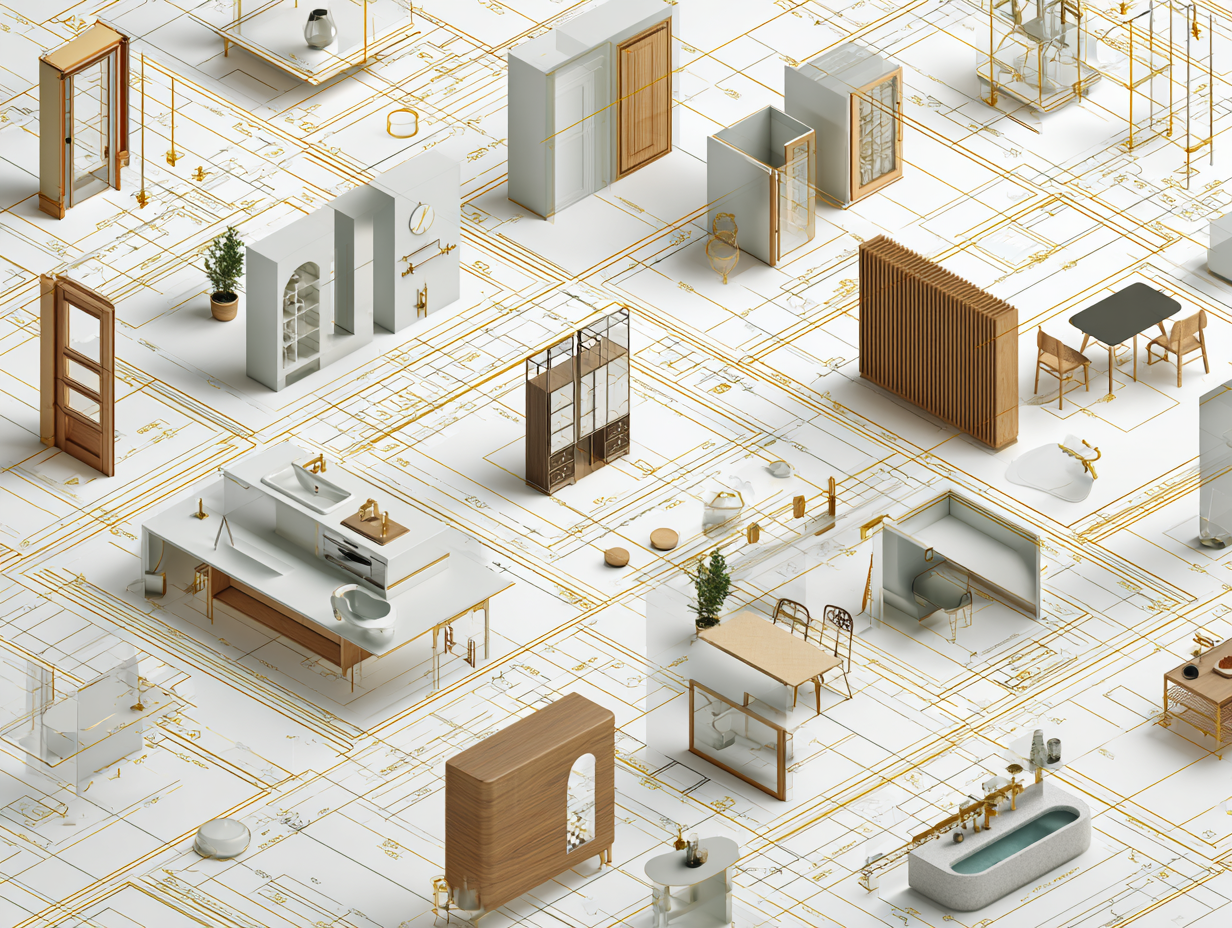
A Revit family is a group of elements that share a common set of properties (called parameters) and a related graphical representation. Families in Revit control everything visible in your model: walls, columns, beams, doors, furniture, plumbing fixtures, annotation symbols, and more. Unlike static CAD blocks, a single Revit family file (.rfa) can produce dozens of variations through adjustable parameters such as width, height, material, and finish.
For professionals working on tight deadlines, downloading ready-made families from reliable sources saves significant modeling time. A well-built family also carries accurate product data (dimensions, material specs, manufacturer details), which means your schedules, quantity takeoffs, and specifications stay accurate without extra manual input.
💡 Pro Tip
Before loading any downloaded Revit family into a live project, open it in the Family Editor first. Check that parameters work correctly, geometry is clean, and the file does not contain unnecessary imported CAD linework. A poorly built family can bloat your model size and cause performance issues down the line.
8 Best Websites for Free Revit Family Downloads
The following list covers eight platforms that consistently offer quality Revit content at no cost. Each site has different strengths, so using a combination of two or three will give you the widest coverage.
1. BIMobject
BIMobject is one of the largest platforms for free BIM content, hosting files from over 2,000 building product manufacturers worldwide. When Autodesk retired its own Autodesk Seek catalog, much of that content migrated to BIMobject, making it the closest thing to an official manufacturer library. You can sign up for free using your email, Autodesk, or LinkedIn account. Because the families come directly from manufacturers, each file includes accurate product specifications, model numbers, and material data. Files are available not only for Revit but also for ArchiCAD, SketchUp, and other platforms.
2. BIMsmith Market
BIMsmith Market hosts tens of thousands of free Revit families modeled by its in-house team of architects. The content leans heavily toward architectural categories: furniture, lighting, appliances, plumbing fixtures, and finishes. BIMsmith also offers BIMsmith Forge, a free cloud-based configurator that lets you build multi-layer Revit assemblies (walls, floors, ceilings, roofs) with real manufacturer products and download them as ready-to-use system families. A Revit plugin is available so you can search, configure, and load families without leaving the software.
3. National BIM Library (NBS)
The National BIM Library is maintained by NBS, a UK-based construction specification organization. It offers a growing collection of generic and manufacturer-specific BIM objects that follow strict modeling standards, including IFC compatibility. The library is particularly strong for UK and European specification workflows, and all objects are free to download after registration. If your projects require compliance with UK BIM standards (BS EN ISO 19650), NBS content is built with that framework in mind.
4. RevitCity
RevitCity is more than a download site. It functions as a community hub where Revit users share families, ask questions, discuss workflows, and post their latest creations. The families section is organized by category, and you can also search by keyword. A free account is required for downloading. Because the content is user-contributed, quality varies. Some uploads are polished and production-ready; others are rough drafts. Checking the user ratings and comments before downloading saves time.
⚠️ Common Mistake to Avoid
Many architects download a large batch of free Revit families and load them all into a project template at once. This dramatically increases file size and slows down model performance even if the families are never placed in views. Only load families into your project when you actually need them, and purge unused families regularly using the Purge Unused tool under the Manage tab.
5. ARCAT BIM Library
ARCAT is well known in the AEC industry for its product specifications and detail drawings. Its BIM library provides free Revit families organized by CSI MasterFormat division, which makes it especially useful when you are looking for content tied to a specific specification section. The families are manufacturer-sourced, so product data is accurate. Navigation can feel a bit dated compared to newer platforms, but the depth of content (particularly in doors, windows, hardware, and mechanical equipment) is strong.
6. Autodesk Revit Content Packs
Autodesk itself provides downloadable content packs that extend the default Revit family library. These packs include additional families and template files for different regional standards (US Imperial, US Metric, UK, and others). Installing the content pack that matches your regional workflow gives you a solid baseline of generic families that follow Autodesk’s own modeling guidelines. This is often the first source that new Revit users overlook.
7. Library Revit (libraryrevit.com)
Library Revit offers a straightforward, no-registration-required download experience. The site organizes families into clear categories (furniture, bathroom, kitchen, electrical, structural, and more), and most files can be downloaded with a single click. File quality is generally decent for visualization and early design phases. For construction documentation, you may still need to adjust parameters and detail levels. The site is updated regularly with new uploads, which keeps the library growing.
8. CADdetails
CADdetails provides BIM content that comes directly from building product manufacturers across North America. What sets CADdetails apart is that every family is tied to a real product with downloadable specification sheets, detail drawings, and installation guides. Free registration is required. The platform is especially useful for architects working on specification-heavy projects where having the correct manufacturer family in the model from the start avoids rework during the CD phase.
🎓 Key Insight
The quality of your Revit families determines the quality of your documentation. Garbage in, garbage out.
This is a principle many firms learn the hard way. Investing time in vetting downloaded families before they enter your template or project saves countless hours of troubleshooting during construction documentation.
Comparison of the Top 8 Free Revit Family Websites
The table below summarizes the key features of each platform so you can quickly decide which ones fit your workflow:
| Website | Content Source | Registration Required | Best For |
|---|---|---|---|
| BIMobject | Manufacturer-sourced | Yes (free) | Manufacturer-specific product families |
| BIMsmith Market | In-house architects + manufacturers | Yes (free) | Architectural families + wall/floor assemblies |
| National BIM Library | NBS-curated + manufacturers | Yes (free) | UK/European BIM standards compliance |
| RevitCity | Community-contributed | Yes (free) | Wide variety, community support |
| ARCAT | Manufacturer-sourced | No | Specification-linked content by CSI division |
| Autodesk Content Packs | Autodesk (official) | No | Baseline generic families for regional standards |
| Library Revit | Community / mixed | No | Quick downloads, no sign-up needed |
| CADdetails | Manufacturer-sourced (North America) | Yes (free) | Specification sheets + detail drawings included |
How to Organize Your Revit Family Library

Downloading families from multiple sites quickly leads to a disorganized folder structure if you do not plan ahead. Set up a local or shared network folder with a clear hierarchy before you start collecting files. A common approach is to mirror the CSI MasterFormat divisions (Division 08 for doors, Division 09 for finishes, Division 22 for plumbing, and so on), then add subfolders for each manufacturer or product type.
Name your files consistently. A format like Manufacturer_ProductName_Type.rfa makes it easy to search. Avoid generic names like “Door1.rfa” or “Chair_v2_FINAL.rfa” because these become impossible to identify six months later. If your office uses a shared server, consider a dedicated Revit content manager role that reviews, tests, and approves new families before they enter the office library.
Autodesk’s official Revit platform page provides additional guidance on family creation standards and best practices for organizing content within your projects.
💡 Pro Tip
Create a “Quarantine” folder for newly downloaded families. Test each file in a blank Revit project before promoting it to your approved library. This simple step prevents corrupted or oversized families from entering production models and causing crashes during worksharing.
What to Look for in a Quality Revit Family
Not every free Revit family is worth using. A well-built family should have clean geometry at all detail levels (Coarse, Medium, Fine), correctly assigned subcategories for visibility control, and parameters that actually work when you change them. Avoid families that contain imported AutoCAD geometry, as these often display incorrectly in plan views and add unnecessary linework to your model.
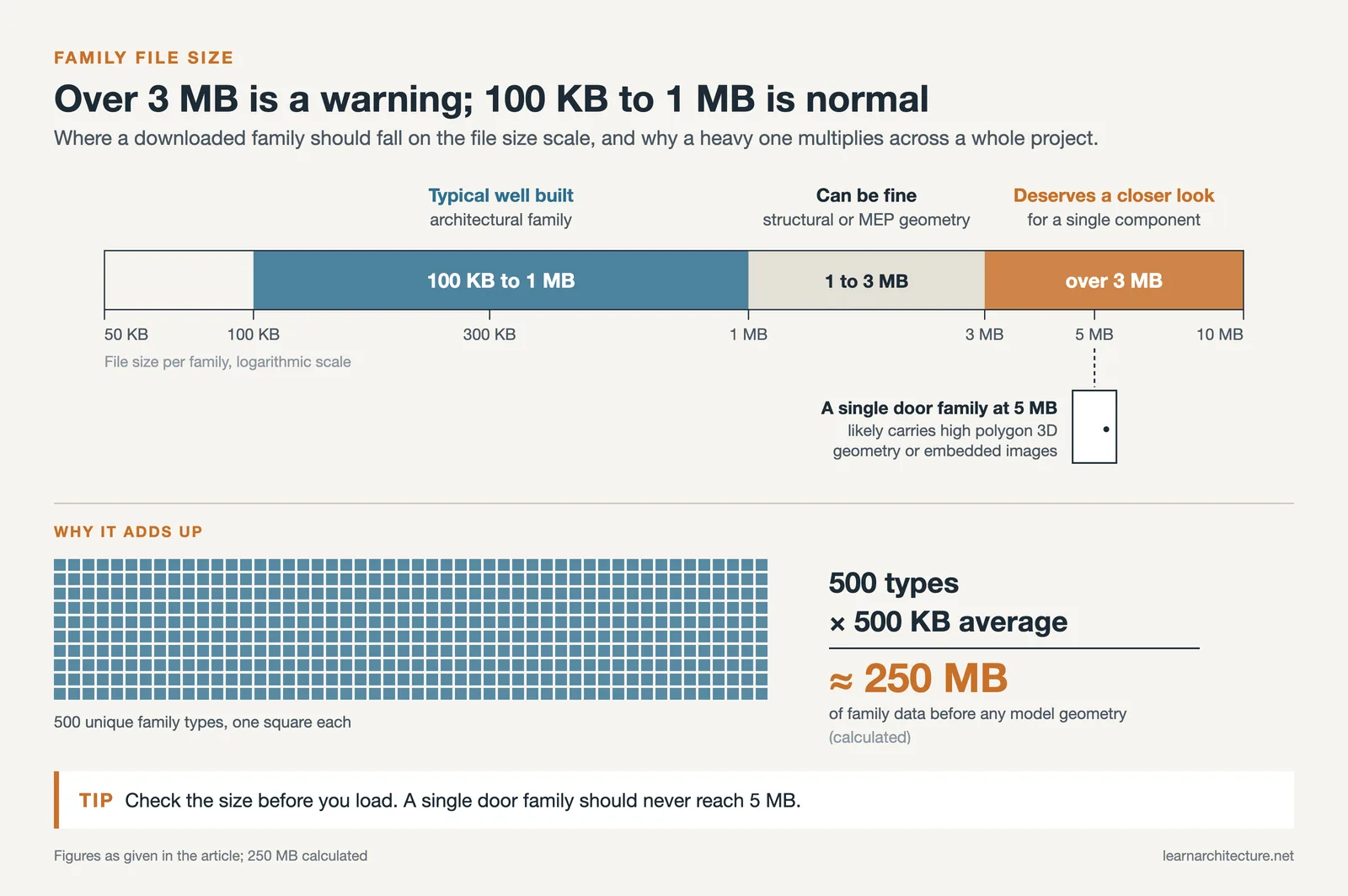
Check the file size as well. A single door family should not be 5 MB. If it is, the creator likely embedded high-polygon 3D geometry or unnecessary images inside the family file. For reference, most well-built architectural families range between 100 KB and 1 MB. Structural and MEP families with complex geometry may be larger, but anything over 3 MB for a single component deserves a closer look.
If you are working with Revit on complex BIM projects, family quality becomes even more critical because every loaded family multiplies across hundreds of instances in the model.
📌 Did You Know?
A single Revit project file for a mid-size commercial building can contain over 500 unique family types. If each family averages just 500 KB, that is 250 MB of family data alone before any model geometry is added. Keeping families lean and well-organized directly impacts how fast the model opens, saves, and syncs in a workshared environment.
Video: How to Find and Download Families for Revit
This tutorial by Balkan Architect walks through the process of searching, downloading, and loading free Revit families into your projects step by step.
Building Your Own Revit Families vs. Downloading
Downloading free Revit families is efficient for standard components, but there are situations where creating your own family from scratch is the better choice. Custom families give you full control over parameters, detail levels, and graphical representation. If your firm has a specific door schedule format, for example, building a custom door family that outputs exactly the data your schedule needs is faster in the long run than modifying downloaded content repeatedly.
The Revit Family Editor is a separate environment within the software where you define geometry, assign parameters, set reference planes, and test constraints. Learning to use it well takes practice, but it is one of the most valuable skills a Revit user can develop. Autodesk provides official documentation on the Family Editor that covers the fundamentals.
A practical middle ground is to download a family that is close to what you need and then modify it. This approach works well for furniture, fixtures, and equipment where the basic geometry exists but parameters or detail levels need adjustment for your project standards. For a broader look at design software options in architecture, the guide to 3D architectural design software covers how Revit fits alongside tools like SketchUp, Rhino, and 3ds Max.
How to Load Families into a Revit Project
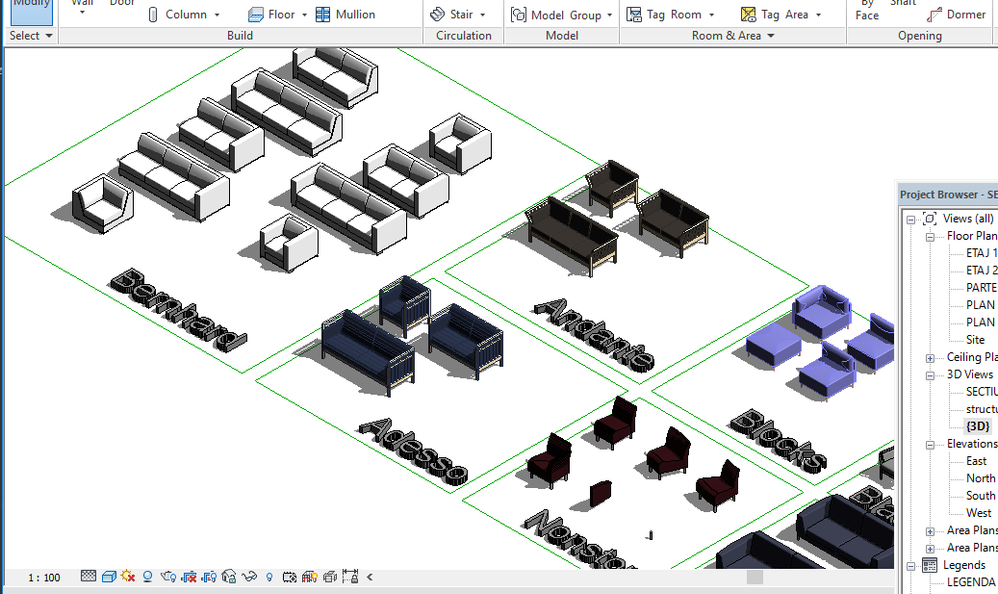
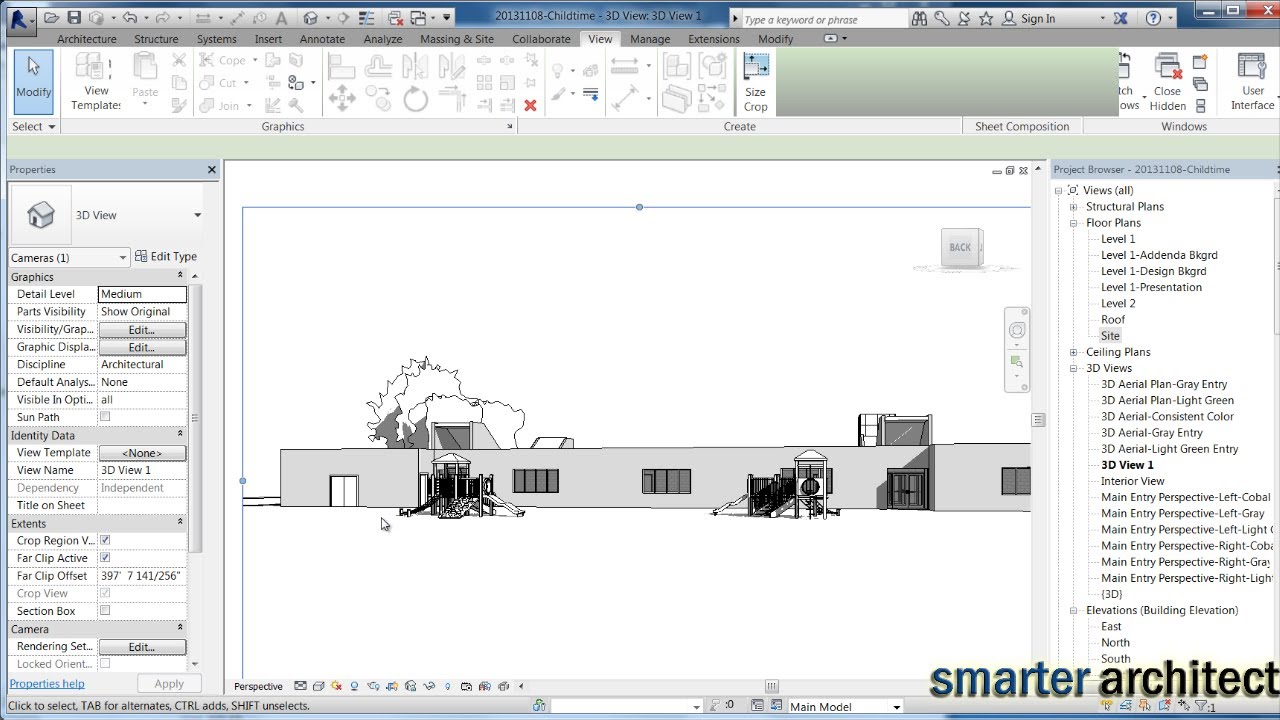
Loading a downloaded Revit family into your project is straightforward. Open your project, go to the Insert tab, and click Load Family. Browse to the .rfa file you downloaded, select it, and click Open. The family is now available in your project browser under the appropriate category. To place it, select the corresponding tool (Door, Window, Component, etc.) from the Architecture or Systems tab and choose the loaded family type from the type selector.
You can also drag and drop .rfa files directly from Windows Explorer into an open Revit project view. This loads the family and immediately enters placement mode. If you downloaded a family for a different Revit version, the software will attempt to upgrade it automatically. This usually works without issues going one or two versions forward, but families created in very old Revit versions (2018 or earlier) may need manual fixes after upgrading.
If you are exploring free CAD block resources as well, keep in mind that CAD blocks (.dwg) and Revit families (.rfa) serve different purposes. CAD blocks are 2D or 3D geometry without parametric intelligence, while Revit families carry embedded data and respond to project parameters.
📐 Technical Note
Revit family files use the .rfa extension for loadable families. System families such as walls, floors and roofs are not stored as separate files; they live inside project files (.rvt) and project templates (.rte). The standard storage path for default content on Windows is C:\ProgramData\Autodesk\RVT [version]\Libraries. If your content packs are not appearing, verify this path exists and that the Options > File Locations setting in Revit points to it.
Final Thoughts
✅ Key Takeaways
- Free Revit families from trusted websites save significant modeling time on BIM projects of any scale.
- Manufacturer-sourced platforms like BIMobject, BIMsmith, and CADdetails provide families with accurate product data for documentation.
- Always test downloaded families in the Family Editor before adding them to production models to avoid performance and accuracy issues.
- Organize your Revit family library with a consistent naming convention and folder structure (CSI MasterFormat divisions work well).
- Learning the Family Editor remains one of the most valuable investments for any Revit user, even when free content is widely available.
A strong Revit family library is built over time, not overnight. Start with the eight sites listed here, test every download before it enters your workflow, and gradually build a collection that matches your firm’s standards. The time you invest in organizing and vetting your Revit families today pays off on every project that follows. If you are also developing your broader architecture software skills, the ArchiCAD vs SketchUp comparison and the guide to AI tools for architectural visualization are worth reading as complementary resources.















Leave a comment