


Table of Contents Show
Before any building goes vertical, we need a clear picture of how it meets the ground. That’s where an architectural site plan proves its value. It shows the big moves and the fine grain: boundaries, setbacks, grading, utilities, access, and landscape, everything that connects a project to its context. In this guide, we walk through the purpose, elements, and scale of a site plan, then share how we create, read, and present one that satisfies reviewers and sets construction up for success.
To switch between drawing scales without the manual math, this architectural scale converter does it instantly.

What Is A Site Plan And Why It Matters
Planning, Permitting, And Communication
A site plan is the sheet that ties a project to its parcel and surroundings. We use it to test feasibility, demonstrate code compliance, and coordinate with civil, landscape, and MEP teams. For permitting, the site plan becomes the reviewer’s snapshot, setbacks, height references, parking counts, fire access, utilities, and stormwater are all visible. For clients and neighbors, it’s a clear way to communicate circulation, entries, and how the building sits in the neighborhood. In short: if the site plan is right, everything downstream runs smoother.

How It Differs From Surveys, Floor Plans, And Master Plans
A survey locates legal boundaries, easements, benchmarks, and existing features with precision, our site plan builds on that data to show proposed work. Floor plans describe interior layouts: the site plan explains how people and vehicles reach those doors, where they park, and how water leaves the site. And where master plans chart long-range, multi-parcel visions, the architectural site plan focuses on an actionable scope for a specific project phase.
Core Elements Of An Architectural Site Plan
Site Boundaries And Legal Controls
We start with recorded parcel lines, right-of-way lines, and easements from the ALTA or boundary survey. Then we overlay zoning setbacks, height planes, floodplain limits, and any deed restrictions. North arrow, scale, legal description, and project data (APN, jurisdiction, codes) make the sheet complete and defensible for review.

Existing Conditions And Constraints
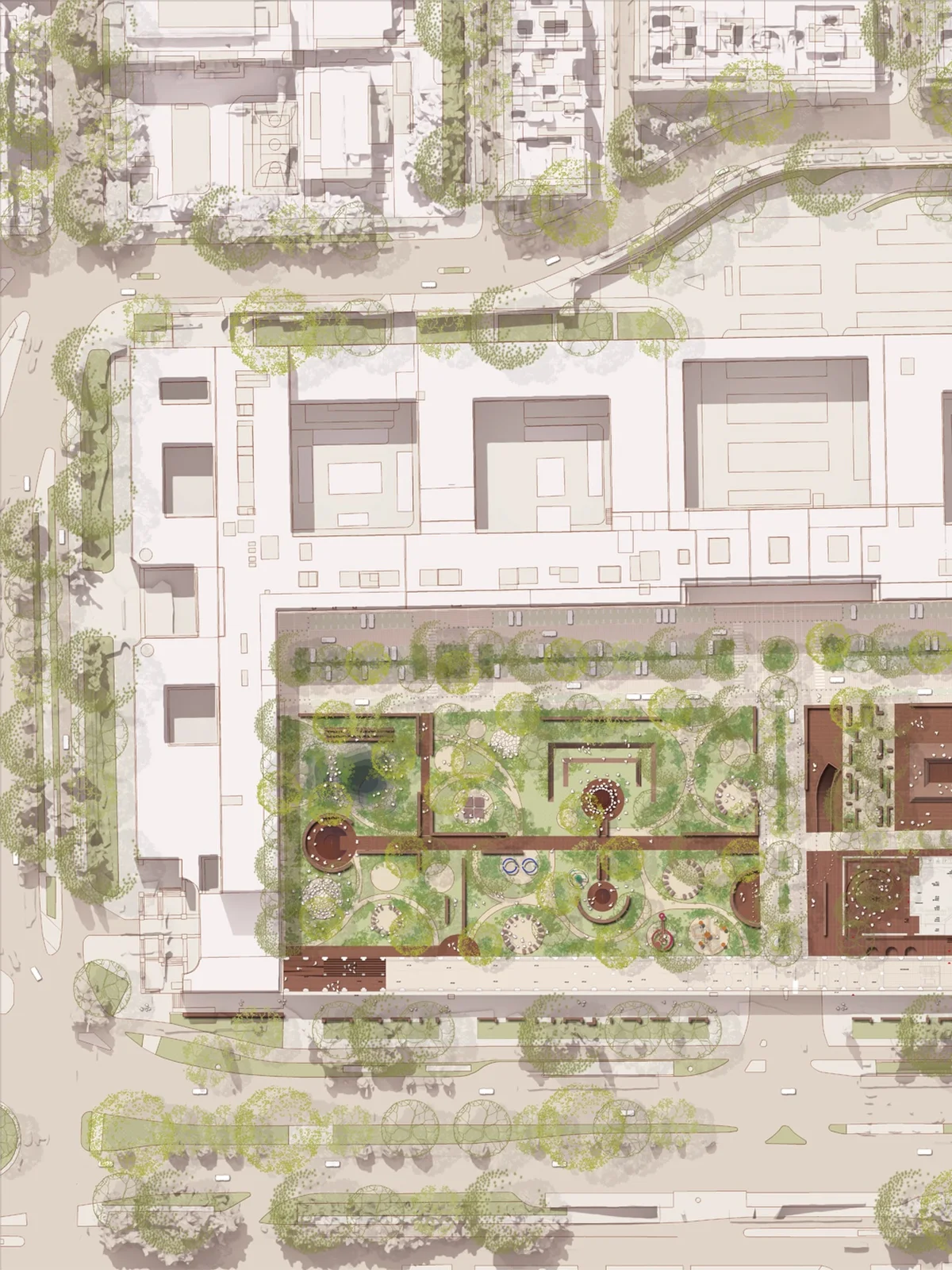
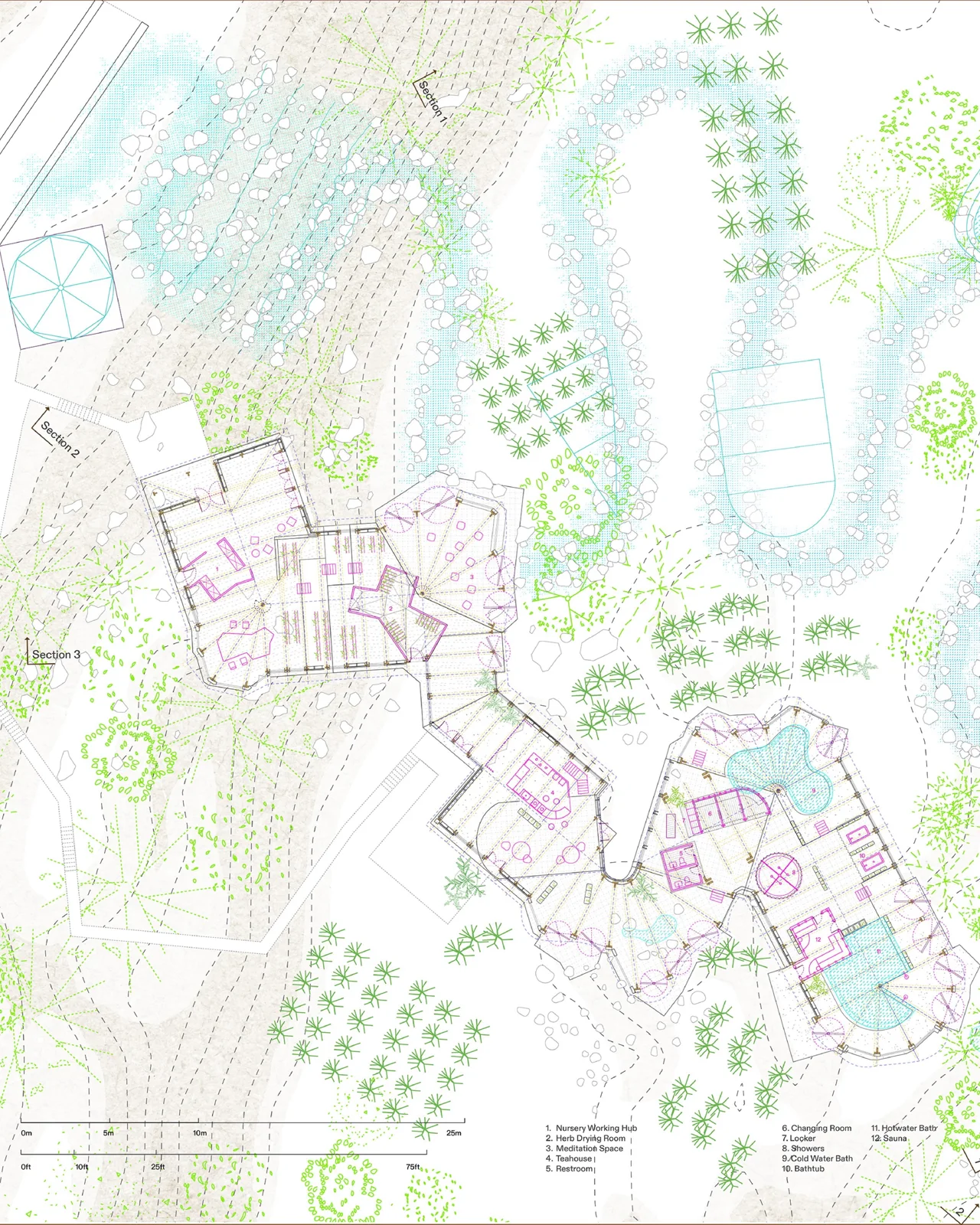
Context matters. We map adjacent buildings, curb cuts, topography, trees, utilities, hydrants, and site walls. We also flag constraints like slopes over 10%, poor soils, wetlands, or view corridors. Sun path, prevailing winds, and noise sources influence where we place entries, loading, and outdoor space.
Proposed Improvements And Circulation
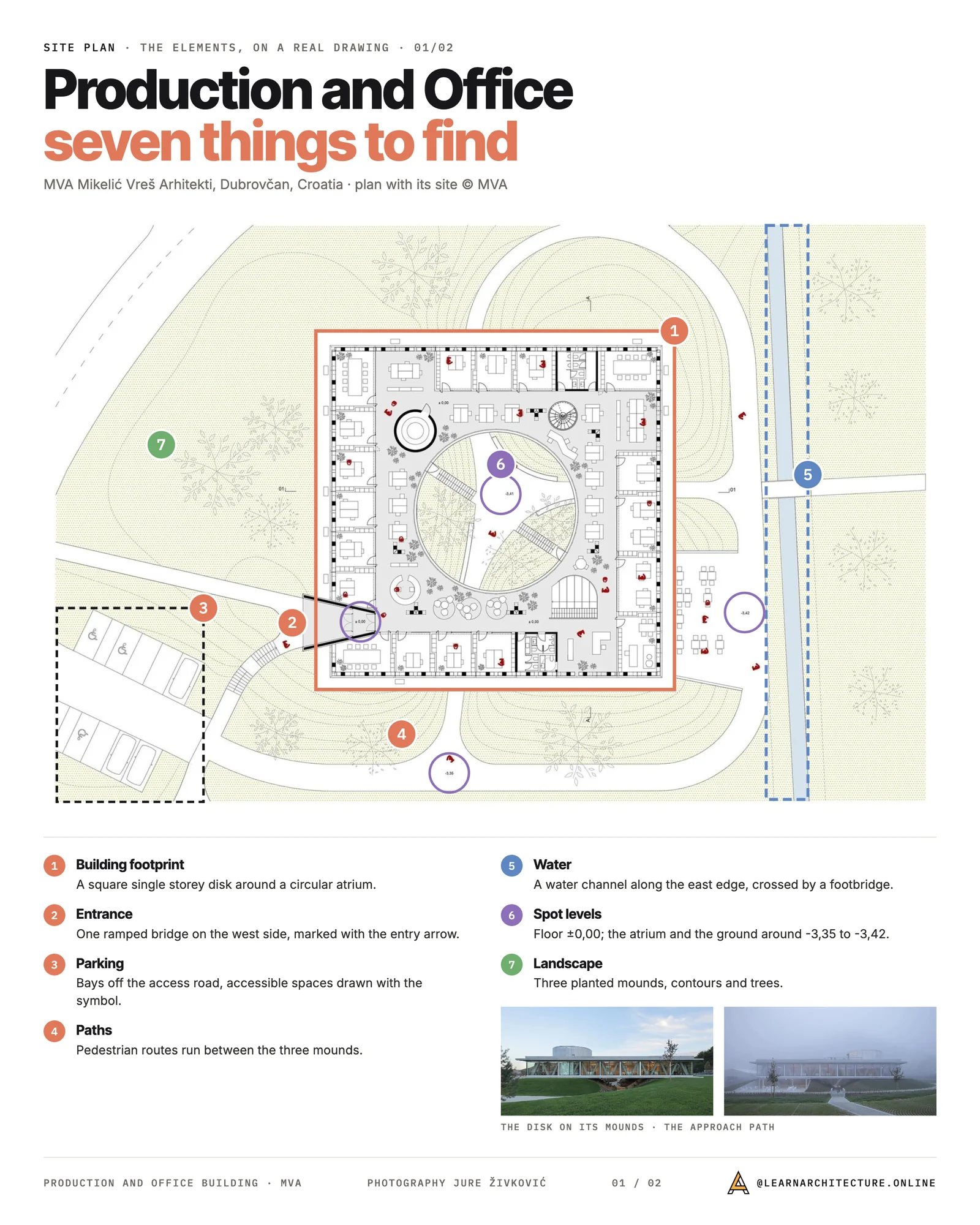
This is the story of how people and vehicles move. We show building footprint(s), entry locations, sidewalks, accessible routes, bike parking, loading zones, trash enclosures, and fire lanes with turning templates as needed. For vehicles, we lay out drive aisles, parking counts, stall sizes, and EV/ADA stalls. Pedestrian desire lines and sight triangles help us avoid conflicts at driveways and corners.
Technical Details: Grading, Drainage, Utilities, Lighting, And Landscaping
Even at planning scale, we indicate finished floor elevations, spot grades at entries and accessible paths, and slopes for drainage. Arrows and contours make water’s path unmistakable. Utility laterals (water, sewer, power, telecom, gas) appear with connection points and separations. We call out on-site stormwater features, bioswales, permeable paving, or underground detention, to meet municipal requirements. Lighting plans define pole locations, fixture types, and cutoff criteria to limit spill. Landscape areas, species legends, and irrigation notes round out the environmental performance story.
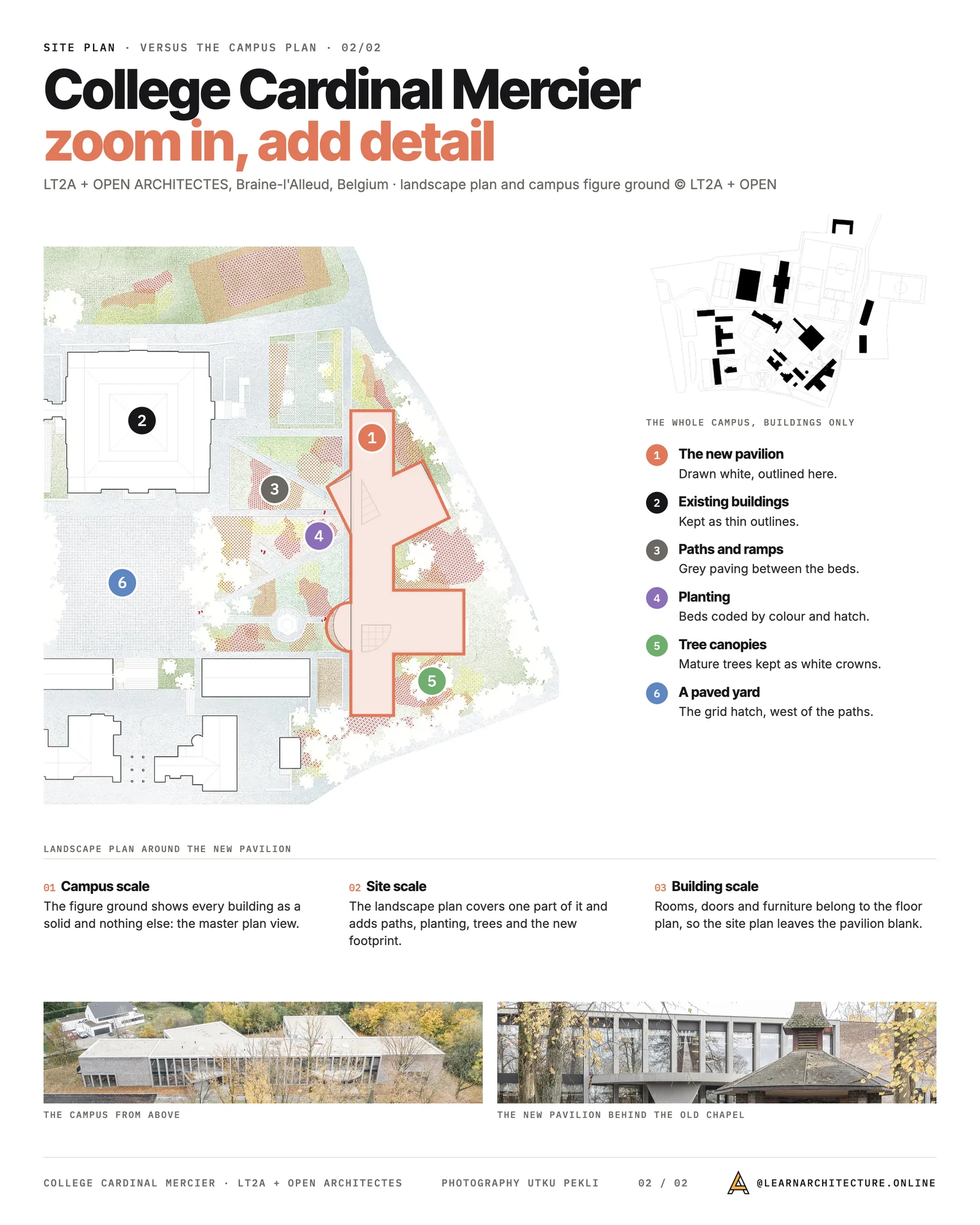
Understanding Scale And Level Of Detail
Common Scales And Choosing The Right One
We choose scale based on site size and submittal needs. Typical scales include 1″=10′, 1″=20′, or 1″=30′ for small to mid-size sites: larger campuses might use 1″=40′ or 1″=50′. The rule: pick the largest scale that fits the sheet while keeping annotations legible and dimensions clear.

Dimensioning And Graphic Scale Best Practices
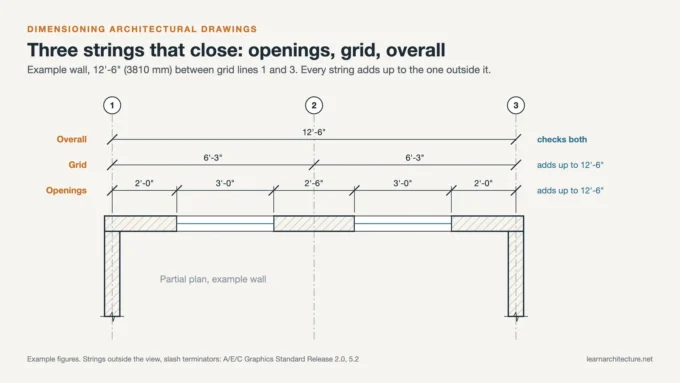
We dimension building offsets from property lines, drive widths, stall sizes, curb returns, and accessible slopes. Redundant control dimensions from property corners help during layout. We always include a graphic scale bar, plotting errors happen, and north arrow, legend, and clear, hierarchical labels so the plan reads at a glance.
Standards, Codes, And Coordination
Zoning And Development Standards
Every site plan must prove compliance. We document setbacks, lot coverage, floor area, height limits, parking ratios, open space, and landscape requirements. Where overlays apply, historic districts, coastal zones, hillside ordinances, we note them and show how the design meets them. If variances or conditional use permits are needed, the plan highlights the basis.

Interdisciplinary Coordination And Submittal Requirements
Site plans sit at the intersection of architecture, civil, and landscape. We coordinate grading and drainage with civil sheets, planting with the landscape plan, and utility routes with MEP. For submittals, jurisdictions often require digital PDFs with layers, named bookmarks, and CAD exports matching NCS or local layering standards. Title blocks should include project addresses, sheet numbers, and revision history for an audit trail.
How To Create A Site Plan Step-By-Step
Gather Data And Build A Clean Base
We start with the latest survey (preferably ALTA), geotechnical data, utility maps, aerials, and zoning codes. We bring them into CAD/BIM, set a shared coordinate system, purge duplicates, and lock the base so geometry stays clean and to scale.

Concept Layouts, Test Fits, And Iteration
Next, we block massing, parking, service areas, and pedestrian links. We run quick test fits for program and parking counts, check fire access with turning templates, and adjust grades to maintain accessible paths. Early feedback from planning staff saves months later.
Refine For Permitting And Construction Documentation
We tighten dimensions, annotate materials and slopes, add utility sizes and invert elevations, and coordinate stormwater details. Then we run an internal QA/QC checklist: code compliance box, legends, north arrow, graphic scale, notes, and details referenced to civil and landscape sheets. The result is permit-ready and constructible.
Reading And Presenting Site Plans
Line Weights, Symbols, And Notation
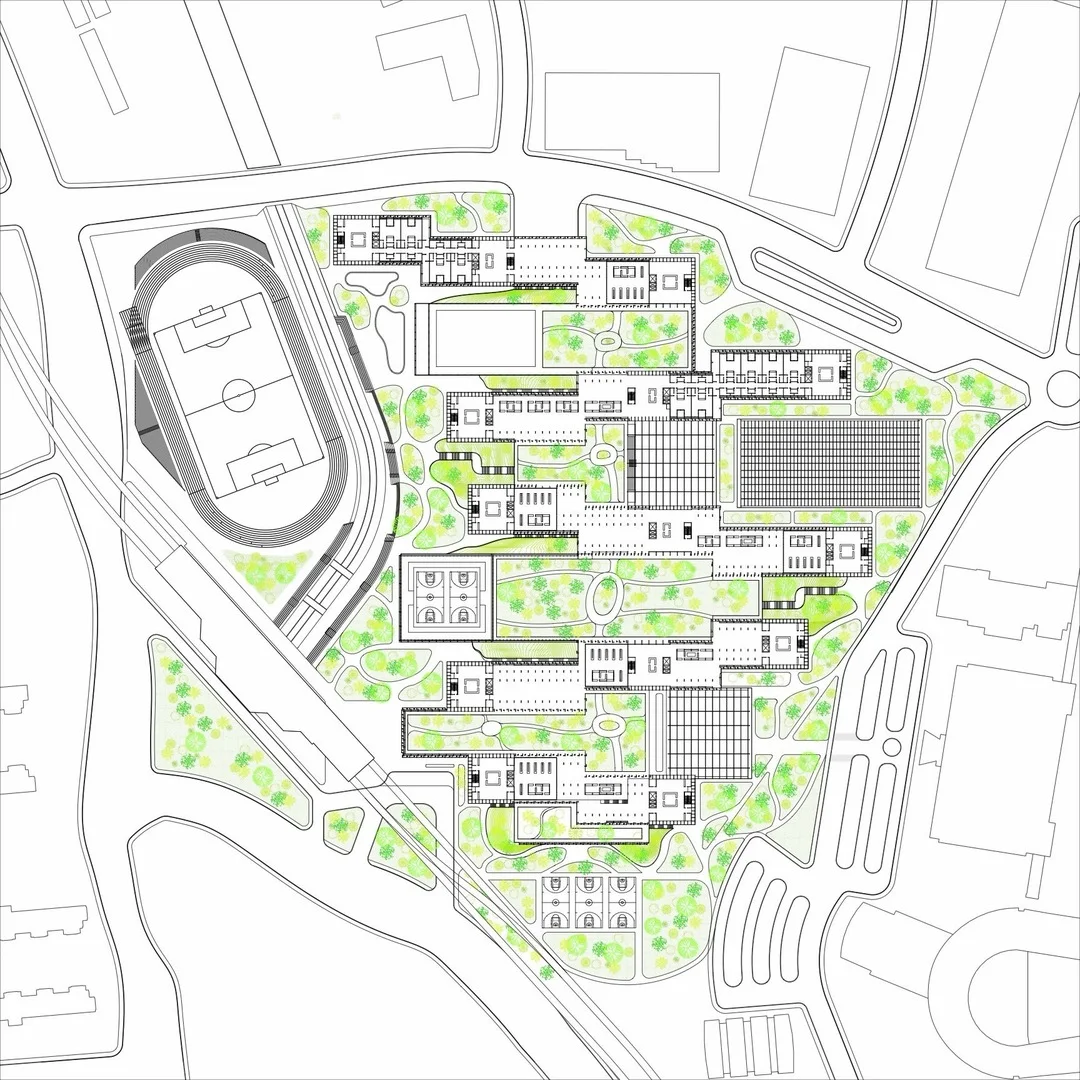
Good site plans read like music: bold lines for proposed building edges, medium for curbs and pavements, light for existing. Hatches differentiate surfaces: consistent symbols (trees, hydrants, light poles) reduce cognitive load. We keep notes concise, use leaders sparingly, and place dimensions where a contractor can pull tape.

Digital Tools, CAD/BIM, And File Standards
We typically produce the plan in AutoCAD or Revit, coordinate with Civil 3D, and export to PDF with vector linework. Layer naming follows office/NCS conventions so consultants can xref without chaos. For public meetings, we pair the technical sheet with a simplified graphic, context shading, a few callouts, and a clear legend, to tell the story fast.
Conclusion
An architectural site plan is both a compass and a contract with the land. When we get the purpose, elements, and scale right, supported by codes, coordination, and crisp graphics, we de-risk permitting and construction. Start with solid data, iterate with intent, and let the site plan do what it does best: align design, compliance, and buildability on one clear sheet.
- architectural drawing site plan
- architectural site design
- architectural site plan
- architectural site plan purpose
- architectural site planning
- components of a site plan
- creating site plans
- elements of site plan
- importance of site plans
- purpose of architectural site plans
- scale for site plans
- site plan design
- site plan development
- site plan drawing
- site plan elements
- site plan engineering
- site plan layout
- site plan scale
- site planning process
- understanding site plans








Leave a comment