


Table of Contents Show
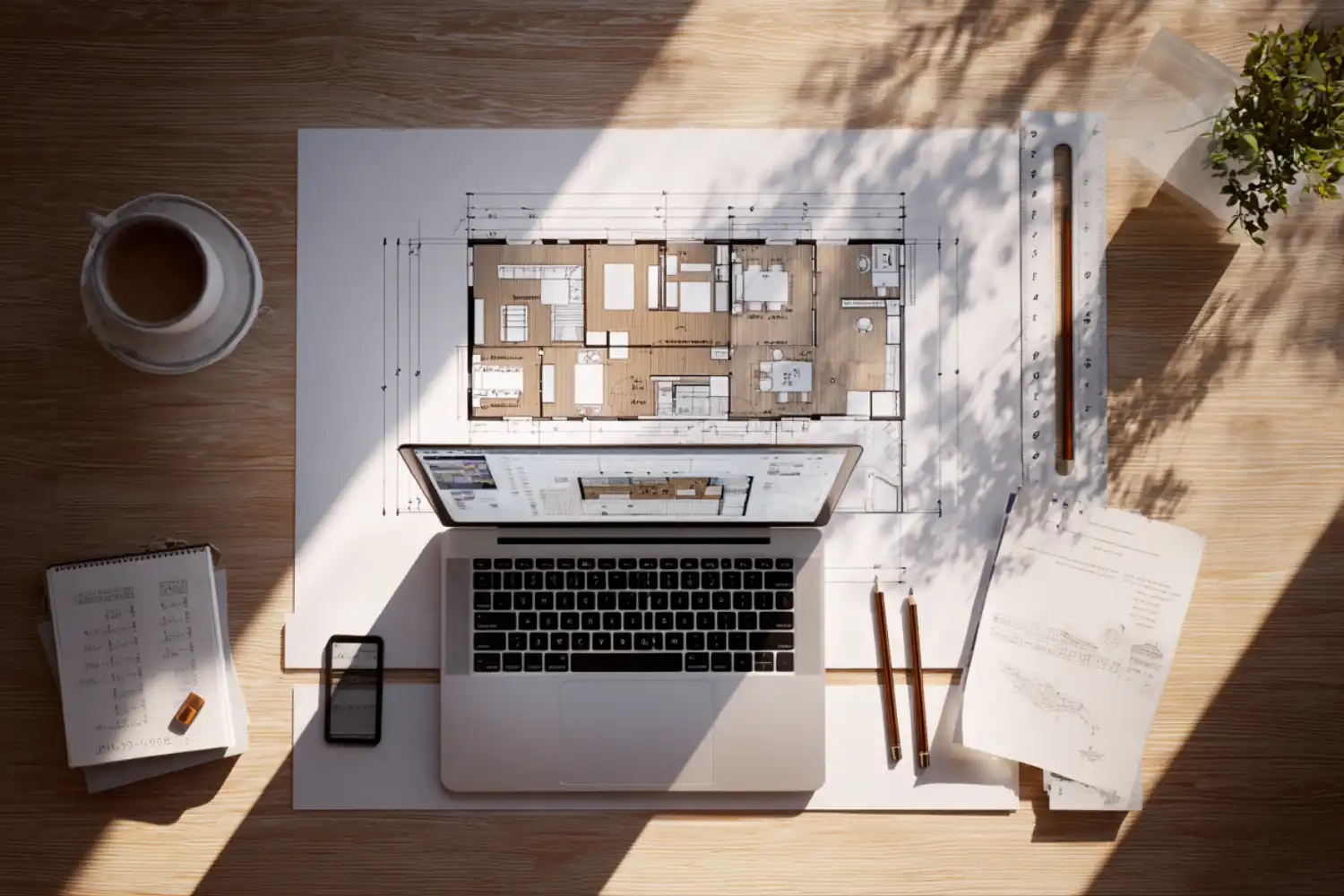
AI floor plan tools use generative algorithms and machine learning to produce room layouts, optimize spatial flow, and test design variants in seconds rather than hours. They help architects, interior designers, and real estate professionals move from a blank canvas to a functional layout with minimal manual drafting.
Drawing a residential floor plan from scratch used to mean hours of wall placement, dimension adjustments, and back-and-forth revisions. Today, a growing category of AI floor plan tools handles the repetitive part of that process. You describe your constraints, and the software returns one or more layout options you can refine. Some tools sit inside your existing CAD or BIM workflow. Others run entirely in the browser. The right choice depends on your project type, team size, and how much control you need over the output.
This guide covers seven of the most capable options available right now, organized by what they do best and who they serve.
How AI Floor Plan Design Tools Work
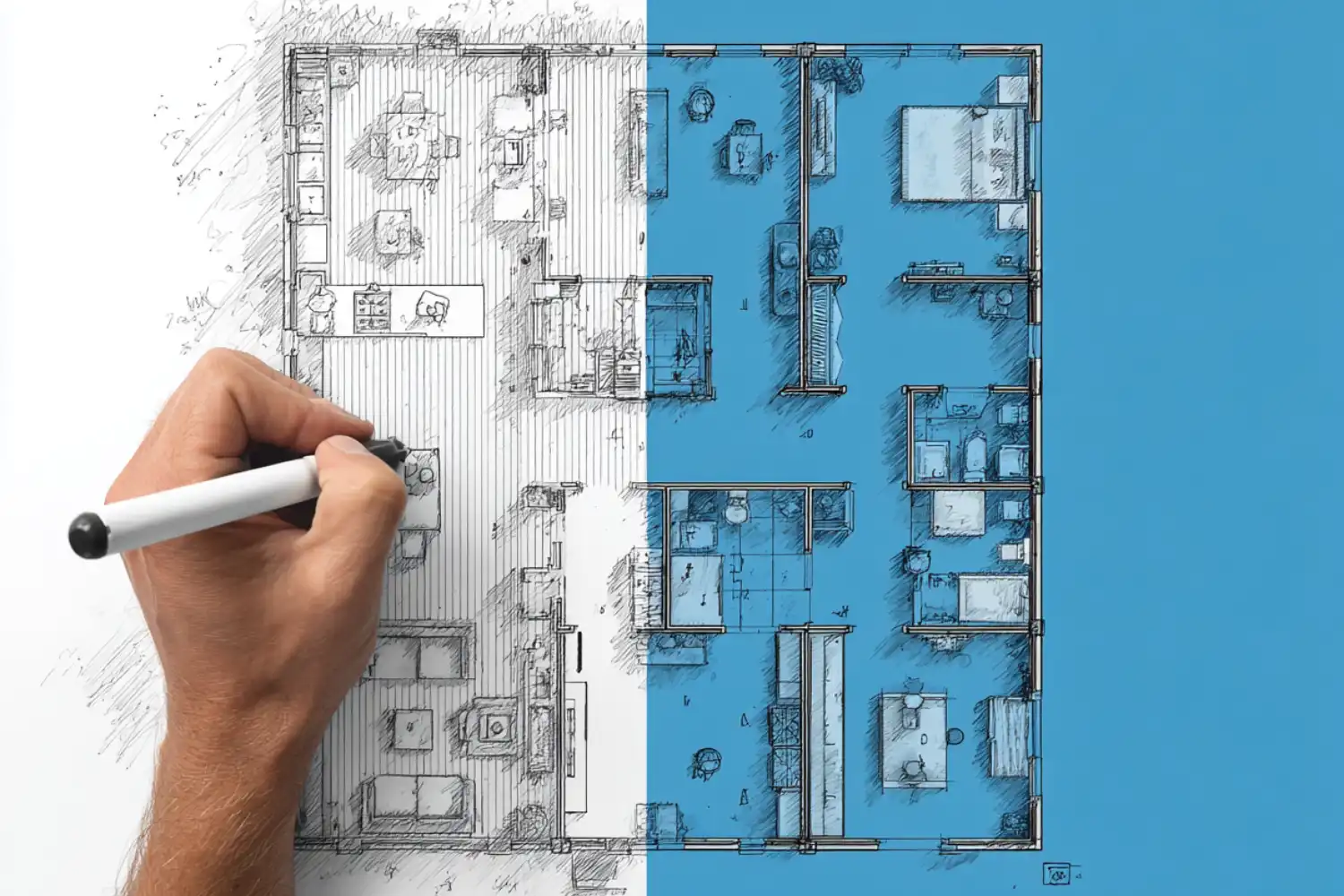
Most AI floor plan design tools follow a similar pattern. You feed the system a set of inputs, such as lot dimensions, room count, target square footage, zoning setbacks, or a rough sketch. The AI engine, usually built on generative design algorithms trained on thousands of existing layouts, produces one or more plans that satisfy those parameters. You then edit the result manually or run another generation with adjusted inputs.
The technology behind these tools varies. Some rely on rule-based optimization, where the system applies known spatial relationships (kitchen near dining, bedrooms away from noise sources) to fill a boundary. Others use neural networks trained on large datasets of real floor plans, allowing them to predict layout patterns that human drafters might not consider. A few platforms combine both approaches.
What makes this useful in practice is speed. An AI architectural plan generator can produce 10 to 20 layout variants in the time it takes to draft one option manually. For early-stage feasibility studies, client presentations, or renovation planning, that kind of iteration speed changes how you approach design decisions.
💡 Pro Tip
When testing an AI floor plan tool for the first time, start with a project you have already completed manually. Compare the AI output against your finished plan to gauge accuracy, spatial logic, and how much editing the result needs before it becomes usable.

7 Best AI Tools for Floor Plans Compared
The tools below cover different use cases, from residential planning to commercial feasibility to quick real estate visuals. Each one approaches AI-generated floor plans differently, so the comparison table after this section can help you narrow down the fit.
Maket
Maket is purpose-built for residential floor plan generation. You describe what you need in plain language (room count, shape, square footage), and the AI returns editable layouts with accurate dimensions. Version 2 of the platform added style-based 3D rendering, so you can move from a plan to a visual concept without switching tools. Maket also includes zoning research features that check local building regulations during the generation process. It works well for homeowners, builders, and architects who need fast conceptual layouts for single-family or multi-family residential projects. A free trial is available, with premium plans for advanced features.
Planner 5D
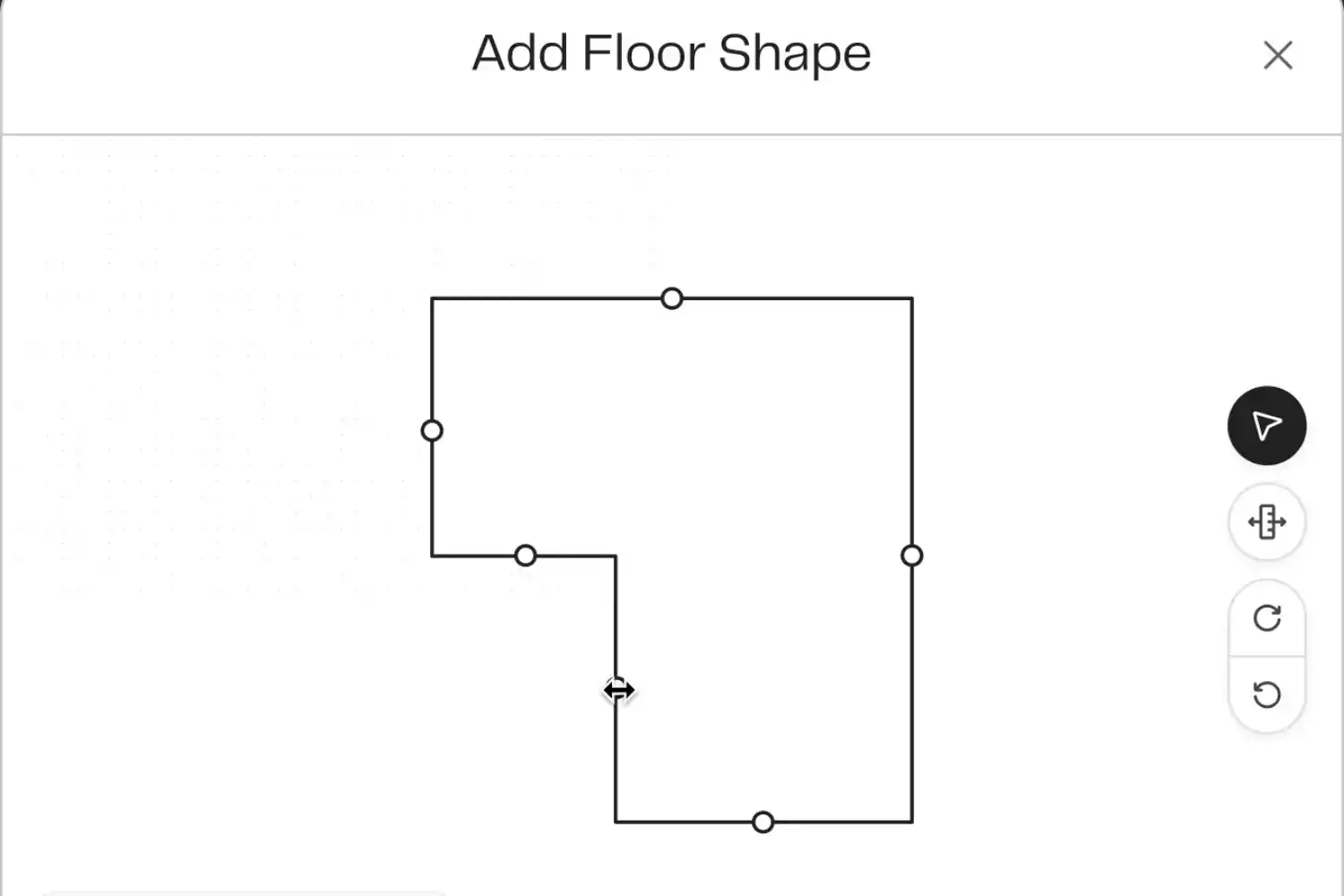
Planner 5D combines a drag-and-drop floor plan editor with AI-powered features like plan recognition (upload a sketch or PDF, and the system converts it into an editable digital plan) and automated layout generation. Its furniture library includes over 7,000 items, and you can switch between 2D and 3D views instantly. The platform runs on web, iOS, Android, macOS, and Windows with cloud sync across devices. Pricing starts at $4.99 per month, with a free tier for basic plans. It is a strong pick for interior designers and homeowners who want visual results fast.
TestFit
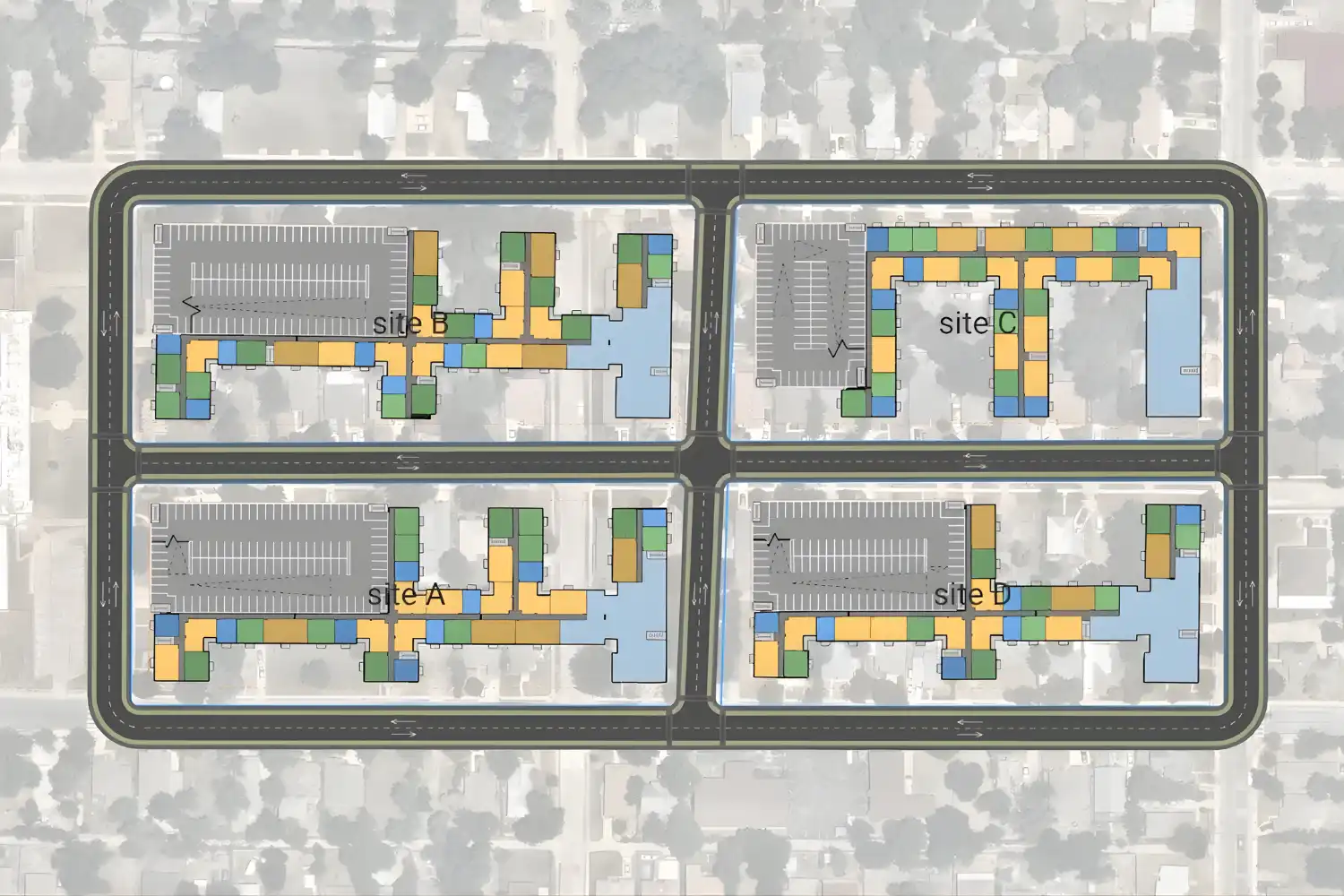
TestFit targets real estate feasibility. You input site details, unit mixes, parking requirements, and budget constraints, and the AI returns optimized site plans with building footprints and unit layouts. Architects and developers use it to evaluate whether a site can support a given program before committing to full design. The real-time configurator allows instant adjustments, so you can test density changes or parking ratios on the fly during client meetings.
ARCHITEChTURES
ARCHITEChTURES is a generative AI platform focused on multi-family and mixed-use building design. It creates optimized floor plans in real time based on your site constraints, building codes, and design goals. The system provides feedback on buildable area and energy performance as you adjust parameters, making it useful for early-stage planning where you need to balance regulatory compliance with design ambition.
Floorplanner
Floorplanner offers an accessible online editor for creating 2D and 3D floor plans. Its library contains over 260,000 3D models for furnishing and decorating layouts. While less AI-driven than some alternatives, it provides a straightforward editing experience and supports background image tracing, which lets you draw over an uploaded sketch or blueprint. Free accounts are available for casual use, with paid tiers for additional features and exports. It works well for both residential and commercial spaces.
🎓 Expert Insight
“AI won’t replace architects. It’s more like having a brilliant assistant who helps you do your job better.”
Snaptrude Engineering Team
This captures the practical reality of AI floor plan tools in 2026. The output still needs a trained eye to evaluate circulation, privacy zoning, and structural logic. The value is in iteration speed, not in removing the architect from the process.
Snaptrude
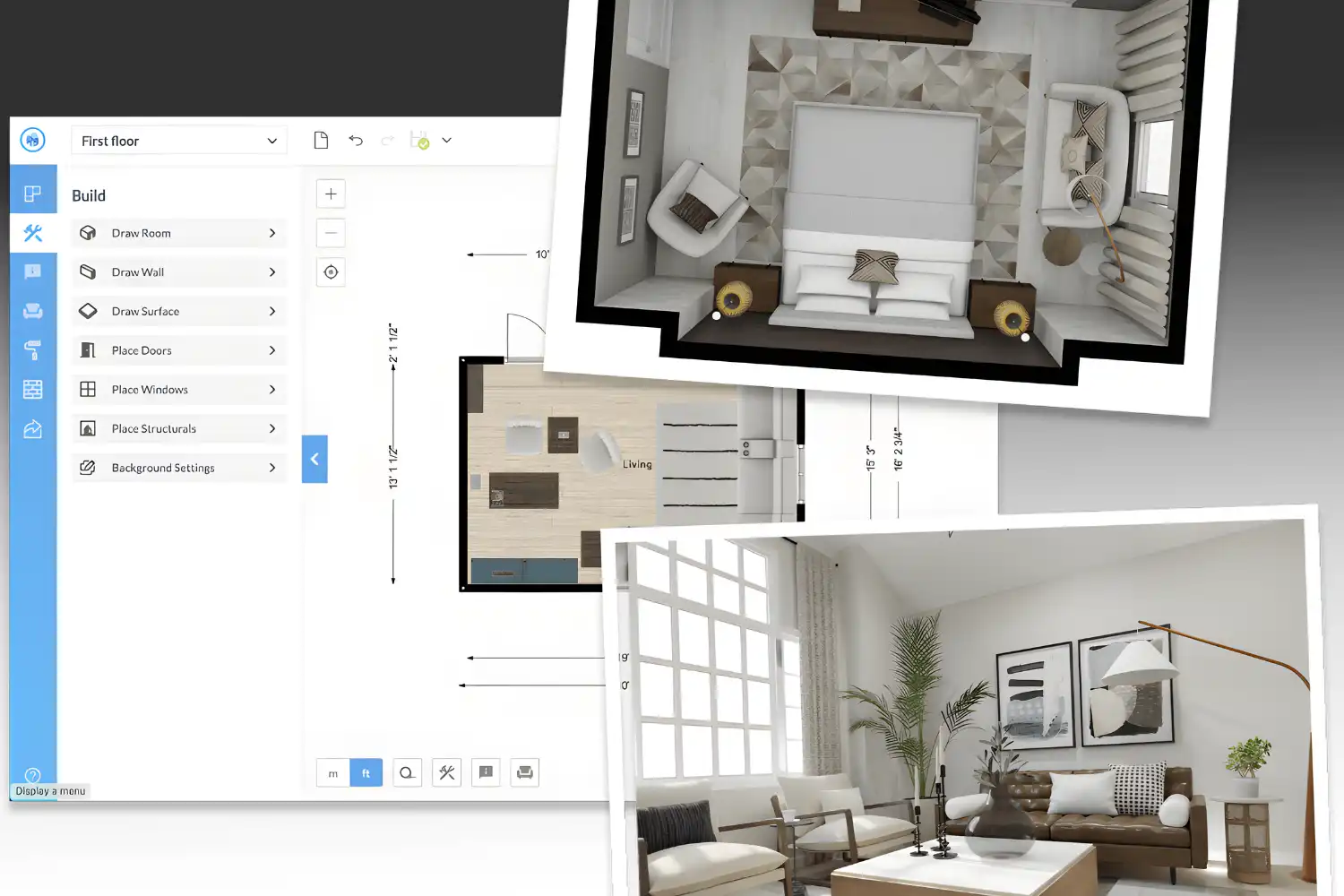
Snaptrude positions itself as a collaborative design platform where AI supports the full workflow from concept to construction documentation. You can generate house plans instantly, work in both 2D and 3D without switching tools, and collaborate with clients and contractors in real time. The AI provides cost, area, and compliance insights as you design. It is particularly useful for teams that need a shared workspace where design, feedback, and iteration happen in one place.
Finch 3D
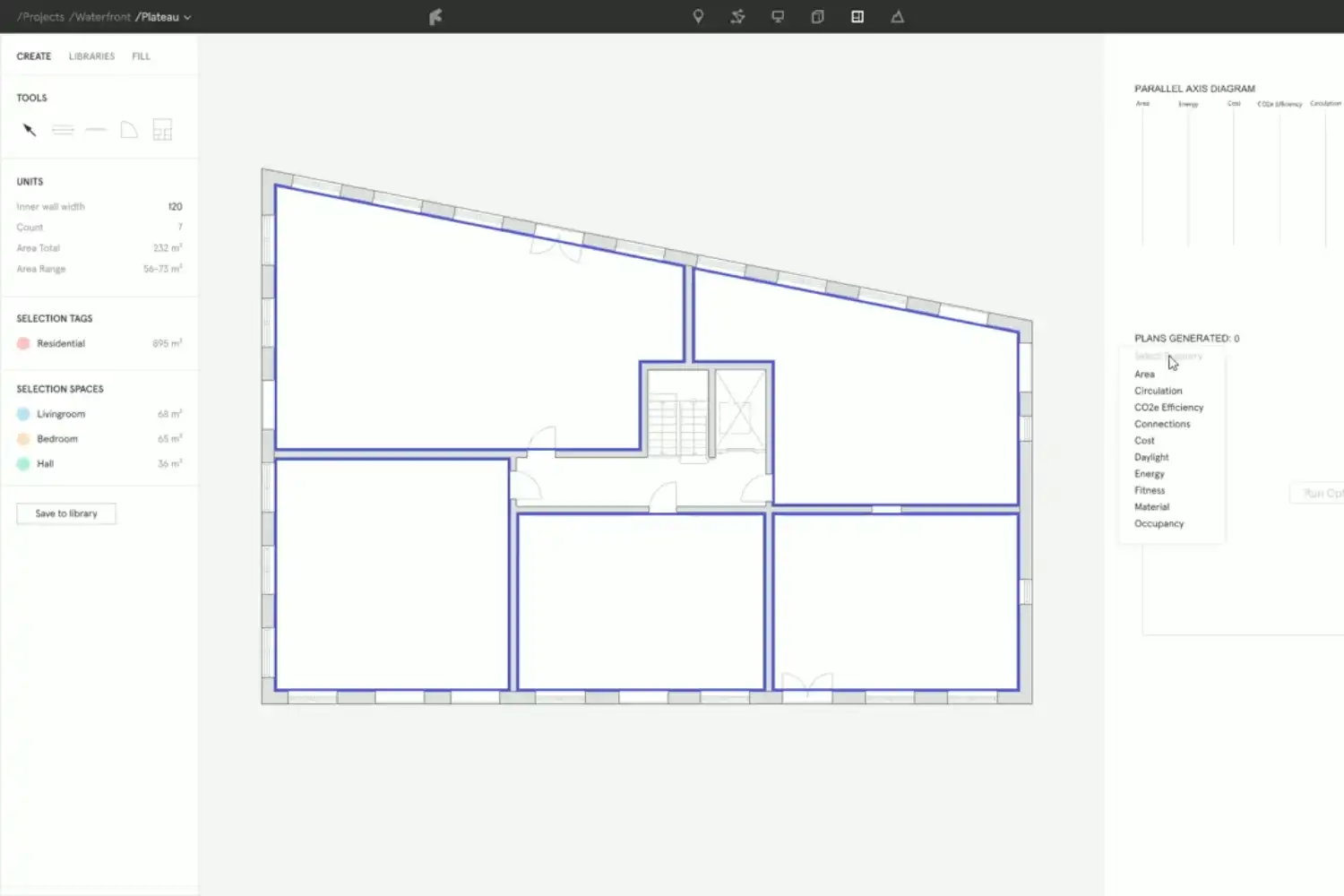
Finch 3D helps architects and urban planners optimize early-stage building layouts. You define your constraints (unit count, corridor width, daylight requirements), and Finch generates multiple design variations with real-time performance metrics like space use and energy efficiency. This makes it particularly good for AI-assisted design optimization where you need to detect problems before they become expensive during construction.
Comparison of Top AI Floor Plan Tools
The following table summarizes key differences across all seven tools to help you match them with your workflow.
| Tool | Best For | AI Generation | 3D Output | Free Tier |
|---|---|---|---|---|
| Maket | Residential floor plans | Text-to-plan, zoning-aware | Yes (styled renders) | Free trial |
| Planner 5D | Interior design + floor plans | Plan recognition, auto-layout | Yes (real-time 3D) | Yes |
| TestFit | Real estate feasibility | Site-level configurator | Limited | No |
| ARCHITEChTURES | Multi-family / mixed-use | Code-compliant generative | Yes | No |
| Floorplanner | Quick layouts, education | Minimal (editor-focused) | Yes | Yes |
| Snaptrude | Collaborative team design | AI suggestions + metrics | Yes | Limited |
| Finch 3D | Layout optimization | Constraint-based generative | Yes | No |
What to Look for in an AI Tool for Floor Plan Design
Not every AI tool for floor plan design fits every workflow. Before committing to a platform, consider these factors:
Input flexibility. Some tools only accept text prompts. Others let you upload sketches, PDFs, or CAD exports. If you regularly work from hand-drawn concepts or existing blueprints, look for a tool with image recognition or tracing capabilities.
Output quality matters too. A floor plan that looks clean in 2D but has no dimension labels, door swings, or room names will need significant editing before you can present it. Tools like Maket and ARCHITEChTURES produce labeled, dimensioned plans. Others generate visual concepts that need manual refinement.
Integration with your existing software stack is another consideration. If your firm runs on Revit or Archicad, a browser-only tool adds friction because you will need to redraw the layout in your production environment. Platforms that export to DXF or IFC formats reduce that overhead. For a broader look at how AI-powered architecture design software connects with BIM workflows, the linked guide covers integration patterns in detail.
⚠️ Common Mistake to Avoid
Many users treat AI-generated floor plans as final outputs. They are not. These layouts are starting points that need professional review for structural feasibility, building code compliance, accessibility standards, and fire egress requirements. Always have a licensed architect or engineer verify the plan before moving to construction documents.
How to Use an AI Tool to Create Floor Plans Effectively
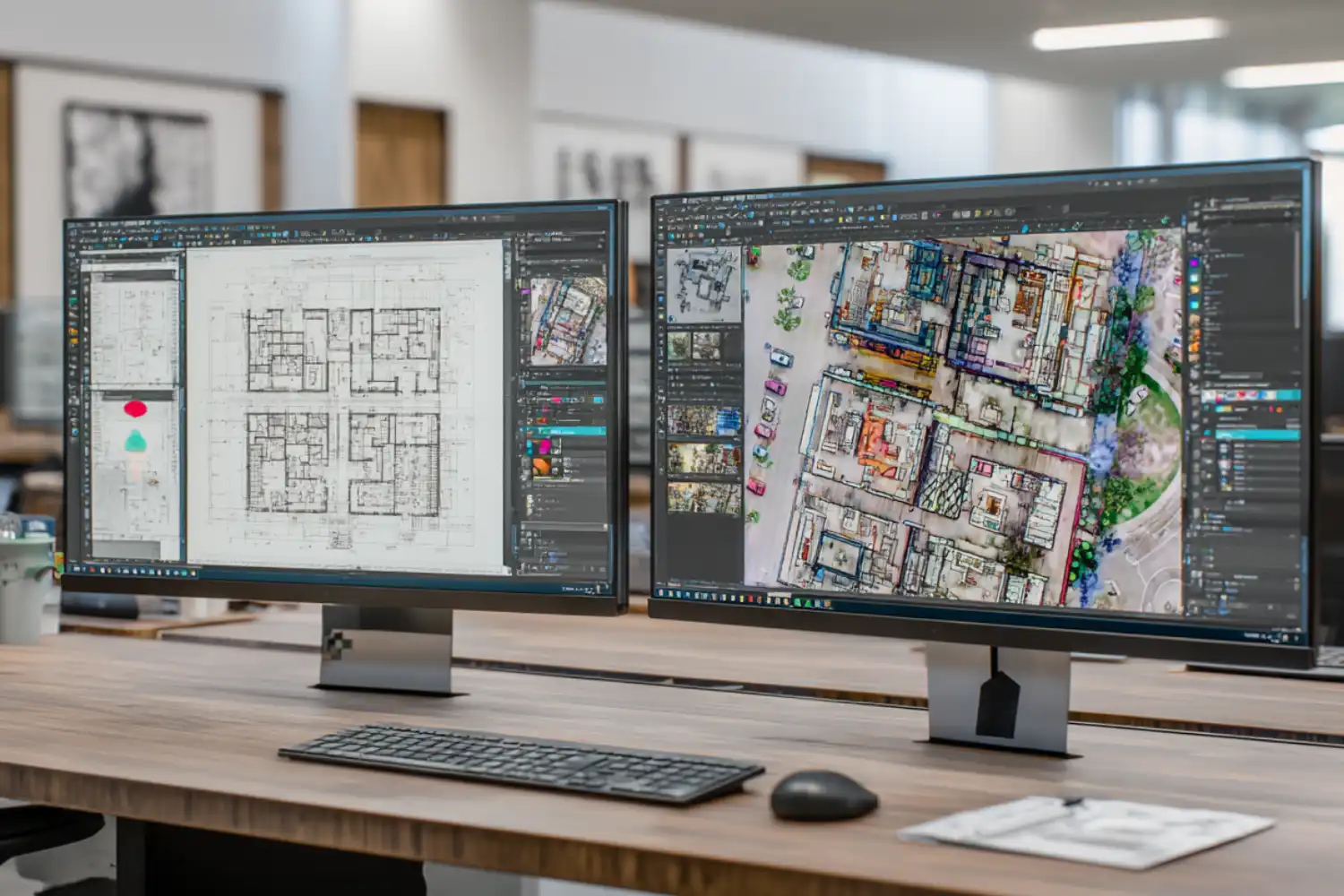
Getting good results from an AI tool to create floor plans depends on how clearly you define your inputs. Vague prompts produce generic layouts. Specific constraints produce useful starting points.
Start by defining your site boundary and total buildable area. Add the room program: how many bedrooms, bathrooms, living areas, and utility spaces you need. Include adjacency preferences if they matter (for example, keeping the kitchen open to the dining area, or placing bedrooms away from street-facing walls). The more precise your brief, the less editing the output requires.
Once you have a generated plan, evaluate it against basic space planning principles. Check circulation paths. Are hallways wide enough? Can you move between rooms without passing through private spaces? Look at natural light access. Rooms with no exterior walls will need mechanical ventilation and artificial lighting, which affects energy costs.
If the first result does not work, adjust one variable at a time and regenerate. Changing everything at once makes it hard to understand what improved or worsened the layout. Treat the AI as a rapid prototyping tool, not a one-shot solution.
💡 Pro Tip
Export your AI-generated plan to a scale-accurate format (DXF or PDF with dimensions) before presenting it to a client. Showing a rough concept image without scale information often leads to misunderstandings about room sizes during later design stages.
AI Floor Plan Tools vs. Traditional CAD Software
Traditional CAD programs like AutoCAD or Revit give you full control over every line, dimension, and annotation. That precision is necessary for construction documents, permit submissions, and coordination with engineers. But it comes with a time cost. Drawing a residential floor plan from scratch in CAD can take several hours, and revisions require manual editing of every affected element.
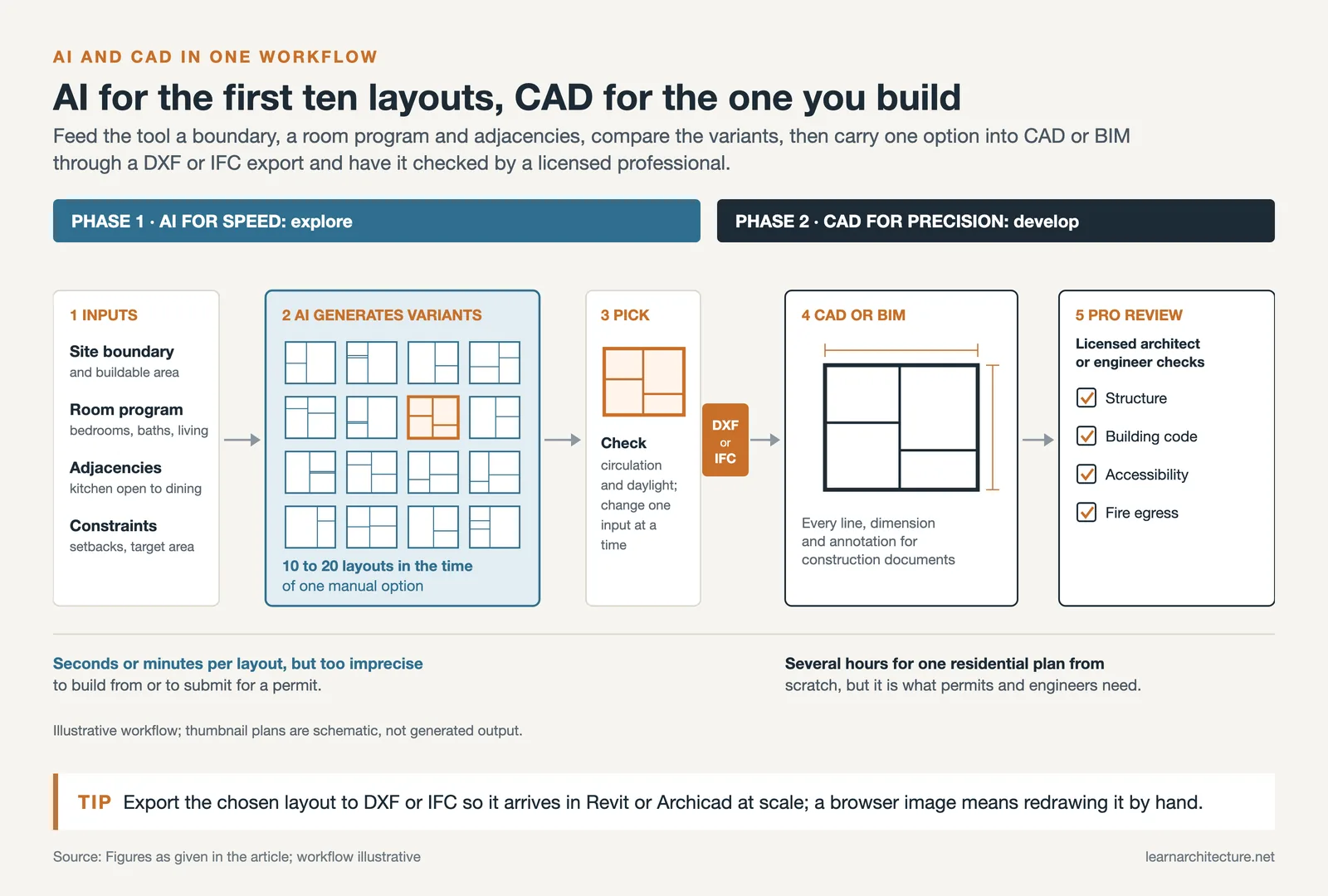
AI floor plan tools flip that equation. You get a usable layout in seconds or minutes, but the output lacks the precision and documentation standards needed for construction. The practical approach most firms adopt is to use AI for the early exploration phase, generate and evaluate multiple layouts quickly, then move the selected option into CAD or BIM software for detailed development.
This hybrid workflow is similar to what many architects already do with AI architectural visualization tools, where the AI handles concept-stage rendering and traditional engines produce final marketing images. The same logic applies to floor planning: AI for speed, CAD for precision.

Where AI Tools for Floor Plans Are Heading
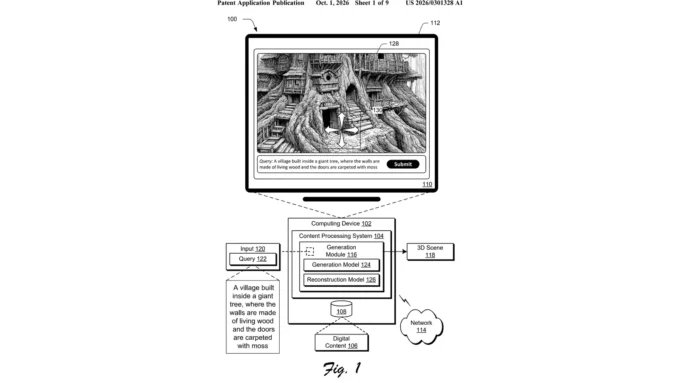
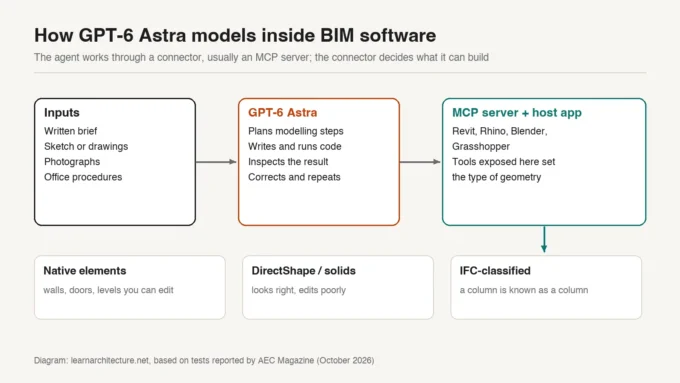
The current generation of AI tools for floor plans handles 2D layout generation well, and several now include 3D visualization and basic performance analysis. The next wave is likely to bring tighter integration with BIM platforms, where the AI does not just suggest a layout but creates a fully attributed building model with wall types, door schedules, and structural grids built in.
Code compliance checking is also improving. Tools like Maket and ARCHITEChTURES already factor zoning rules into their generation process, but coverage is still limited to certain jurisdictions. As these databases expand, architects will spend less time on manual code reviews during schematic design.
Real-time collaboration features are becoming standard too. Platforms like Snaptrude let multiple team members work on a layout simultaneously, with AI providing live feedback on area calculations and cost estimates. For firms that involve clients early in the design process, this changes the dynamic of design meetings from “review what we prepared” to “design together in the room.”
If you want to understand the broader trajectory of floor plan visualization techniques, the linked article covers rendering approaches that pair well with AI-generated plans.
📌 Did You Know?
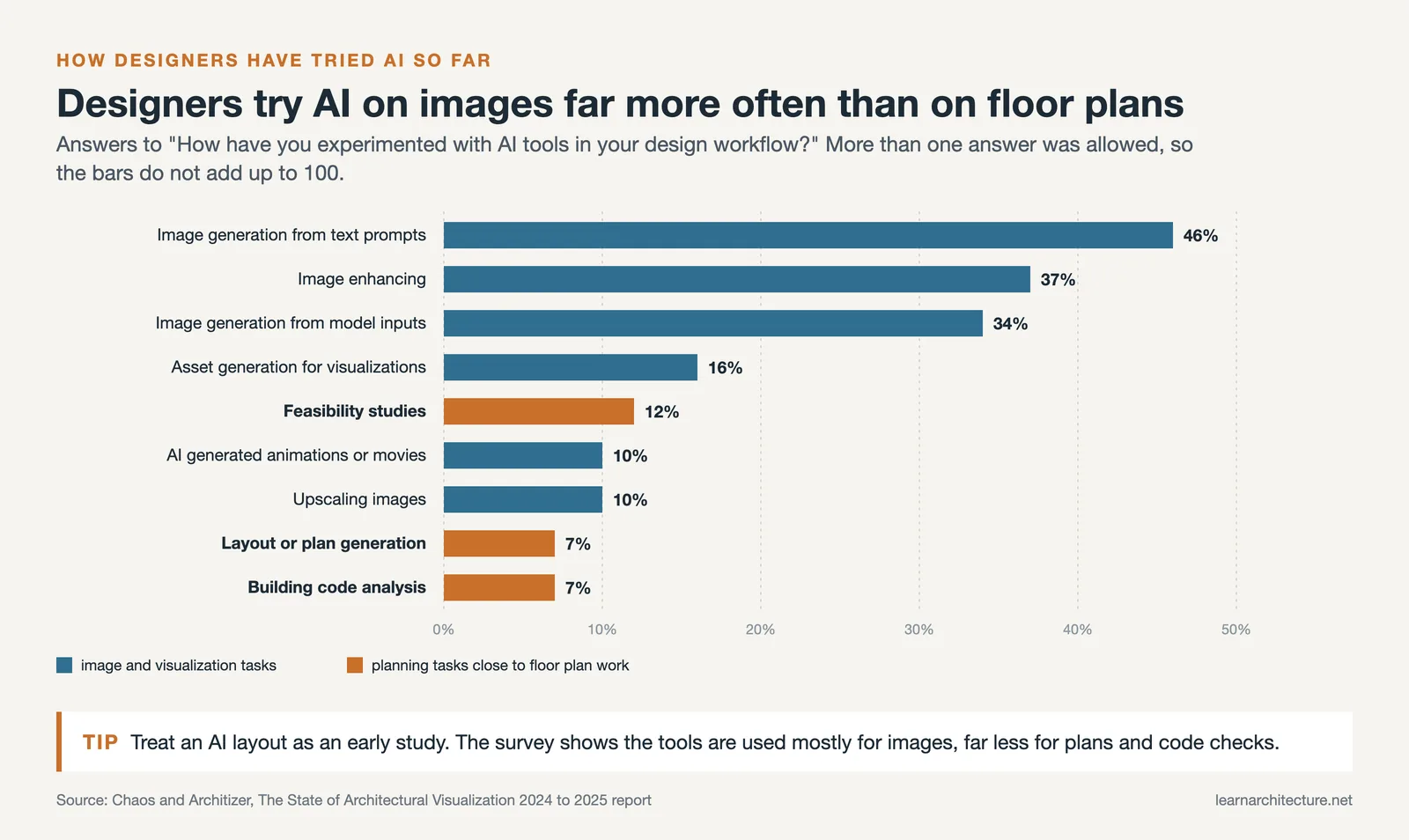
According to the 2024/25 State of Architectural Visualization report by Chaos and Architizer, 56% of design professionals now actively use AI tools in their workflows. However, only 7% of respondents had tried AI for layout or plan generation, against 46% for image generation from text prompts, confirming that these tools work best during early design exploration rather than as replacements for production-level documentation.
Final Thoughts
AI floor plan tools have matured from experimental prototypes into practical design instruments. They will not replace the judgment and experience that architects bring to space planning, but they dramatically reduce the time between a client brief and a first layout. The best results come from treating these tools as part of a larger workflow: AI for rapid iteration, human expertise for evaluation and refinement, and production software for final documentation.
Pick a tool that matches your project type and budget, test it on a real project, and build your own sense of where the AI output ends and your design skill begins.
Pricing and features described in this guide reflect information available at the time of writing and may change. Always check each platform’s official website for current plans and capabilities.
- ai floor plan design tools
- ai floor plan tool
- ai tool for drawing floor plan
- ai tool for floor plan
- ai tool for floor plan design
- ai tool for floor planning
- ai tool to create floor plan
- ai tool to design floor plan
- ai tool to draw floor plan
- ai tool to generate floor plans
- ai tools for floor plan design
- ai tools for floor plans
- best ai tool for floor plan











Leave a comment