


Table of Contents Show
A Lumion effect is a rendering preset or visual setting file (.lme effect stack or style configuration) that controls how your scene looks during photo or video output. The best Lumion effect download websites give you ready-made presets for lighting, color grading, atmosphere, and post-processing so you can skip hours of manual tweaking. Below are 10 trusted sources where architects and 3D artists download free and premium Lumion effects, materials, and scene files.
Lumion’s built-in content library already includes over 8,500 assets, but the default effect presets only scratch the surface. Third-party websites fill that gap with community-made render settings, PBR materials, and complete scene files tuned for specific styles. Whether you need a warm golden-hour exterior preset or a moody nighttime interior look, these sites have options ready to import.
Best Lumion Effect Libraries and Download Sources
The websites below range from official Lumion resources to independent creator platforms. Each one has been selected for the quality of its Lumion-compatible assets, the reliability of its download links, and its relevance to architectural visualization workflows.

1. Lumion Official Content Library and Cloud
The first place to look for Lumion effects is the software itself. Lumion’s official website provides built-in styles and effect presets accessible through the Photo and Movie modes. With Lumion Pro 2025, the platform introduced AI-based image upscaling and expanded ray-traced effects for water and volumetric lighting. Lumion Cloud adds seasonal asset packs and downloadable content packs directly within the application. The advantage here is guaranteed compatibility and zero risk of broken files.
2. Lumion Community Forum
The official Lumion Community is a hub where users share project files, render settings, and effect presets. The Resources section includes scene files with embedded effect configurations that you can study and adapt. Because everything is shared by verified Lumion users, the quality tends to be reliable. You will also find discussions about specific Lumion rendering techniques that explain the reasoning behind different effect setups.
💡 Pro Tip
When importing third-party Lumion effect files, always check the version compatibility first. A project file saved in Lumion 2024 (.lsf) may not load correctly in Lumion 12 or earlier. Save a backup of your current scene before applying any downloaded preset, because effect imports can overwrite your existing camera and lighting settings.

3. EasyViz 3D
EasyViz 3D offers a growing collection of free Lumion materials optimized for realistic output. Their premium Lumion Material Pack includes over 1,000 high-resolution PBR textures (2K resolution with diffuse, normal, roughness, and displacement maps) organized by category: wood, concrete, marble, fabric, metal, and more. Each material comes with rendered previews so you can see the final result before applying it to your project. The free tier includes enough variety for most student and small-studio projects.
4. CGTrader
CGTrader hosts over 9,500 Lumion-compatible 3D models in formats like FBX, OBJ, and native Lumion files. While the platform focuses more on 3D models than effect presets, many listings include complete scene files with pre-configured Lumion rendering effects and camera settings. Filtering by “free” reveals a solid selection of downloadable assets that can be imported directly into your Lumion library. The marketplace model means quality varies, so check seller ratings before purchasing premium packs.
5. Gumroad (Lumion Creators)
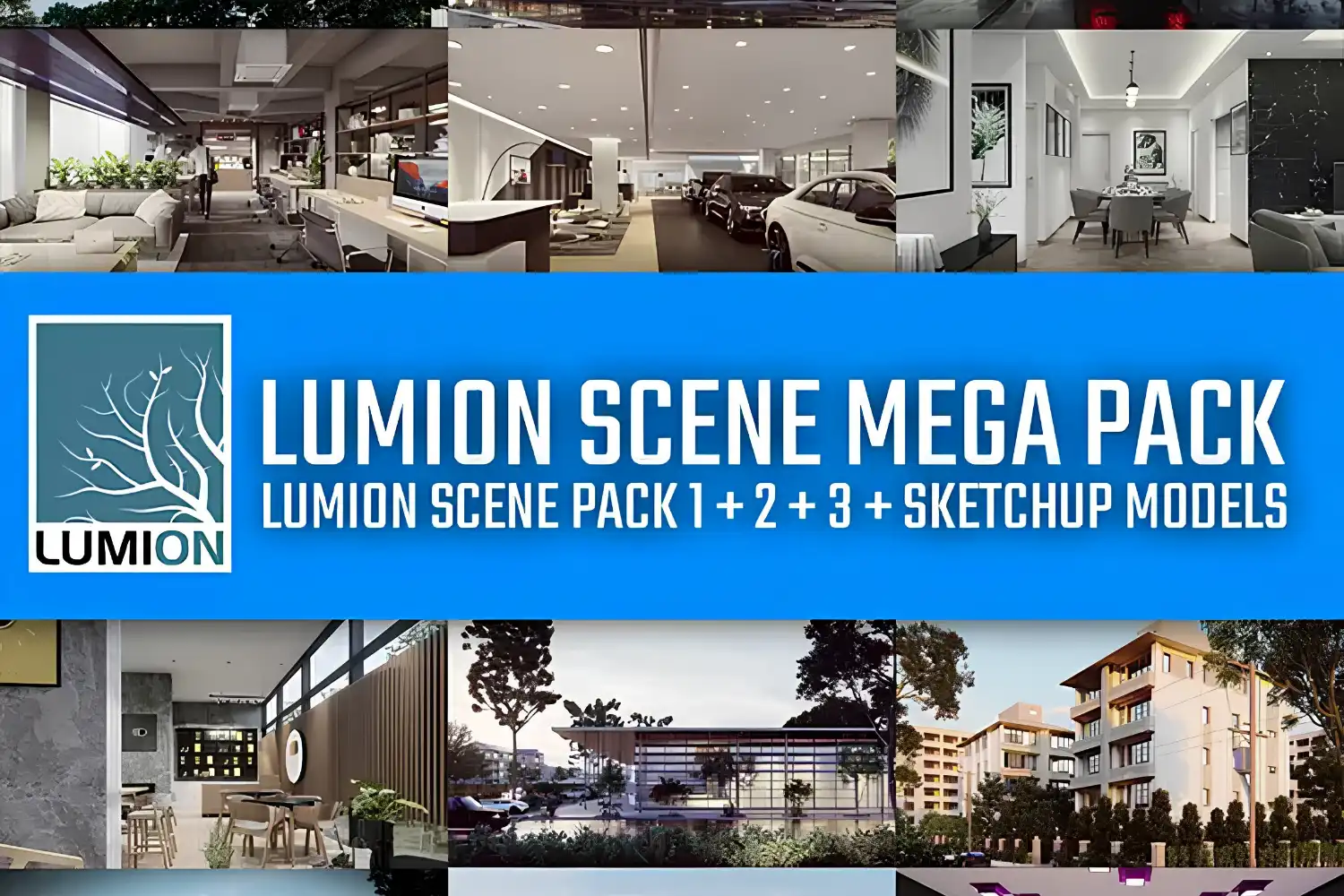
Gumroad has become a popular distribution platform for independent Lumion artists who share effect settings, scene files, and material packs. Creators like Rendering Artists and Lumion Marketplace offer free and paid Lumion scene files with complete effect presets embedded. A typical free download includes a Lumion Pro project file (.ls10 or later) with one or more render effect presets ready to use. Because these are uploaded by individual creators, the file quality and organization can vary widely.
🎓 Pro Tip
Good render settings are about understanding light behavior, not just stacking effects. Start with natural lighting first, then layer color correction and atmospheric effects one at a time.
This approach applies directly to how you evaluate downloaded Lumion effects. A preset that looks stunning on one scene can fall flat on another if the base lighting is fundamentally different. Always treat downloaded effects as a starting point, not a final solution.
6. Poliigon
Poliigon is a well-established PBR texture library used across multiple rendering engines, and it supports Lumion through its material export pipeline. The library includes architectural textures (stone, wood, metal, fabric, glass) along with HDRIs for environment lighting and 3D models for scene population. Poliigon’s free tier provides a selection of textures each month, and their Lumion-specific workflow guides help users import and configure materials correctly.

7. SketchUp CGTips
SketchUp CGTips offers free Lumion photoreal rendering settings files alongside SketchUp models. The site pairs 3D models with pre-tuned effect configurations, giving you a complete package: a SketchUp model and the Lumion render settings that make it look professional. This combination is particularly useful for architects learning Lumion visualization who want to reverse-engineer professional-quality output.
Where to Download Free Lumion Effects and Materials
Beyond the dedicated Lumion platforms listed above, several general-purpose 3D asset libraries carry Lumion-compatible content. These sites often have broader collections that span multiple rendering engines, but their Lumion-specific offerings are still substantial.
8. TurboSquid
TurboSquid (now part of Shutterstock) carries over 100 royalty-free Lumion 3D models in various formats. The platform is better known for premium assets, but the free section includes architectural models with embedded Lumion project files. TurboSquid’s licensing structure is clear (royalty-free for commercial use), which matters if you plan to use downloaded Lumion effect packs in client presentations.
9. RT3DModels
RT3DModels specializes in real-time 3D models formatted for Lumion, D5 Render, Twinmotion, and SketchUp. The site focuses on Lumion downloadable effects and scenes that work specifically within real-time rendering pipelines. Because every asset is built for real-time engines, file sizes tend to be optimized and performance-friendly compared to assets converted from offline rendering platforms.
⚠️ Common Mistake to Avoid
Downloading Lumion effect files from unverified sources or torrent sites can introduce corrupted project files that crash your scene or, worse, contain malware. Stick to the established platforms listed here and always scan downloaded ZIP files before extracting. If a site asks you to disable your antivirus before downloading, close the tab.
10. Lumion Easy
Lumion Easy is a niche resource focused entirely on free Lumion effect downloads and scene files. The site provides direct download links for Lumion settings ZIP files and project files hosted on MediaFire and Google Drive. Content is organized by render type (interior, exterior, landscape), making it quick to find the specific Lumion effect preset you need. The site also publishes video tutorials showing how each effect was configured, which adds an educational layer to the download.

How to Choose the Right Lumion Effect Pack
Not every downloaded preset will work for your project. The quality of a Lumion effect depends on several factors: the Lumion version it was created in, the type of scene it was designed for (interior vs. exterior), and the specific rendering features it uses (ray tracing, HDRI lighting, volumetric effects). Before applying any third-party preset, check whether your Lumion license (View, Pro, or Student) supports the effects included in the file.
Comparison of Top Lumion Asset Download Sites
The following table breaks down the key differences between these platforms:
| Website | Content Type | Free Options | Best For |
|---|---|---|---|
| Lumion Official | Styles, asset packs | Included with license | Guaranteed compatibility |
| Lumion Community | Scene files, presets | Yes | Learning from peers |
| EasyViz 3D | PBR materials | Yes (limited) | High-quality textures |
| CGTrader | 3D models, scenes | Yes (filtered) | Complete scene files |
| Gumroad | Presets, scene files | Yes (creator-dependent) | Indie creator content |
| Poliigon | PBR textures, HDRIs | Monthly free picks | Professional textures |
| SketchUp CGTips | Render settings + models | Yes | SketchUp-to-Lumion workflow |
| TurboSquid | 3D models, project files | Limited free | Royalty-free commercial use |
| RT3DModels | Real-time models, scenes | Yes | Performance-optimized assets |
| Lumion Easy | Effect settings, scenes | Yes | Quick effect presets |
What to Look for in a Lumion Effect Download
When evaluating a free Lumion effect pack, check these details before downloading. First, confirm the Lumion version the file was created in. Effect settings saved in Lumion 2024 or 2025 may use ray tracing features that older versions cannot render. Second, look at the file type: .lme files contain only effect stack presets, while .lsf files (Lumion 2023 and later) and versioned files such as .ls10 or .ls12 (Lumion 12.5 and older) are complete scene projects with models, materials, and effects bundled together. Third, read the creator’s description for any dependencies, such as custom textures or imported models that the effect relies on.
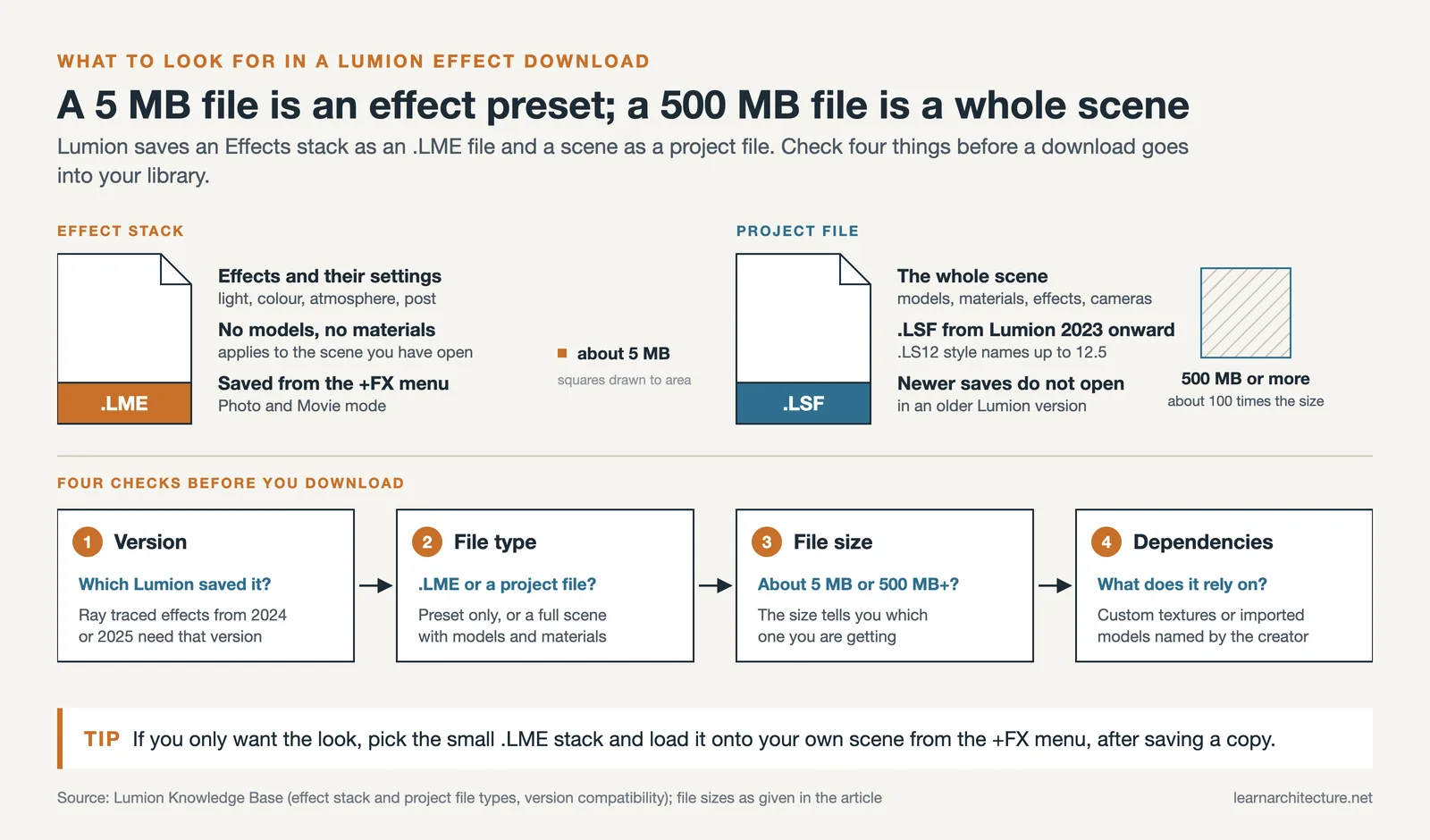
File size is another indicator of what you are getting. A 5 MB download is likely just an effect preset file. A 500 MB or larger file probably includes a full scene with 3D models, textures, and multiple camera angles. If you only need the rendering effects, look for the smaller preset-only files to avoid cluttering your Lumion library.
Video: 7 Steps for a Realistic Interior Render in Lumion
This tutorial by Nuno Silva walks through a practical step-by-step process for configuring Lumion render effects, covering lighting setup, material adjustments, and post-processing settings that produce photorealistic interior output.
💡 Pro Tip
After downloading a Lumion effect preset, open the effect stack and study each layer individually. Toggle effects on and off to understand what each one contributes to the final image. This practice builds your own intuition for configuring effects from scratch, which matters when a downloaded preset needs adjustments to match your specific scene lighting or camera angle.
Final Thoughts
Building a personal library of trusted Lumion effect sources saves significant time on every project. Start with the official Lumion resources and the community forum for guaranteed compatibility, then branch out to platforms like EasyViz, CGTrader, and Gumroad for specialized presets and materials. Pair these downloaded effects with your own understanding of Lumion’s latest rendering features, and your visualization output will improve noticeably without spending hours adjusting every slider manually. The key is treating downloaded rendering effects as a baseline that you refine for each project, not as a one-click solution. For a broader look at the tools available to architects today, the AI architectural visualization tools roundup on learnarchitecture.net covers how AI-powered rendering platforms compare to traditional Lumion workflows.










Leave a comment