


Table of Contents Show
The age of technology has changed the way architects and designers create, communicate and collaborate. It is now becoming a trend to use architectural design software to help architects in their designs.
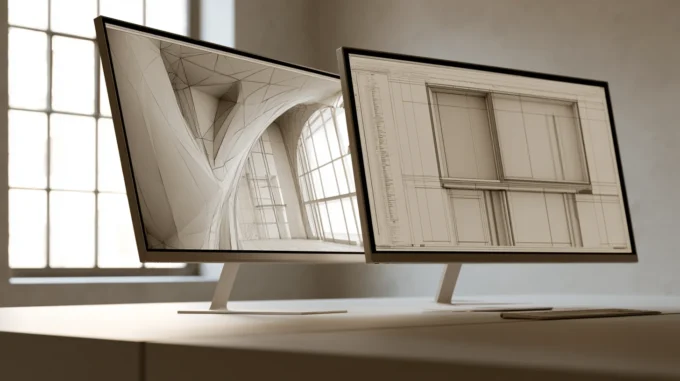
Architects and designers are turning to new technologies such as architectural design software, CAD and rendering tools to create their projects faster with higher accuracy than before. This is because the process of designing, modeling, drafting and communicating has been revolutionized by these new tools.

Designers can use these software to create projects and provide a better understanding of their ideas. Modeling software such as Autodesk Rhino are used by architects to create 3D models of their architecture and provide a better understanding of the design. However, these programs can be complex and time-consuming to use, which is why they are not used in all cases but rather in more specialized ones.
Using 3D modeling software, architects, designers, and amateurs can construct clear overviews of a building or test out novel home design concepts. These types of tools make it simple for professionals to demonstrate their clients their work. A good way to quickly and easily edit, do, and redo models to meet your needs is with CAD software. It can transform your concepts into intricate designs.

SketchUp
SketchUp has a reputation for being user-friendly. Using this program will save you time because it has simple drawing features. By learning critical tips from accomplished instructors, you can model professionally in SketchUp and get very high quality renders.
Revit
Autodesk created the BIM (Building Information Modeling) program Revit. Given that all of its features were created specifically for architects, this strong tool is crucial if you work in the architectural industry. Revit, one of the software of the future, is still preferred by most architecture offices today.
Rhinoceros
Rhino’s geometry is based on NURBS, therefore your models can be extremely accurate with this program. You can also download Grasshopper, a graphical algorithm editor created specifically for 3D geometry. If you are interested in parametric architecture and organic forms, you can join a successful Rhinoceros course and build your career in this field.

3Ds Max
3Ds max is a successful modeling software often preferred by architects, including interiors, which can be supported by many rendering engines such as Vray, Corona and Lumion. There are a lot of online training is accessible for architects, and 3D Studio Max is a useful tool for architects. After learning the tips you need to know after these trainings, the software allows you to improve yourself quickly and make professional modeling.
Other 3D Tools Worth Knowing
- ArchiCAD: a full BIM platform like Revit, popular in Europe and known for a smoother modeling experience for architects.
- AutoCAD: the long-standing industry standard for 2D drafting and documentation, still central to many offices alongside 3D tools.
- Blender: a free, powerful 3D modeling and rendering package, increasingly used for architectural visualization and animation.
- Lumion, Enscape, and Twinmotion: real-time rendering tools that plug into your modeling software and produce fast, photoreal images and walkthroughs.
- V-Ray and Corona: high-end render engines for the most photorealistic still images when time allows.
BIM, Modeling, and Rendering: What Each Is For
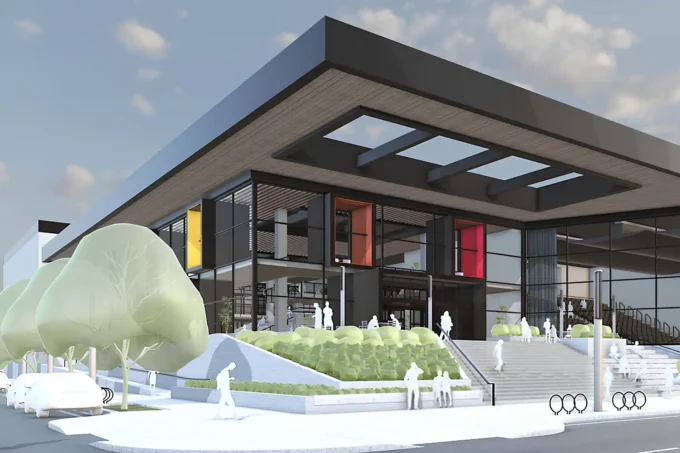
It helps to know what each kind of tool does. BIM platforms such as Revit and ArchiCAD build an intelligent, data-rich model that drives drawings, schedules, and coordination. Pure modeling tools such as SketchUp, Rhino, and Blender are about shaping form quickly and freely. Rendering tools such as Lumion, Enscape, V-Ray, and 3Ds Max turn those models into convincing images and animations. Most architects combine one tool from each group rather than relying on a single program.
How to Choose the Right Software
The best software is the one that fits your work, not the one with the longest feature list. Students and conceptual designers often start with SketchUp or Rhino for their speed and gentle learning curve. Offices producing construction documents lean on Revit, ArchiCAD, or AutoCAD for coordination and accuracy. If your priority is client-facing visuals, pair your modeler with a real-time renderer like Enscape or Twinmotion. Weigh the learning curve, the cost, how well a tool exchanges files with your collaborators, and the kind of projects you actually do before committing.
Conclusion
3D architectural software has transformed how buildings are designed, coordinated, and presented. From quick conceptual modeling to detailed BIM and photoreal rendering, there is a tool for every stage of the process. Learn one program well in each category, keep an eye on how they connect, and you will be able to take an idea from a first sketch all the way to a convincing, buildable design.
- 3D architectural design software
- 3D design tools for architects
- 3D Modelling
- 3D Modelling Architecture
- 3D Rendering Engines
- 3D Rendering Tutorials
- and 3D home design software
- architectural drafting software
- architectural modeling software
- architectural rendering software
- architectural visualization tools
- Best 3D Modelling Softwares
- best architectural design software
- BIM software for architects
- building design software
- CAD software for architecture
- commercial building design software
- How to Use 3D Modelling Softwares
- residential design software
- top 3D architectural software















Leave a comment