



Table of Contents Show
CV & resume builders help architecture students create professional, ATS-compatible documents that highlight design skills, software proficiency, and project experience. The best platforms for architectural CVs combine clean formatting with enough visual flexibility to reflect your design sensibility without confusing hiring software.
Your architectural CV is often the first thing a hiring manager or admissions committee sees, and it needs to work harder than a standard resume. Architecture firms expect candidates to demonstrate both technical ability and visual awareness, which means your resume has to balance clean structure with a sense of design. But choosing the wrong tool can hurt your chances before a human even reads your application. Over 98% of Fortune 500 companies use Applicant Tracking Systems to filter candidates (Jobscan, 2026), and many mid-size architecture firms have adopted similar software. If your CV uses complex columns, icons, or graphic elements that the ATS cannot parse, your application may never reach the recruiter’s desk.
This guide covers the best CV & resume builders available to architecture students right now, with a focus on ATS compatibility, design flexibility, pricing, and how each tool handles the specific needs of an architectural CV.

Why Architecture Students Need a Specialized CV Builder
A standard resume template built for accountants or sales professionals will not serve you well in architecture. Architectural CV formats need to accommodate project lists, software skill sections (AutoCAD, Revit, Rhino, SketchUp, Adobe Suite), and sometimes visual elements like a small headshot or a link to your online portfolio. At the same time, the document must remain readable by automated screening software.
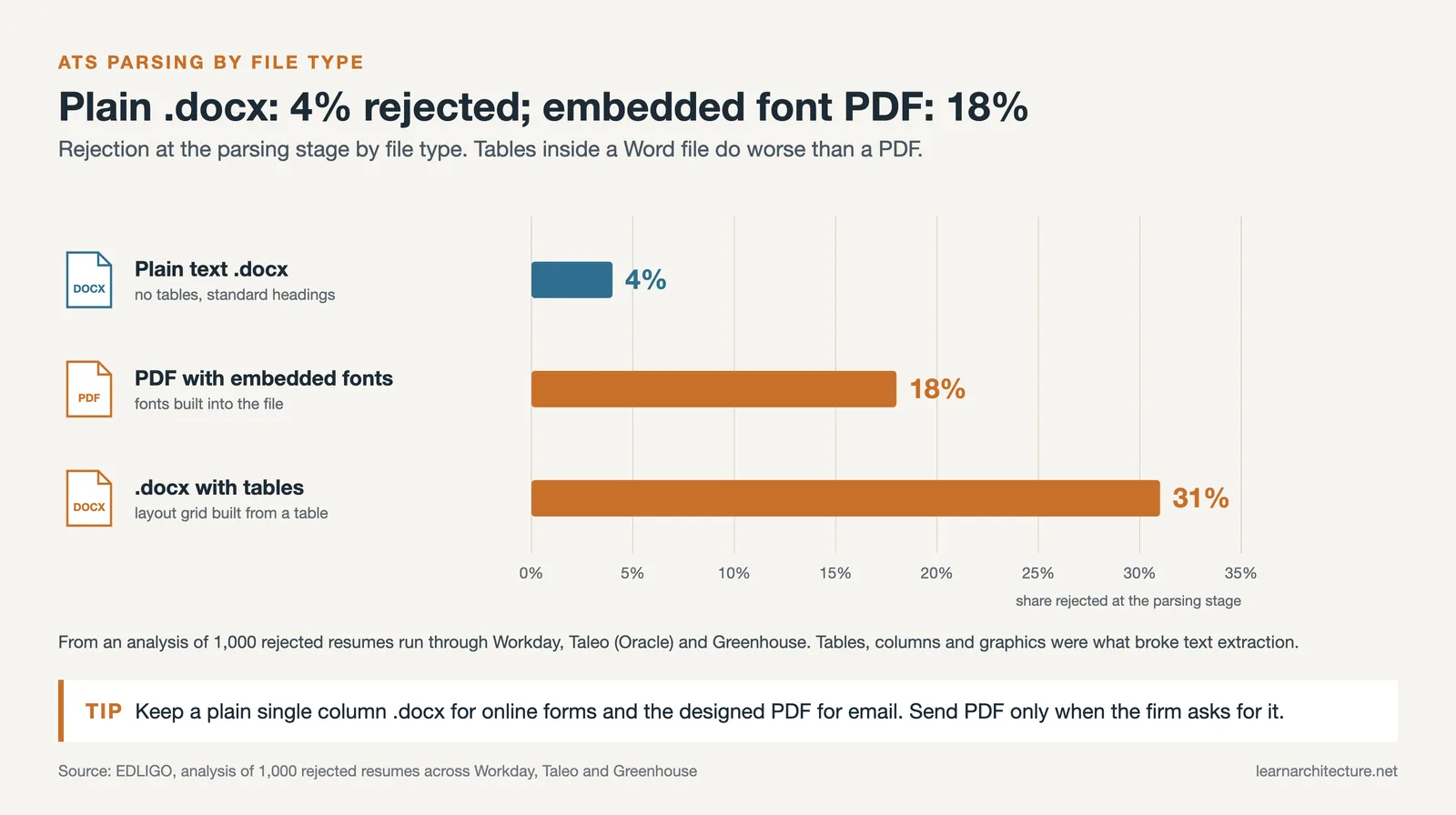
The tension between visual design and ATS readability is the central challenge. A visually striking CV with sidebar columns and infographic-style skill bars might impress a human reviewer, but most ATS platforms struggle to parse non-standard layouts. An EDLIGO analysis of 1,000 rejected resumes across Workday, Taleo, and Greenhouse (2025) found that tables, columns and graphics broke text extraction.
Architecture students also face a unique problem: they often have limited professional work experience but extensive project experience from studio courses, competitions, and thesis work. A good resume builder should let you structure these academic projects in a way that reads like professional experience, with clear descriptions of your role, tools used, and outcomes achieved.
💡 Pro Tip
Create two versions of your architectural CV: one ATS-optimized version in a clean, single-column format for online job portals, and one visually designed version (built in InDesign or Canva) for direct emails and in-person interviews. This way, you pass the software filter and still impress when a human reads your application.
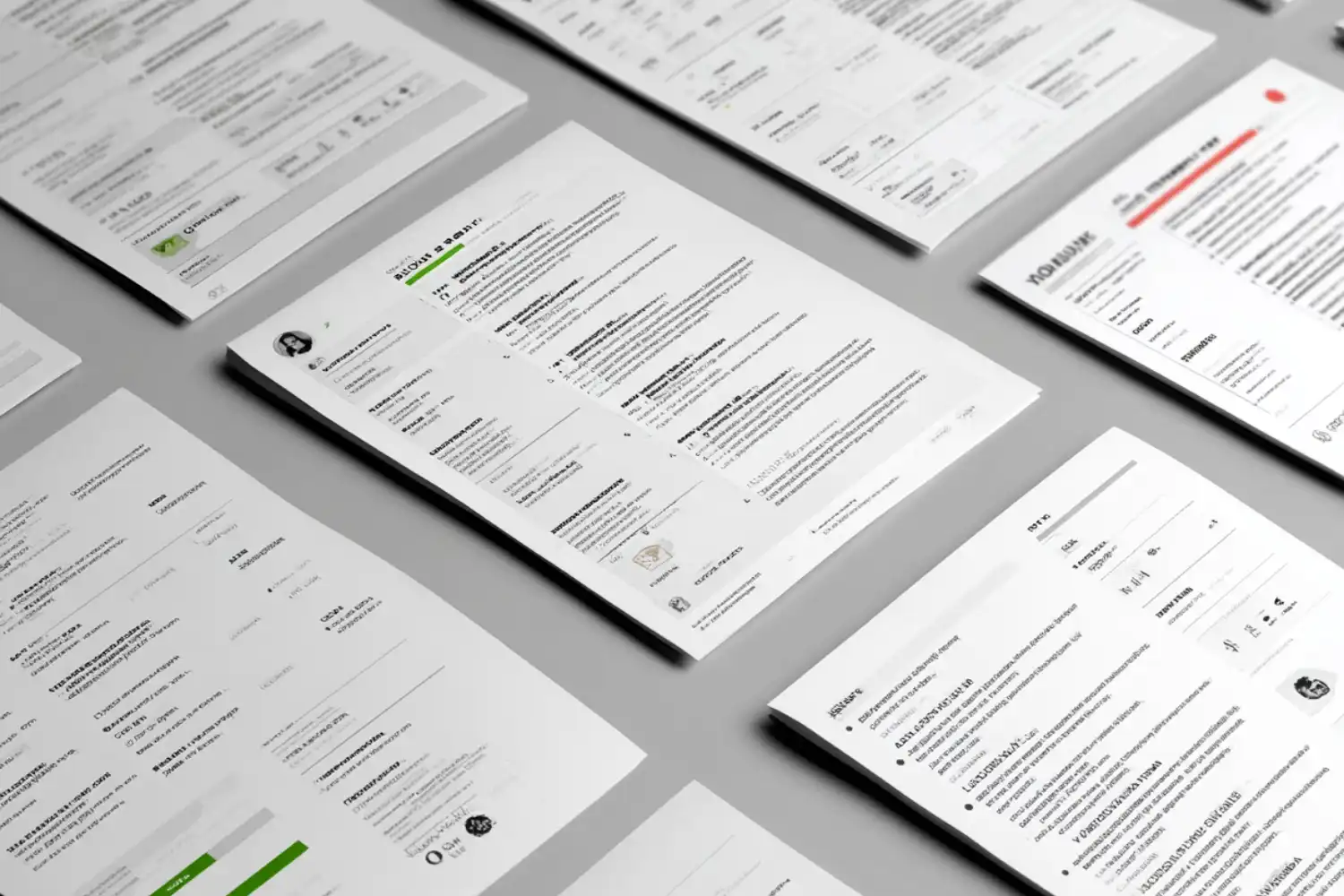
Top CV & Resume Builders for Architecture Students
After testing the most popular platforms against the specific needs of architecture students, here are the builders that stand out in 2026. Each tool is evaluated on template quality, ATS compatibility, design flexibility, pricing, and how well it handles architectural CV formats.
Canva: Best for Visual Design Freedom
Canva offers hundreds of resume templates, many of which allow the kind of visual customization architecture students appreciate. You can adjust colors, typography, and layout elements with a drag-and-drop editor, making it easy to create a CV that reflects your design taste. The free tier covers most resume features, with premium templates available through Canva Pro at approximately $13 per month.
The catch is ATS compatibility. Many Canva templates rely on text boxes, multi-column layouts, and graphic elements that ATS software cannot read properly. If you submit a Canva resume through an online job portal, there is a real risk the system will misread or skip sections of your content. For direct email applications or portfolio submissions where a human will open the file directly, Canva works well. For online applications through firm websites or job boards, choose a different tool or stick to Canva’s simplest single-column templates.
Novoresume: Best for European CV Standards
Novoresume provides a structured, guided resume building experience with clean modern templates. It works particularly well for architecture students applying to European firms, where CVs typically include a photo and follow slightly different conventions than American resumes. The AI-powered suggestions can help you phrase your project descriptions more effectively, though you should always review and edit AI-generated text to keep it specific to your actual experience.
The free plan allows you to create one resume. Premium plans start at around $19.99 per month and add more templates, customization options, and AI features. Novoresume’s fixed grid system keeps your formatting consistent, which benefits ATS readability. The trade-off is less creative flexibility compared to Canva.
Enhancv: Best for Project-Heavy Resumes
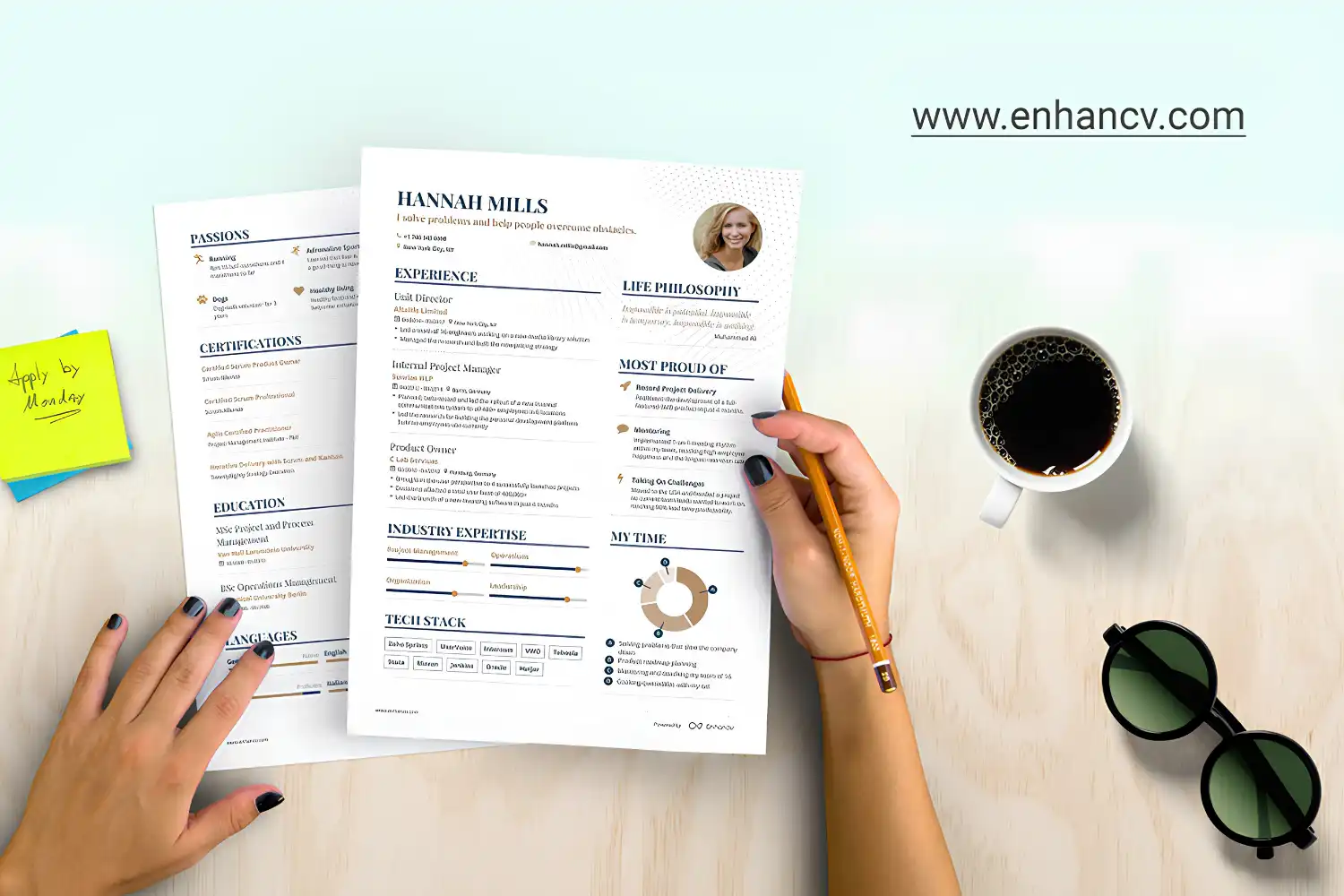
Enhancv stands out for its ability to handle dense, information-rich resumes without looking cluttered. For architecture students with multiple studio projects, competition entries, and technical skills to list, Enhancv’s layout engine keeps everything organized. It provides dedicated sections for projects, technical stacks, and personal work, which maps well to the structure of an architectural CV for job applications.
The platform also includes a content analyzer that pushes you to be more specific in your descriptions, which helps you move from vague statements like “worked on residential project” to more impactful lines like “developed construction documents for a 12-unit residential complex using Revit and AutoCAD.” Pricing varies, but the core builder has a functional free tier.
Kickresume: Best AI-Assisted First Draft
Kickresume is useful for architecture students who are writing their first CV and need help translating academic experience into professional language. Its AI can generate a full first draft based on your job title and basic details, which you then refine. The web-to-resume feature also lets you turn your CV into a simple personal website with one click, a handy supplement to your architecture portfolio.
Templates are modern and generally ATS-friendly. The free plan includes limited template access, with premium starting at approximately $5 per month when billed annually.
FlowCV: Best Free Option
FlowCV is the strongest fully free resume builder available in 2026. It allows unlimited PDF downloads with no watermark, which is rare among free tools. Templates are clean, ATS-compatible, and professional enough for architecture applications. Customization is more limited than Canva or Enhancv, but for students on a tight budget who need a reliable, functional CV quickly, FlowCV delivers without hidden costs.
Adobe InDesign: Best for Full Creative Control
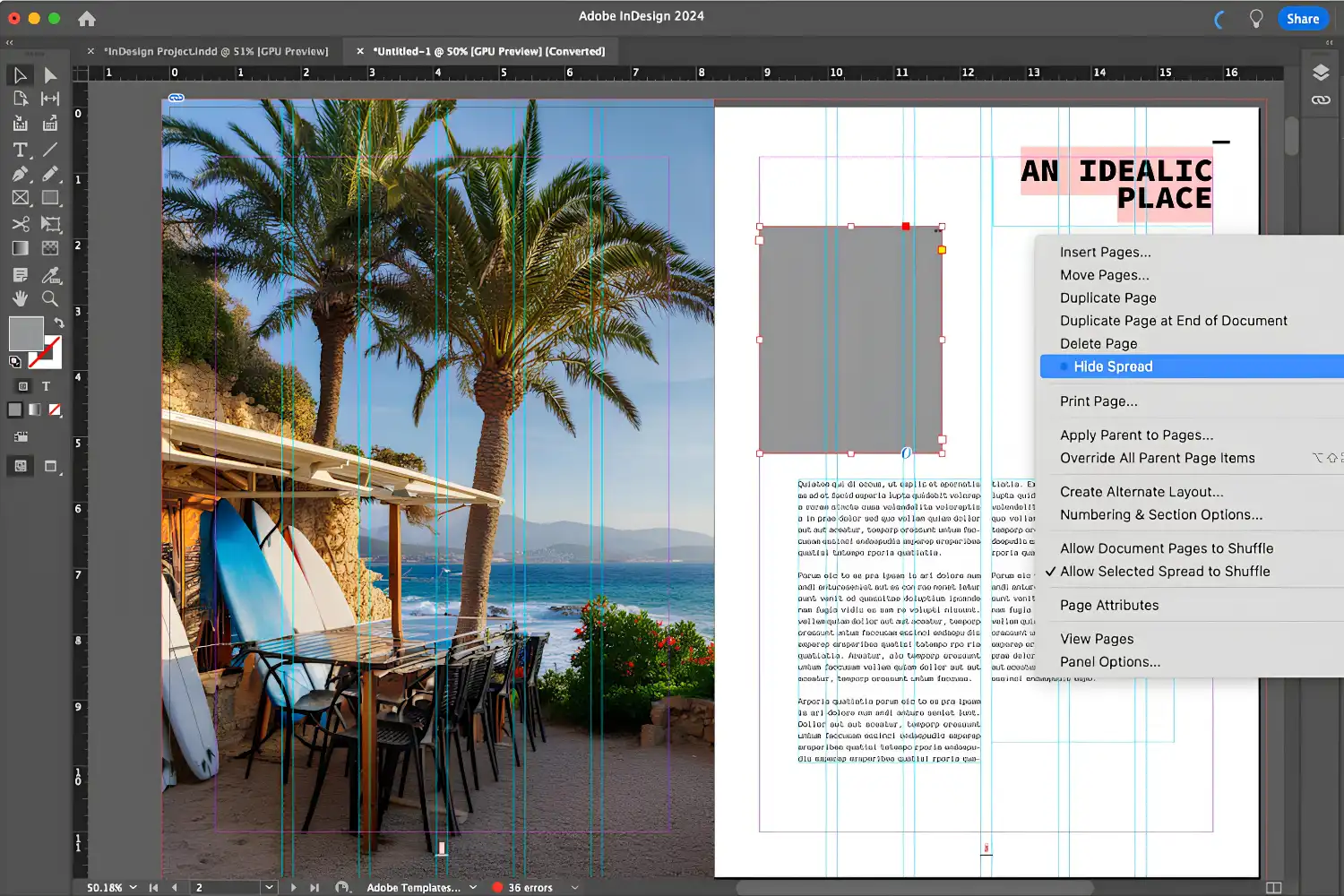
Technically not a “resume builder,” Adobe InDesign remains the tool of choice for architecture students who want complete creative control over their CV layout. If you already use InDesign for portfolio work, designing your CV in the same environment ensures visual consistency across your application materials. Many architecture schools include InDesign in their software packages, so students often have free access.
The downside is that InDesign-designed PDFs are rarely ATS-compatible. Use InDesign for the visually polished version you send directly to firms or bring to interviews, not for online applications.
⚠️ Common Mistake to Avoid
Many architecture students put all their effort into portfolio design and treat the CV as an afterthought. Firms use your CV to quickly scan your software skills, education, and work experience before deciding whether to open your portfolio. A poorly structured resume means your best design work may never be seen.
Comparison of CV & Resume Builders for Architecture Students
The table below summarizes how each platform performs across the criteria that matter most for architectural CV formats.
| Platform | Best For | ATS Friendly | Free Tier | Design Flexibility |
|---|---|---|---|---|
| Canva | Visual customization | Low (most templates) | Yes, generous | Very high |
| Novoresume | European CV norms | High | 1 resume free | Moderate |
| Enhancv | Dense project resumes | High | Limited free | High |
| Kickresume | AI-assisted drafting | High | Limited templates | Moderate |
| FlowCV | Budget-friendly option | High | Fully free | Low to moderate |
| Adobe InDesign | Full creative control | Low | No (subscription) | Very high |
What Makes a Strong Architectural CV?
Regardless of which builder you choose, the content and structure of your CV will determine whether you get shortlisted. Architectural CV examples that perform well share several common traits.
First, they lead with a concise professional summary (two to three sentences) that names your degree program, key software skills, and design focus area. Something like: “Final-year B.Arch student at XYZ University with proficiency in Revit, Rhino, and Grasshopper. Focused on sustainable residential design with studio project experience across three building typologies.” This gives the reader (and the ATS) an immediate snapshot of your qualifications.
Second, strong architectural CVs list software skills explicitly. Do not assume reviewers will infer your Revit proficiency from your project descriptions. Include a dedicated skills section that mirrors the language used in job postings. If a firm asks for “Autodesk Revit,” write “Autodesk Revit,” not just “Revit” or “BIM software.” This is where architectural resume best practices and ATS optimization overlap.
Third, treat your studio projects like work experience. Give each project a clear title, date, and description of your specific role and contributions. Mention measurable outcomes where possible: square meters designed, team size, presentation results, or competition placement. This structure works whether you are using an online builder or designing your CV from scratch.
🎓 Expert Insight
“The portfolio gets you excited about a candidate, but the resume gets you organized about them. If I can’t quickly find their software skills and education on the CV, I may not bother opening the portfolio.”
Licensed architect with 15+ years of hiring experience at a mid-size U.S. firm
This underscores why your CV structure matters as much as your portfolio quality. Hiring managers at architecture firms scan resumes quickly, often spending less than two minutes per application during initial screening.

How to Choose the Right CV Builder for Your Situation
Your choice depends on where and how you are applying. If you are submitting through online job portals, firm websites, or platforms like LinkedIn, ATS compatibility is your top priority. In that case, Novoresume, Enhancv, FlowCV, or Kickresume will serve you better than Canva or InDesign.
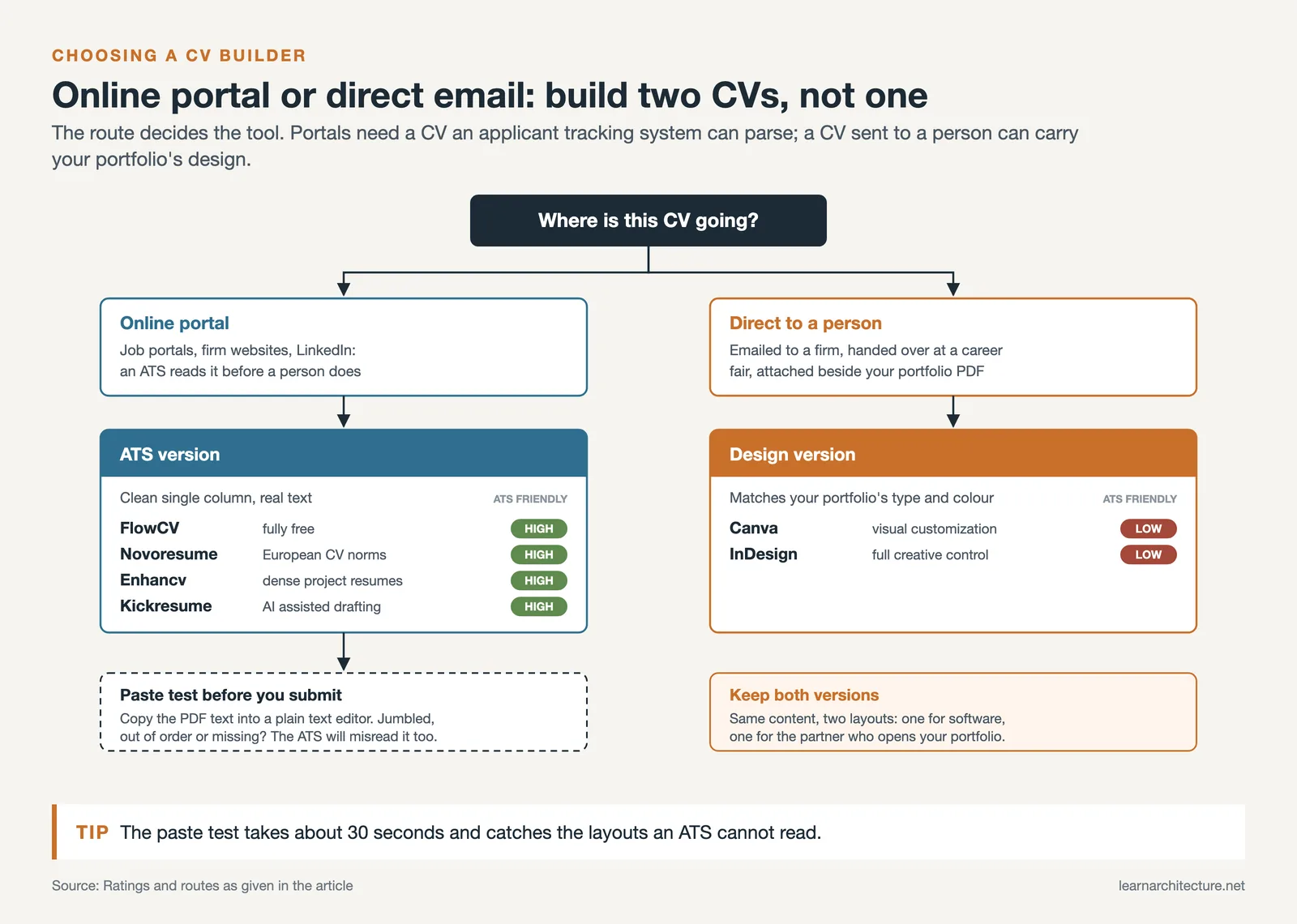
If you are emailing a firm directly, handing a printed CV to a partner at a career fair, or attaching it alongside your portfolio PDF, visual design becomes more important. Canva or InDesign lets you match your CV’s typography and color palette to your architecture student portfolio, creating a cohesive personal brand.
For most students, the practical answer is to maintain both versions. Build an ATS-friendly version in a platform like FlowCV or Novoresume for online applications. Then create a visually refined version in Canva or InDesign for direct outreach. This dual approach takes more effort up front but covers all scenarios.
💡 Pro Tip
Before submitting your CV through any online portal, copy the text from your PDF and paste it into a plain text editor. If the pasted text appears jumbled, out of order, or missing sections, the ATS will likely misread it too. This 30-second test can save you from submitting a resume that never gets properly reviewed.
ATS Optimization Tips for Architectural CVs
Understanding how Applicant Tracking Systems read your resume is essential for any job application submitted online. Here are the specific formatting rules that affect architectural CVs.
Use standard section headings. Label your sections “Education,” “Experience,” “Skills,” and “Projects” rather than creative alternatives like “Design Journey” or “Technical Arsenal.” ATS software looks for conventional headings to categorize your content.
Avoid headers and footers for critical information. Some ATS platforms skip content placed in document headers or footers. Put your name, email, phone number, and portfolio link in the main body of the document.
Save as .docx when the application allows it. While PDF is standard in architecture, plain .docx files had a 4% rejection rate compared to 18% for PDFs with embedded fonts (EDLIGO, 2025). If a firm asks for PDF specifically, send PDF. Otherwise, .docx is the safer bet for automated systems.
Include both full terms and abbreviations. Write “Building Information Modeling (BIM)” rather than just “BIM,” and “Leadership in Energy and Environmental Design (LEED)” rather than just “LEED.” Many ATS platforms cannot match abbreviations to their full forms automatically.
Video: Architecture CV Tips from an Industry Expert
This video from Stephen Drew, a recruitment specialist with seven years of experience in the architecture industry, covers practical CV tips and common formatting mistakes architecture students make when applying to firms.
Beyond the CV: Connecting Your Resume to Your Portfolio
Your CV and portfolio should function as a matched set. The resume gets you past the initial screening; the portfolio convinces the firm you can design. A few practical steps strengthen this connection.
Include a direct, clickable link to your online portfolio in your CV’s contact section. If you are using a platform like Behance, a personal website, or a dedicated portfolio tool, make sure the URL is short and professional. Hiring managers at ArchDaily-listed firms regularly confirm that a missing portfolio link is a reason to skip a candidate.
Match your CV’s design language to your portfolio when submitting the visual version. If your portfolio uses a specific font, color accent, or layout grid, carry those same choices into your resume. This shows the kind of attention to visual consistency that architecture firms value.
Reference specific projects from your portfolio in your CV’s project or experience section. If your portfolio includes your thesis on adaptive reuse, mention that project by name in your resume with a brief description of scope and tools used. This creates a clear thread between the two documents and makes it easy for a reviewer to look up the detailed work. For guidance on structuring your portfolio itself, see this step-by-step guide to creating an architecture portfolio.
📌 Did You Know?
According to hiring data compiled by ArchDaily, most reviewers at architecture firms spend an average of 10 to 15 minutes on a portfolio during initial screening, but only about 30 seconds to 2 minutes on the resume. That brief scan determines whether the portfolio gets opened at all.
Final Thoughts
The right CV & resume builder depends on your application method, budget, and how much creative control you need. For online applications where ATS filtering is a concern, stick with structured builders like FlowCV, Novoresume, Enhancv, or Kickresume. For direct submissions, Canva and InDesign give you the visual flexibility that architectural CV examples from top candidates typically display. The smartest approach is maintaining both an ATS-safe version and a visually designed version, so you are ready for any opportunity.
Pair your CV with a strong architecture portfolio and a clear set of architectural CV examples that demonstrate your range, and you will be well positioned for internships, graduate school applications, and entry-level positions at firms of any size.
Pricing figures mentioned in this article are approximate and reflect publicly listed information at the time of writing. Rates may change based on region, billing cycle, and platform updates.









Leave a comment