


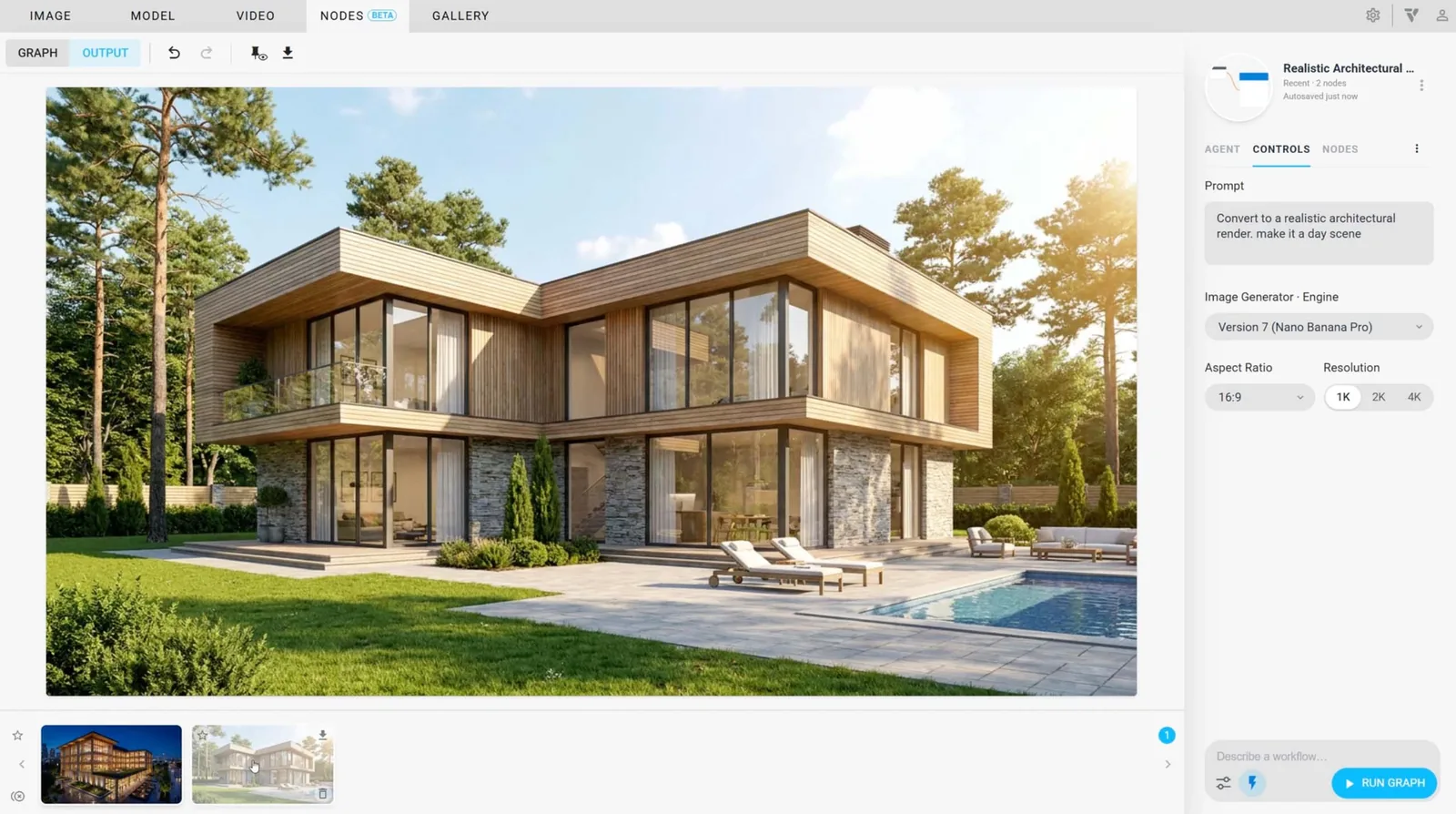
Chaos has released Veras 5.3, an update to its AI visualisation tool that introduces Veras NODES, a new tab where users assemble their own workflows by connecting nodes on a canvas. According to the Chaos blog post announcing the release on 19 October, a workflow can create and edit images and video, analyse them, build parametric 3D geometry and then place the result inside Revit, Rhino or SketchUp.
The release comes shortly after Veras 5.2, which added an agent that builds editable models from reference images. Version 5.3 moves the tool further from single renderings towards repeatable, user-built processes.
How the Veras NODES canvas works
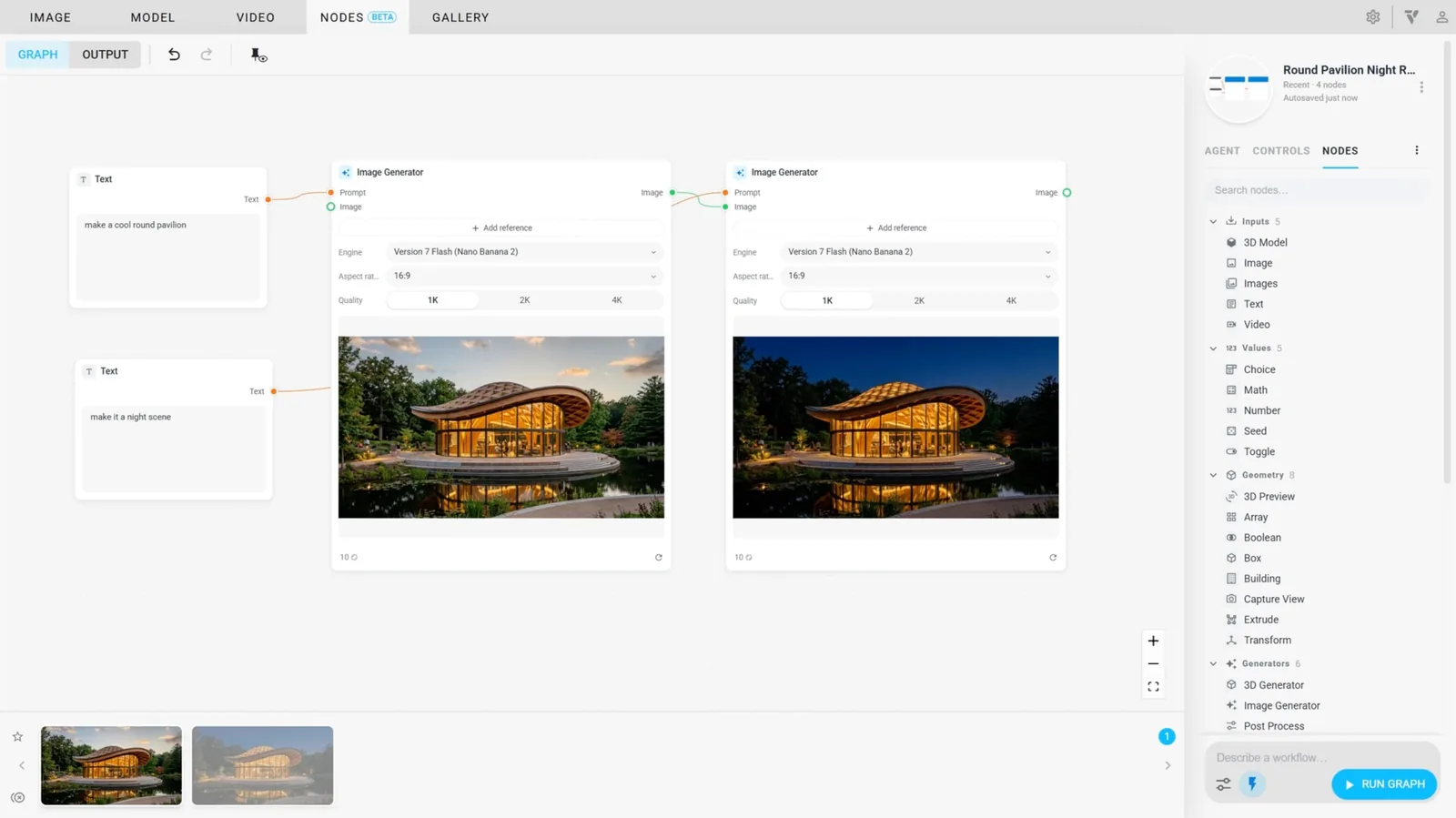
Each node carries out a single job, such as loading an image, holding a prompt, generating a picture, stripping a background or producing a video, and wires pass every result on to the next step. Pressing Run Graph executes the chain. Chaos sorts the nodes into inputs, values, generators, analysis tools, combiners, geometry and outputs, and the generators run on the engines already behind the Image, Video and Model tabs.
One analysis node, LLM, answers questions about text, pictures or footage using either Claude Opus 5.5 or GPT-6 Astra; Chaos suggests it can, for example, write a prompt based on a reference photograph. Another, Detect Objects, locates the items in an image that match a description and returns a crop and a label for each. Post Process, which applies the Edit mode sliders to colour-correct a picture, runs on the user’s own computer and is free.
An agent that assembles the graph
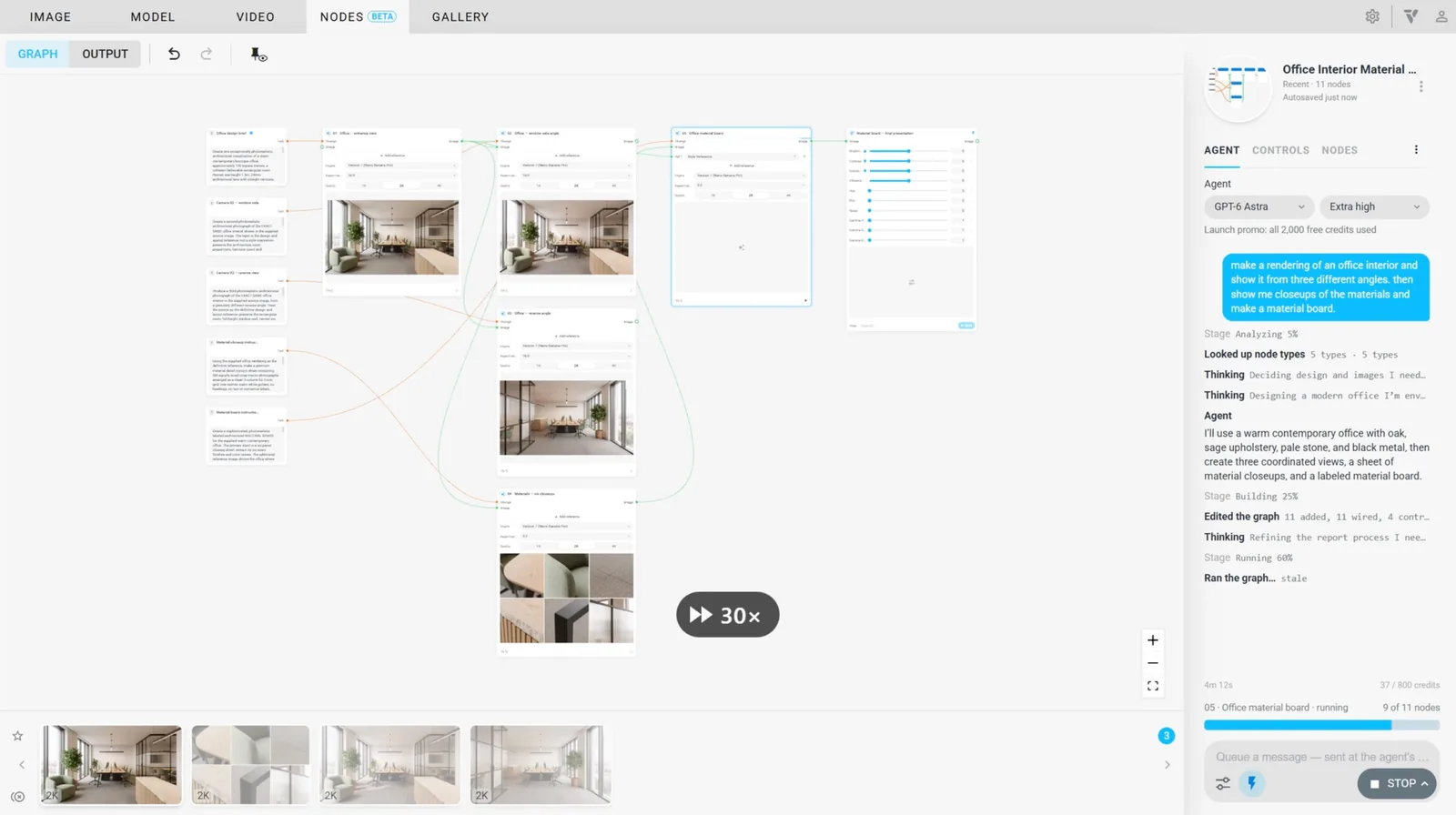
Users who would rather not wire nodes by hand can describe the workflow to an agent in the pane’s Agent tab. Chaos gives the example of asking it to “render my sketch in three styles and make a short video of each”; in response the agent adds and connects the nodes, configures them and pins the key settings to a Controls panel. It can also run the graph and look at the output, but it checks with the user first if a run would cost 25 credits or more or push past the session’s budget.
Cost is visible on the canvas as well. Run Graph shows an estimate before a run begins, each node displays its own cost, and nodes whose inputs have not changed are skipped on the next run. Up to four cloud jobs run at once, and further jobs wait in a queue.
Live geometry and baking into Revit, Rhino and SketchUp
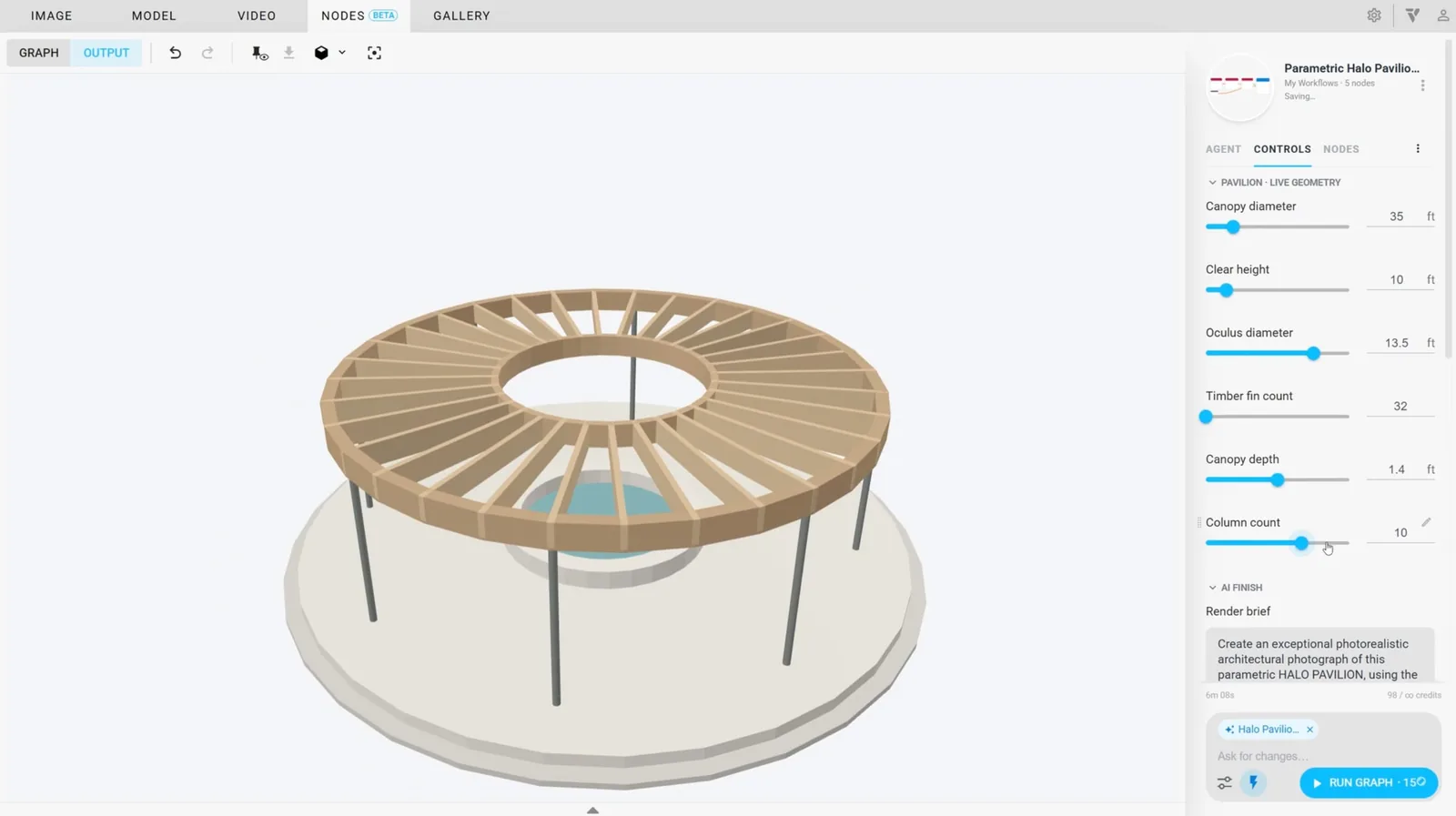
The geometry nodes, among them Building, Box, Extrude, Boolean, Array and Transform, rebuild models on the user’s machine whenever a setting changes, and Chaos describes them as live and free. Building is a parametric mass whose width, depth and height can be exposed as sliders. A Capture View node turns that geometry into a picture that can feed the Image Generator, so massing studies can be rendered while the sliders move.
Output nodes then put the model into the open host file. In Revit the bake arrives as a family positioned at the internal origin; Rhino receives a block, and SketchUp either full geometry or a light proxy. In Revit and Rhino, running the node again replaces the earlier bake instead of adding a copy, and each bake node only appears inside its own host application.
Workflows save to the cloud automatically, keep a version history and can be shared with colleagues. A finished graph can also be switched to an Output view that works like a simple app driven by its controls. Among smaller fixes, Chaos says the update cuts down “Session is not active” interruptions and lets very large images save to the Gallery; a SketchUp baking error is fixed once the plugin is updated to version 5.3.










Leave a comment