Home Architecture News Chaos Builds Veras Into Enscape 4.22 and Adds Image-Based Asset Tools
Architecture News3D Visualization

Chaos Builds Veras Into Enscape 4.22 and Adds Image-Based Asset Tools

Chaos's Enscape 4.22 brings the Veras 2.0 AI tools into the Enscape interface, adds a Chaos AI Assistant and image-based Cosmos search, and offers 500 extra Chaos Credits on eligible new trials and annual licences until 15 November.

Share
One terraced residential building by a lake rendered in three versions side by side: snowy winter, night with lit windows and green summer with mountains
Design variations of one model, of the kind Veras generates from an Enscape view · Image: courtesy Chaos
Share

Chaos has released Enscape 4.22, and its main change is putting Veras in Enscape directly. Architects no longer need to open a separate Veras window to use the AI rendering tools, which now sit inside the real-time viewer through an updated Veras 2.0 interface, AEC Magazine reports. The release also adds new AI video models, a Chaos AI Assistant in beta and image-based tools in the Cosmos asset library. As with most launch material, the benefits described here are Chaos’s own claims.
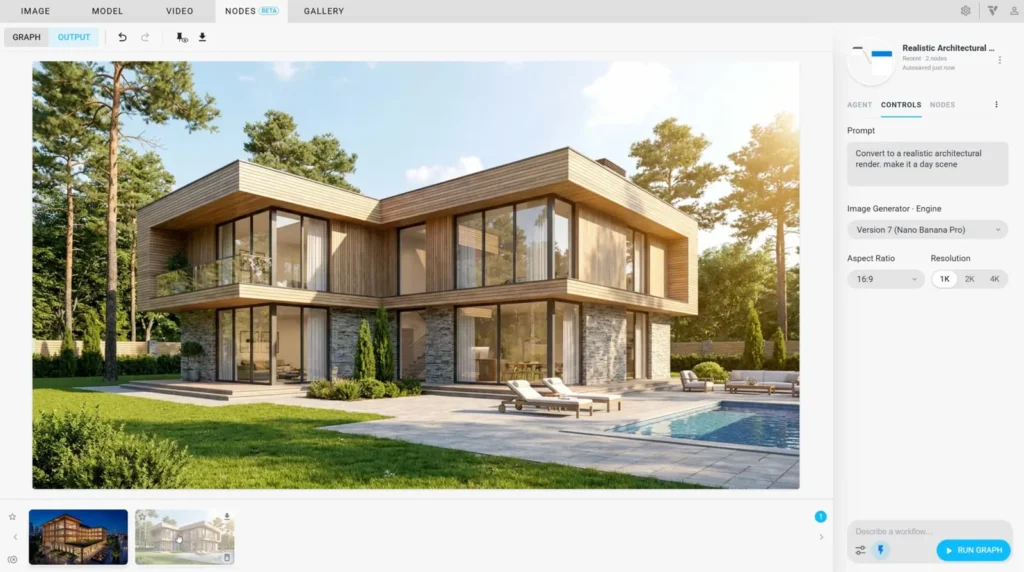
Veras in Enscape, without switching windows

The pitch is about staying in one workflow. From a live Enscape view, designers can move into AI ideation to try alternative materials, moods and design variations, and create videos for concept reviews and client presentations. “AI has enormous potential to support architects’ creativity, not just improve efficiency,” said Petr Mitev, VP Product, Solutions for Designers at Chaos.

This is a different angle from the standalone Veras releases covered recently on learnarchitecture.net, such as the NODES workflow canvas in Veras 5.3 and the image-to-model agent in Veras 5.2. Enscape 4.22 is about access from inside Enscape rather than new Veras capabilities.

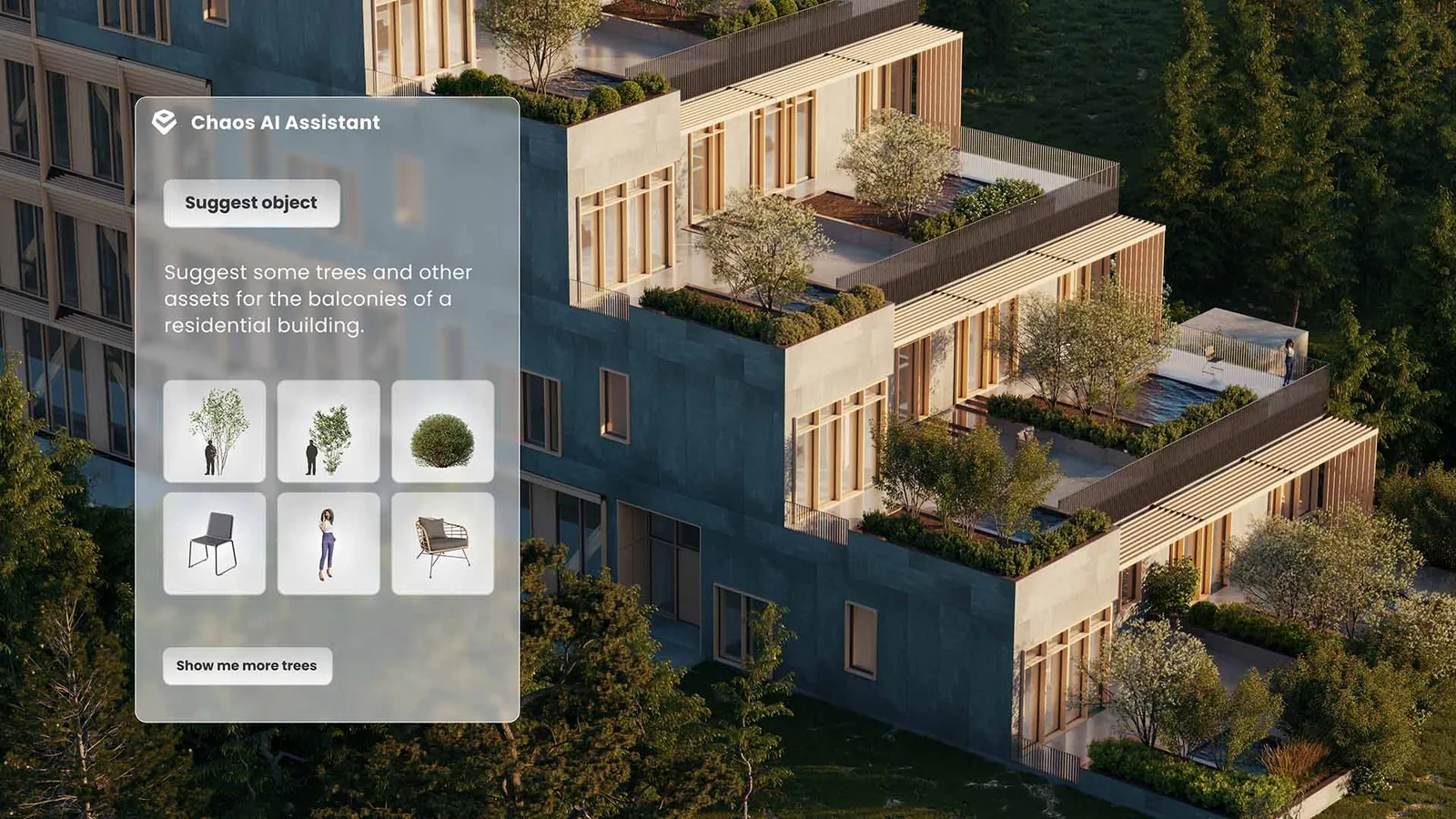
An aerial render of a stepped residential building with planted balconies and a Chaos AI Assistant panel suggesting trees, plants and chairs
The Chaos AI Assistant suggesting Cosmos assets for the balconies of a residential scheme · Image: courtesy Chaos

Assistant and asset tools

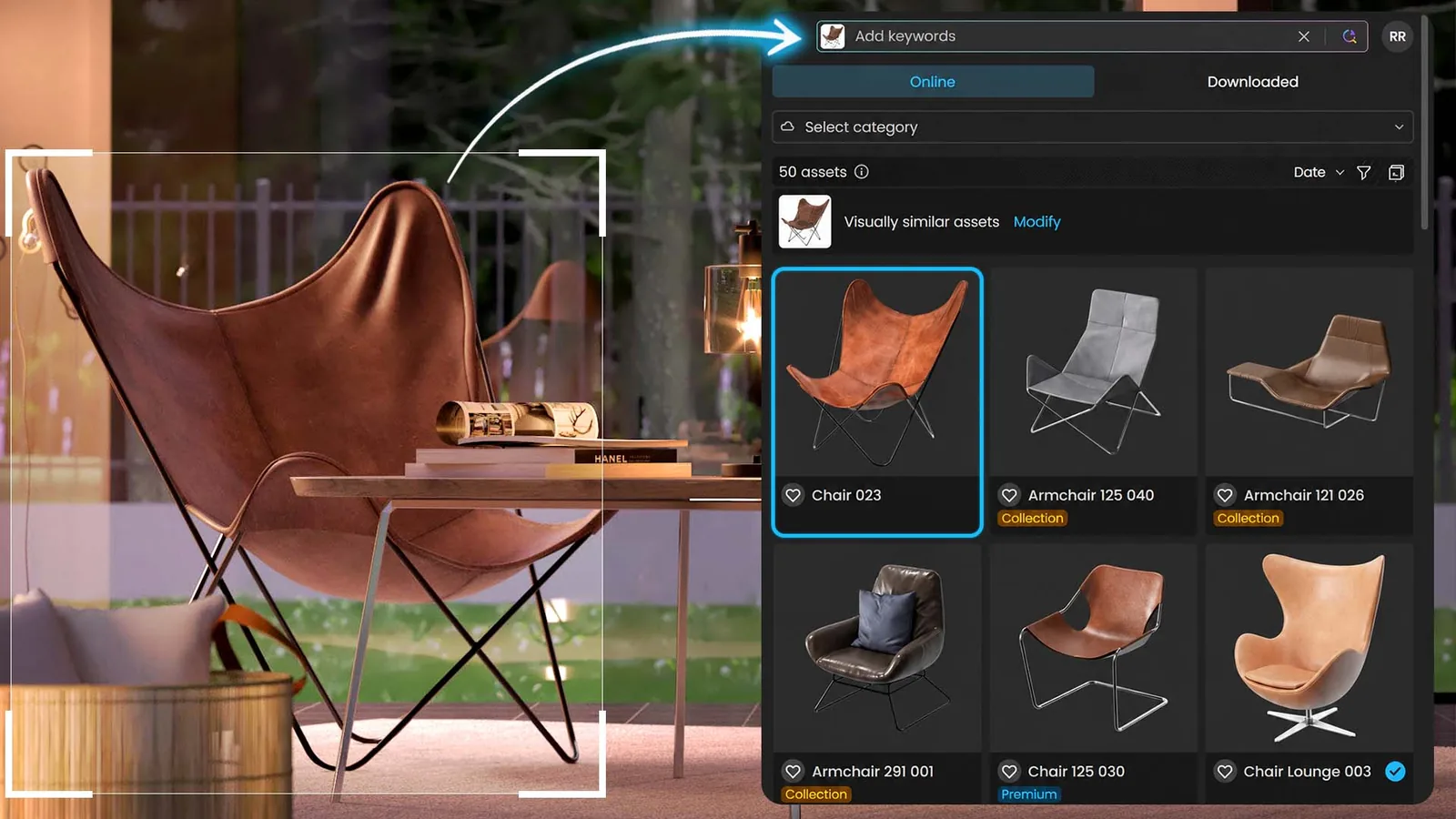
The Chaos AI Assistant answers questions about Enscape features inside the app and recommends Cosmos assets from a text prompt, a reference image or the current viewport. In Cosmos itself, a reference image such as a product photo can now be used as a search query, which Chaos argues helps with furniture, lighting and planting, where names vary widely. When no suitable model exists, AI 3D Model Generation, also in beta, creates a textured asset from an image; Chaos says it does not use Chaos Credits during the beta, subject to usage limits.

The library grows by more than 1,500 real-time assets, including Globe Plants vegetation and Evermotion content, for a total of over 13,000 in Enscape.

A brown leather butterfly chair photo linked by an arrow to a Cosmos asset panel showing similar chairs and armchairs
Image-based search in Cosmos returns visually similar assets from a reference photo · Image: courtesy Chaos

Sharing and the credit offer

Renders, panoramas, scenes and web standalones are now managed in Chaos Cloud, which can also hold PDFs so drawings and visuals are reviewed together. Composition gridlines arrive in the viewport. To encourage take-up, Chaos is giving 500 extra Chaos Credits for the Veras workflow with new Enscape trials started between 4 and 15 November and with new one-year licences bought by 15 November 2026; on annual licences the credits can be used for one month. Practices weighing the offer should note that the credit window is short and tied to new purchases.

Share
Written by
Muhammad Abdullatef - Tifa Studio

Muhammad Abdullatef (Tifa Studio) is an architect and urban design researcher with an M.Arch from Istanbul Technical University and a PhD candidacy in Urban Design at Hong Kong Polytechnic University. He writes on architecture, urbanism and parametric design.

Leave a comment

Leave a Reply

Your email address will not be published. Required fields are marked *

Related Articles
A BIM model of two apartment blocks with windows highlighted in green and red, next to an Ask Qonic chat panel listing fire rating checks
Architecture NewsBIM

Qonic AI Puts Prompt-Driven Agents Inside a Browser BIM Model

Cloud BIM platform Qonic has launched Qonic AI, a set of agents...

A rendered office building and car park shown in three lighting moods from dusk to day, with a Chaos AI Assistant panel listing sky match, asset suggestions and render critique
Architecture News3D Visualization

V-Ray 7 Update 5 Adds an AI Assistant, MCP Servers and Image-to-3D Assets
Chaos has released V-Ray 7 Update 5, which it says brings AI...

Two modern university buildings across a green lawn under a blue sky, one with a pale cantilevered upper floor and one with a tall red framed facade
Architecture NewsSchooling

Birmingham City University’s Head of Architecture Leaves After 15 Months Amid Cuts

Peter Baldwin, appointed head of architecture at Birmingham City University in July...

A modern stone office building behind black iron gates and lamps, with a green sign reading The Rolls Building, Royal Courts of Justice, and a Gothic building beside it
Architecture NewsConstruction

Hawkins\Brown Fails to Stop £7.35m Defects Claim Over Islington’s Wenlock Building

A High Court judge has refused Hawkins\Brown's application to strike out a...

Learn Architecture is a global architecture learning platform and marketplace for content creators.

Subscribe to Our Updates

Enjoy a daily dose of architectural projects, tips, hacks, free downloadble contents and more.

Copyright © Learn Architecture Online. All rights reserved.
Made with ❤️ by learnarchitecture.online

iA Media's Family of Brands