


Table of Contents Show
Enscape vs Lumion is the most common software comparison architects face when choosing a real-time rendering tool. Enscape works as a plugin inside your modeling software, while Lumion operates as a standalone application with a larger asset library and stronger post-processing. The right choice depends on whether your priority is design-phase speed or presentation-quality output.
How Enscape and Lumion Approach Architectural Rendering
The core difference between Enscape and Lumion is architectural, not just visual. Enscape is a plugin that runs directly inside Revit, SketchUp, Rhino, ArchiCAD, and Vectorworks. You click a button, and a live-rendered view opens alongside your model. Every material change, wall adjustment, or furniture swap updates in the render window instantly. This makes Enscape render architecture workflows fast and iterative during the design phase.
Lumion takes the opposite approach. It is a standalone program. You export your 3D model (via LiveSync or manual file export), then build scenes inside Lumion’s own environment. The separation gives you access to a much larger library of assets, effects, and environmental controls. Lumion ships with over 10,000 objects, 1,300+ materials, and a wide range of atmospheric presets. This makes it a stronger tool for final presentations, client walkthroughs, and marketing imagery.
Both tools support real-time feedback, but the workflows lead to different results. Enscape keeps you inside your BIM or CAD tool, reducing context-switching. Lumion pulls you into a dedicated rendering environment where you have more creative control. For a broader look at how these tools fit into AI-assisted workflows, the roundup of AI tools for architectural visualization covers newer developments alongside traditional renderers.
💡 Pro Tip
If your office primarily uses Revit and needs visualization during design reviews rather than for marketing deliverables, Enscape’s plugin workflow will save significant time compared to exporting models into Lumion. Reserve Lumion for projects that require polished hero images or animated walkthroughs for client presentations.
Lumion vs Enscape Render Quality: Side by Side
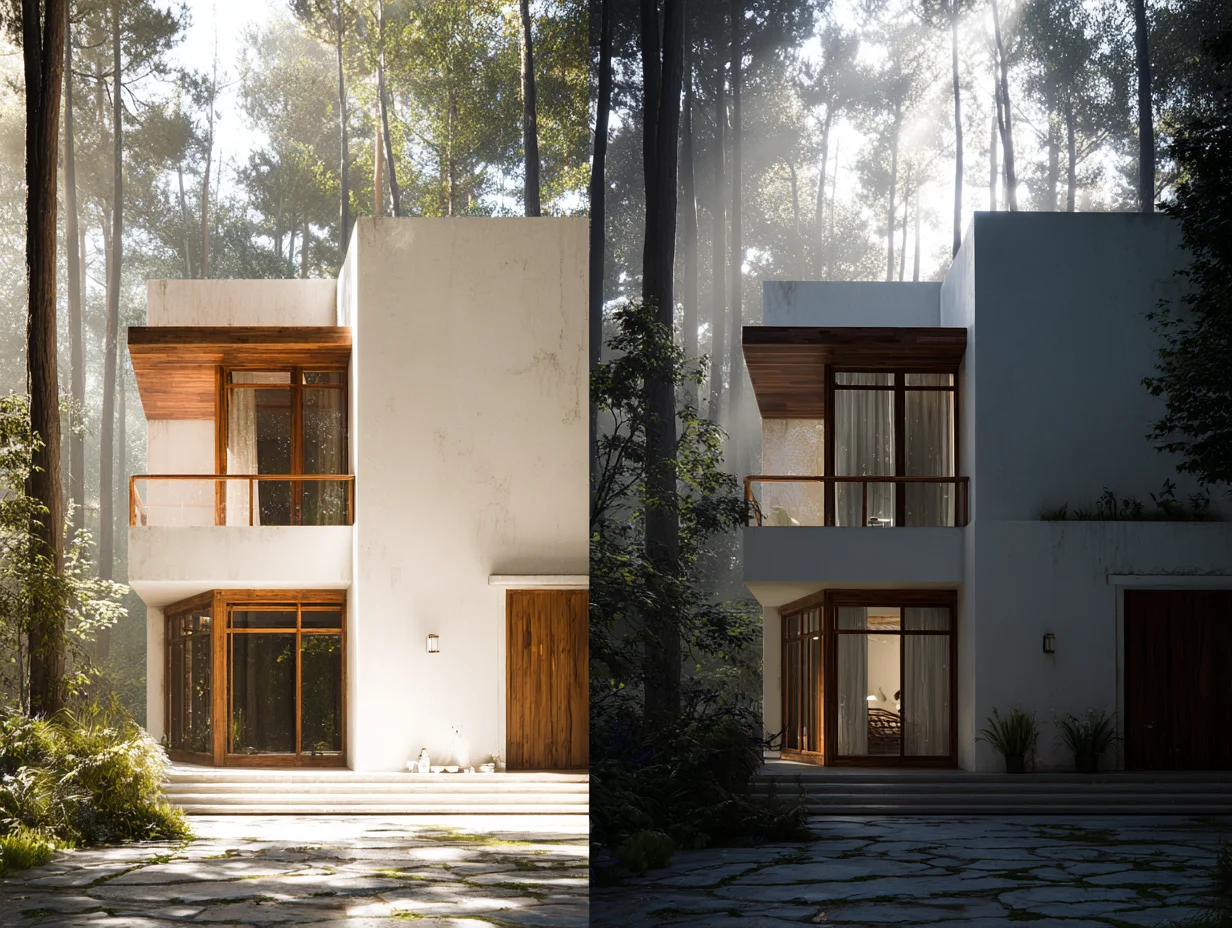
Lumion generally produces more polished final images out of the box. Its ray tracing implementation (introduced in Lumion 2024 and expanded in 2025) handles glass, water, and reflective surfaces with strong realism. The atmospheric effects, including volumetric lighting, fog, and sky presets, give exterior renders a cinematic quality that requires less post-processing in Photoshop. Lumion render architecture output tends to shine for exterior views, landscape-heavy projects, and competition submissions where visual impact matters.
Enscape’s render quality has improved significantly with each release, and the Chaos acquisition brought access to rendering technology from the V-Ray engine family. Enscape handles interior scenes well, particularly for lighting accuracy and material fidelity. Its strength is honest representation: what you see during design is close to what the final render looks like, which reduces the gap between design decisions and visual output. For many architects, this accuracy matters more than atmospheric polish.
Where Lumion pulls ahead is vegetation. Its library of photogrammetric trees and plants, combined with scattering tools for landscape population, produces exteriors that Enscape cannot match at the same speed. Where Enscape pulls ahead is speed of iteration. Because it renders inside your modeling tool, you can test ten different facade options in the time it takes to set up one Lumion scene.
Enscape vs Lumion System Requirements
Hardware demands differ significantly between the two tools. Enscape runs lighter, with a minimum of 4 GB VRAM and a recommended 8 GB. It was designed as a companion to your modeling software, so it shares system resources rather than demanding its own dedicated allocation. Most mid-range office workstations from the last three years can handle Enscape comfortably.
Lumion is more demanding. Complex scenes with dense vegetation, high-resolution textures, and ray tracing enabled require a GPU with at least 8 GB VRAM, and Lumion Pro 2025 recommends NVIDIA RTX 4070 or higher for comfortable performance. Large landscape projects can push GPU memory past 10 GB. Lumion also runs exclusively on Windows, while Enscape supports both Windows and macOS.
If your firm works on standard office laptops rather than dedicated rendering workstations, Enscape is the safer choice. Lumion rewards hardware investment with higher visual quality, but that investment is real. For more context on how rendering tools perform on typical architecture hardware, the breakdown of Lumion’s advantages for architects covers GPU-specific performance considerations.
🔢 Quick Numbers
- Enscape Solo subscription: $574.80/year; Lumion Pro subscription: $1,149/year (2026 pricing, Chaos and Act-3D official sites)
- Lumion asset library: 10,000+ objects and 1,300+ materials (Act-3D, Lumion Pro 2025 release notes)
- Enscape minimum VRAM: 4 GB; Lumion minimum VRAM: 8 GB (official system requirement pages)
- According to Capterra 2026 data, Enscape holds a 4.4/5 rating from 72 reviews; Lumion holds 4.7/5 from 157 reviews
Feature Comparison: Enscape 3D vs Lumion
The table below summarizes the key differences that affect day-to-day use for architects and designers.
| Feature | Enscape | Lumion |
|---|---|---|
| Workflow Type | Plugin (inside modeling software) | Standalone application |
| Supported Hosts | Revit, SketchUp, Rhino, ArchiCAD, Vectorworks | Imports from SketchUp, Revit, ArchiCAD, Rhino, 3ds Max, and others via file export or LiveSync |
| Operating System | Windows, macOS | Windows only |
| Minimum GPU VRAM | 4 GB | 8 GB |
| Asset Library Size | 3,500+ objects | 10,000+ objects |
| VR Support | Direct VR via Meta Quest 3, HTC Vive Pro 2 | 360° panoramas via MyLumion platform |
| Ray Tracing | Hybrid path tracing | Full ray tracing for glass, water, volumetric effects |
| Annual Price (2026) | $574.80 (Solo) / $634.80 (Premium) | $229 (View) / $1,149 (Pro) |
| Best For | Design-phase visualization, BIM integration | Final presentations, animations, marketing imagery |
How Does Twinmotion Compare to Enscape and Lumion?
The enscape vs lumion vs twinmotion question comes up often because Twinmotion occupies a middle ground. Built on Unreal Engine by Epic Games, Twinmotion offers a standalone workflow like Lumion but at a much lower price point. It is free for firms under $1 million in annual revenue, and the paid tier costs $445 per seat per year.
Twinmotion’s Path Tracer mode (inherited from Unreal Engine 5) produces strong interior renders, especially for indirect lighting and soft shadows. Its asset library draws from Quixel Megascans, Sketchfab, and Adobe Substance, giving access to over a million assets. Direct sync works with Revit, SketchUp, Rhino, ArchiCAD, and Vectorworks.
The trade-off is polish. Lumion’s vegetation, atmospheric presets, and post-processing tools are more refined for architectural output. Enscape’s BIM integration is tighter for Revit-heavy practices. Twinmotion sits between: more capable than Enscape for standalone rendering, less polished than Lumion for presentation imagery, and significantly cheaper than both. For architecture students and small firms, it is often the most practical starting point. A detailed three-way comparison is available in the rendering software comparison on learnarchitecture.net.
⚖️ Pros & Cons at a Glance
✔️ Enscape Pros: Stays inside your modeling tool, lower hardware demands, strong VR support, faster design iterations
✖️ Enscape Cons: Smaller asset library, limited post-processing, weaker exterior vegetation
✔️ Lumion Pros: Superior final image quality, massive asset library, strong atmospheric effects, animation tools
✖️ Lumion Cons: Higher hardware requirements, Windows only, more expensive, requires model export
Lumion vs Enscape vs V-Ray: When Offline Rendering Makes Sense
V-Ray, also owned by Chaos (the same company behind Enscape), is an offline ray-traced renderer built for maximum photorealism. It works as a plugin for SketchUp, Revit, Rhino, 3ds Max, and Cinema 4D. Unlike Enscape and Lumion, V-Ray does not render in real time. Each image takes minutes to hours depending on complexity and hardware.
The lumion vs enscape vs vray question is less about choosing one tool and more about recognizing when each fits. According to a 2024 Chaos Group industry survey, over 65% of architectural visualization studios now use both an offline renderer (V-Ray, Corona) and a real-time engine (Enscape, Twinmotion, Lumion) on the same projects. The typical workflow: Enscape or Twinmotion during design development for fast iterations, then V-Ray or Lumion for final deliverables where image quality is the priority.
For architects who do not employ dedicated visualization specialists, the lumion vs enscape choice usually comes down to one tool. Firms with in-house visualization teams often pair Enscape for daily design work with V-Ray for competition renders and publication imagery. A related comparison of D5 Render’s real-time ray tracing features is worth reading if you want a tool that sits between the Enscape and Lumion price points.
Pricing and Licensing in 2026
Both tools have moved to subscription-only pricing. Enscape Solo costs $574.80 per year (or $87.30 monthly). Enscape Premium, which adds floating licenses for team sharing, runs $634.80 per year for a named user or $994.80 for a floating license. Both tiers include the same rendering features.
Lumion View starts at $229 per year for basic SketchUp-only visualization. Lumion Pro, the tier most architects use, costs $1,149 per year. Lumion Studio, which adds floating licenses and larger scene support, ranges from $1,299 to $1,500 per year depending on region and licensing terms. Students can access a free full-featured Lumion license after academic verification.
For budget-conscious firms, Enscape is roughly half the annual cost of Lumion Pro. Adding Twinmotion’s free tier into the calculation makes the pricing gap even wider. The decision should weigh cost against output quality: if your projects require polished marketing renders, Lumion’s higher price pays for itself in reduced post-production time. If your primary need is visualizing design options during working sessions, Enscape delivers that at a lower cost. For a broader look at how rendering tools integrate with AI-assisted design, the guide to AI in architecture design covers current workflow patterns.
Where to Go From Here
Your Next Step: Download free trials from both Enscape and Lumion, then render the same project in both tools. Use a model you are currently working on rather than a sample file, so you see exactly how each tool handles your typical geometry, materials, and scene complexity. That single test will answer the enscape vs lumion question more clearly than any comparison article can.













Leave a comment