



Table of Contents Show
V-Ray vs Corona renderer comes down to control versus simplicity. Both are made by Chaos and produce photorealistic results, but Corona is the faster, easier choice for architectural stills, while V-Ray offers GPU rendering, wider software support, and finer control for animation and large or mixed pipelines.
Picking a render engine shapes how you work every day, from how long a scene takes to how much time you spend adjusting settings instead of designing. V-Ray and Corona are the two most common choices for architectural rendering, and since Chaos now owns both, the decision is less about brand loyalty and more about matching an engine to your projects, your hardware, and your tolerance for technical setup. Here is where they differ.
What Are V-Ray and Corona?
V-Ray and Corona are both rendering engines from Chaos, the company behind much of the archviz software used in professional studios. V-Ray started in the early 2000s and grew into a production standard across architecture, product design, film, and visual effects. Corona arrived later with a narrower focus: photorealistic architecture and interiors with minimal setup. You can see the full lineup on the Chaos product page.
Because both sit under Chaos, they now share a lot. A single Chaos account gives you named-user licensing you can move between machines, the Chaos Cosmos asset library of models and materials, and Chaos Vantage for real-time viewport work. Chaos markets the two with different taglines, calling V-Ray the standard for the industry and Corona the best for architecture. That split tells you most of what you need before looking at specifics.
V-Ray vs Corona Renderer Compared
The table below lays out the core differences before we get into detail on each one. Chaos also publishes its own comparison of the two engines if you want the vendor view alongside this one.
V-Ray vs Corona: Feature Comparison
| Feature | V-Ray | Corona |
|---|---|---|
| Developer | Chaos | Chaos |
| Rendering hardware | CPU, GPU, and hybrid | CPU only |
| Host applications | 3ds Max, Cinema 4D, Maya, SketchUp, Rhino, Revit, Blender, Houdini, Nuke, Unreal | 3ds Max and Cinema 4D |
| Best suited for | Animation, VFX, large or mixed scenes | Photorealistic stills, interiors, archviz |
| Learning curve | Steeper, many settings | Gentle, strong defaults |
| Post-production | Advanced VFB, render elements, masks | Simple in-buffer adjustments |
| Solo price (2026) | About $540 per year | About $414 per year (as of September 2026) |
| Free trial | Yes, 30 days | Yes, 30 days |
🔢 Quick Numbers
- Corona Solo costs about $414 per year against V-Ray Solo at about $540 per year, roughly 30% more for V-Ray (Chaos pricing, as of September 2026).
- V-Ray integrates with ten major host applications; Corona supports two, 3ds Max and Cinema 4D (Chaos, 2026).
- Both engines include a 30-day free trial and named-user licensing tied to one Chaos account (Chaos, 2026).
Which Is Faster, V-Ray or Corona?
Speed depends on your hardware and scene, not just the engine. For a single high-quality still, Corona often reaches a clean result faster because its defaults are tuned for that job and it needs little adjustment. Both engines use every core of your CPU, so on a strong processor they sit in the same league for CPU work.
The real fork is GPU. V-Ray can render on your graphics card or in a hybrid CPU plus GPU mode, which can cut times sharply on a machine with a capable card. Corona has no GPU path, and Chaos has not announced one, a deliberate choice to keep the engine simple and predictable. For animation, V-Ray tends to pull ahead because you can set per-object quality and tune render settings frame by frame to trim time without losing much detail.
💡 Pro Tip
Before you commit, run a short test on a scene that matches your typical work, one interior and one exterior if you do both. Chaos offers a free trial for each engine, and a real project tells you far more about render time and setup effort than any benchmark chart. Time how long you spend adjusting settings, not just how long the render takes.
Ease of Use: Which Is Better for Beginners?
For beginners, Corona is the gentler start. Its strength is out-of-the-box realism. The Corona Sun and Sky system and its default materials get you to a believable image with little tuning, which is why interior designers and archviz artists often reach for it first. On G2, reviewers repeatedly point to Corona’s ease of use and intuitive interface as the reason they picked it.
V-Ray asks more of you up front. It carries a slightly steeper learning curve because it exposes more settings, from disabling shadow casting on a single object to controlling how each object appears in reflections. That control is exactly why studios with varied work stay with it, though it can feel like a lot while you are learning. If you are new to rendering, starting with Corona and adding V-Ray later once you need its flexibility is a sensible path. Our guide to the best AI-supported rendering software covers where each tool fits if you are still weighing options.
💡 Pro Tip
Because both engines live under one Chaos account, you are not locked into a single choice forever. Many studios run Corona as their default for stills and keep V-Ray on hand for jobs that need animation or GPU speed. Learning the shared parts, Chaos Cosmos assets and the frame buffer, carries over between them and shortens the jump from one to the other.
Which Software Do V-Ray and Corona Support?
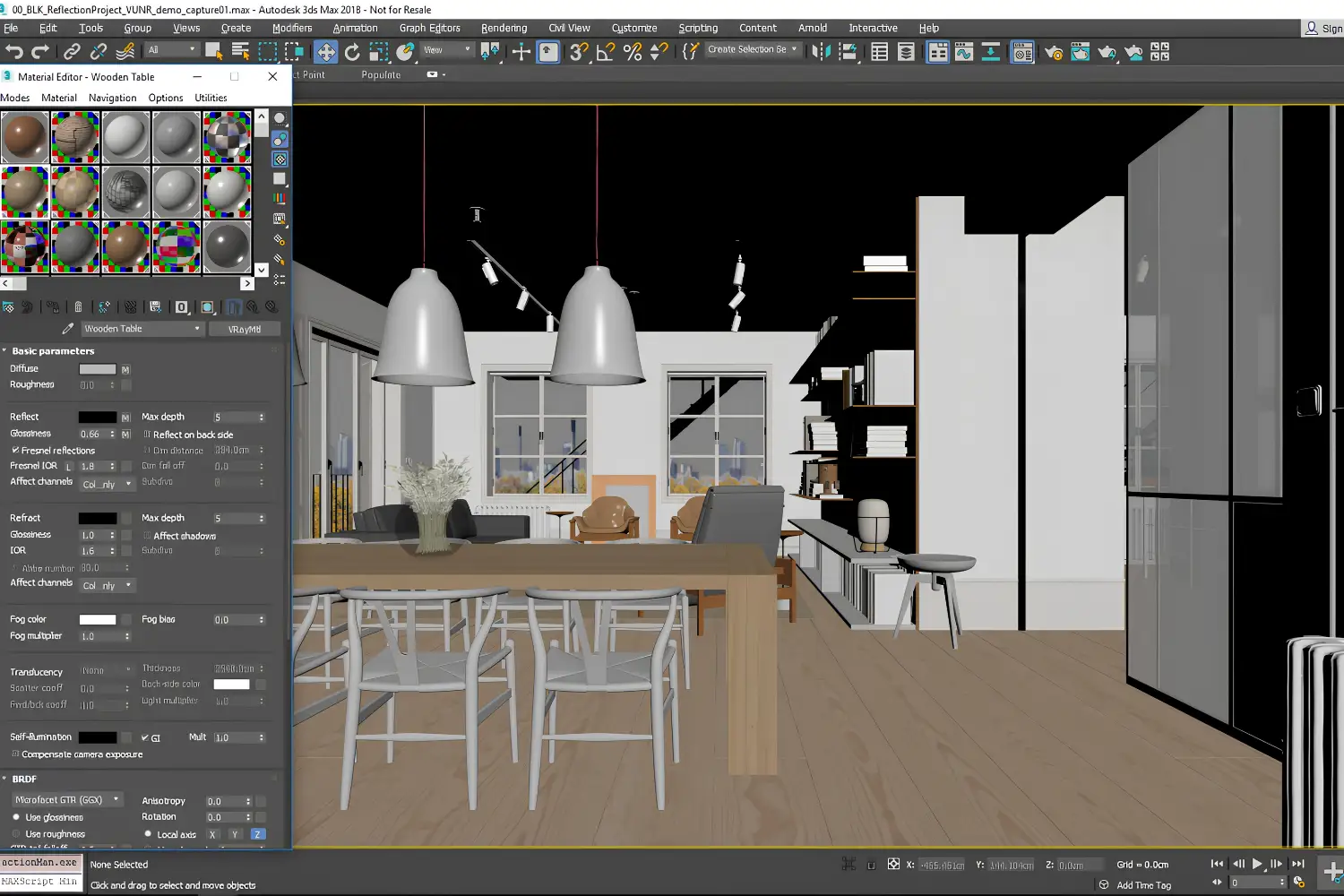
This is often the deciding factor, and it is where the two split hardest. Both V-Ray and Corona work inside 3ds Max and Cinema 4D. If those are your tools, you can pick either engine on quality and workflow alone.
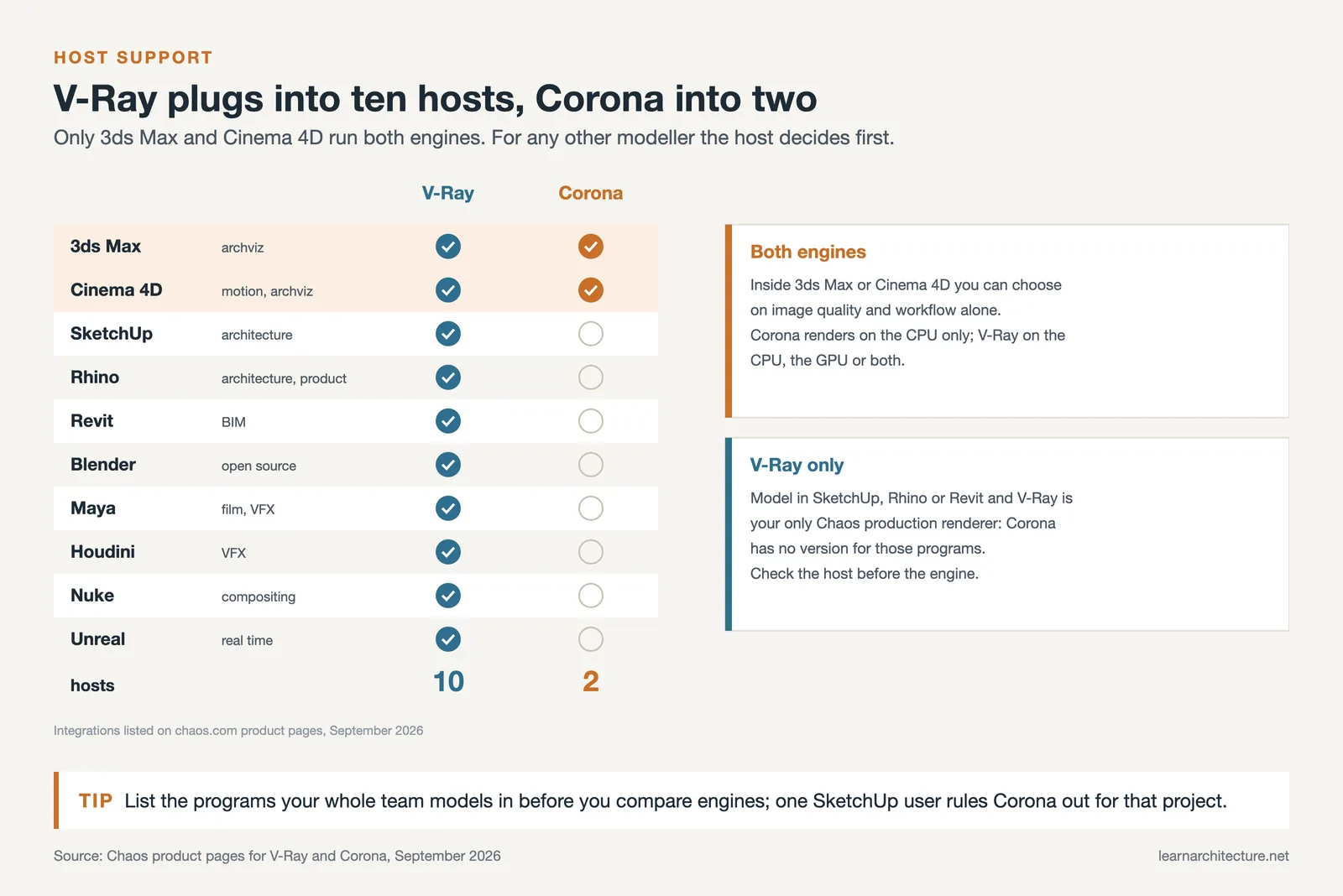
Outside those two, only V-Ray follows you. It plugs into Maya, SketchUp, Rhino, Revit, Blender, Houdini, Nuke, and Unreal. So if you model in SketchUp or Rhino, which many architects do, V-Ray is your only Chaos option, and Corona is off the table regardless of how you feel about it. This matters most when you are choosing modeling and rendering software together. Our SketchUp vs Rhino comparison walks through the modeling side of that decision, and the 15 digital tools every architecture student needs piece shows how these pieces fit into a full toolkit.
How Much Do V-Ray and Corona Cost?
Corona is the cheaper of the two. As of September 2026, a Corona Solo subscription runs about $414 per year, while V-Ray Solo sits at about $540 per year. Neither is free, though both include a trial, and Chaos uses named-user licensing tied to your email rather than locking a license to one computer, so you can move between machines. For a studio doing mostly interiors and exteriors, Corona’s lower price plus its ready-made material library is a big part of why it has become a default for that kind of work. V-Ray costs more, but for teams whose projects span animation, product shots, and effects, the extra control tends to justify the price. For the wider picture around these engines, our architectural visualization tools and workflow guide covers how rendering fits alongside modeling, materials, and post.
Cost figures are approximate and vary by region, currency, and current promotions. Always confirm pricing on the official Chaos website before purchasing.
What This Means for Your Next Project
That is the heart of the V-Ray vs Corona renderer choice, so match it to how you actually work. Choose Corona if your work is mainly architectural stills and interiors, you want strong results without deep technical setup, you model in 3ds Max or Cinema 4D, and budget matters. Choose V-Ray if you need animation, work across many software packages, own a strong GPU you want to use, or handle a mix of archviz, product, and effects work that rewards fine control. For many studios the honest answer is both, with Corona as the everyday engine and V-Ray for the jobs it cannot cover. If you want to see either in action before deciding, watching a few workflow tutorials on the channels covered in our best YouTube channels for architecture visualization roundup is a fast way to judge which one suits how you think.

Bottom Line: Corona wins on speed and simplicity for photoreal architecture, V-Ray wins on flexibility and reach. Since both are Chaos products that share assets and licensing, the smartest move for many archviz studios is to standardize on Corona and keep V-Ray ready for the projects that demand it.













Leave a comment