



Table of Contents Show
BIM viewer apps let architects, engineers, and contractors open and interact with 3D building information models directly on tablets. The best BIM viewer apps support IFC files, offer offline access, and include markup and measurement tools for on-site use. This guide compares seven strong options across iPad and Android.
Reviewing a building model used to mean going back to a desktop workstation. That is no longer the case. A growing number of BIM apps now run natively on tablets, giving field teams direct access to 3D models, 2D sheets, and element-level data from the job site. Whether you need to walk a client through a design on an iPad or verify a detail on an Android tablet during a site visit, having a reliable BIM viewer on your device can save hours of back-and-forth with the office.
But not every app is equally capable. Some focus on pure model viewing, while others combine 3D navigation with document management, issue tracking, or augmented reality. Choosing the right one depends on your authoring software, your team’s collaboration platform, and how much functionality you actually need in the field. If you are still evaluating which 3D architectural design software to pair with a mobile viewer, that decision will directly shape your app options.

What Makes a Good BIM Viewer App for Tablets?
Before picking a BIM app, it helps to know what separates a useful viewer from a frustrating one. The core function is simple enough: open a 3D model and move around it. But on a construction site or during a client meeting, you need more than basic navigation. If you are an architecture student choosing your first iPad, these same criteria will help you evaluate which apps to install alongside your design tools.
Look for these features when evaluating any 3D BIM viewer for tablet use:
- File format support (IFC, RVT, NWD, DWG, or proprietary formats)
- Offline access so you can work in areas without reliable connectivity
- 2D sheet linking, so you can jump from a 3D view to the corresponding plan or section
- Measurement tools for verifying dimensions on site
- Markup and issue creation for flagging problems directly in the model
- Cross-platform availability (iPad and Android)
💡 Pro Tip
Before committing to a BIM viewer, test it with your largest project file. Many apps handle small demo models well but struggle with real-world files containing hundreds of thousands of elements. Export one of your actual project models and check loading times, navigation smoothness, and whether the app crashes during prolonged use.

7 Best BIM Viewer Apps for Tablets
1. Autodesk BIM 360 (Now Part of Autodesk Construction Cloud)
The Autodesk Construction Cloud app (formerly known as the Autodesk BIM 360 viewer) is one of the most widely used BIM apps in the industry. It works on both iPad and Android tablets, giving users access to all project documents, 2D plans, and 3D models stored in their BIM 360 or ACC account.
Key strengths include lightning-fast zoom and pan for 2D drawings, detail callout hyperlinking between sheets, and the ability to sync documents for offline use. You can create and share markups, compare document versions side by side, and execute quality and safety checklists directly from the app. For teams already invested in the Autodesk ecosystem (Revit, Navisworks, Civil 3D), this is the natural choice.
The main drawback is that it requires an active Autodesk subscription. Standalone viewing without a paid account is limited. Some users have also reported that the app’s interface can feel crowded on smaller tablet screens, and offline sync reliability varies depending on project size.
2. BIMx by Graphisoft
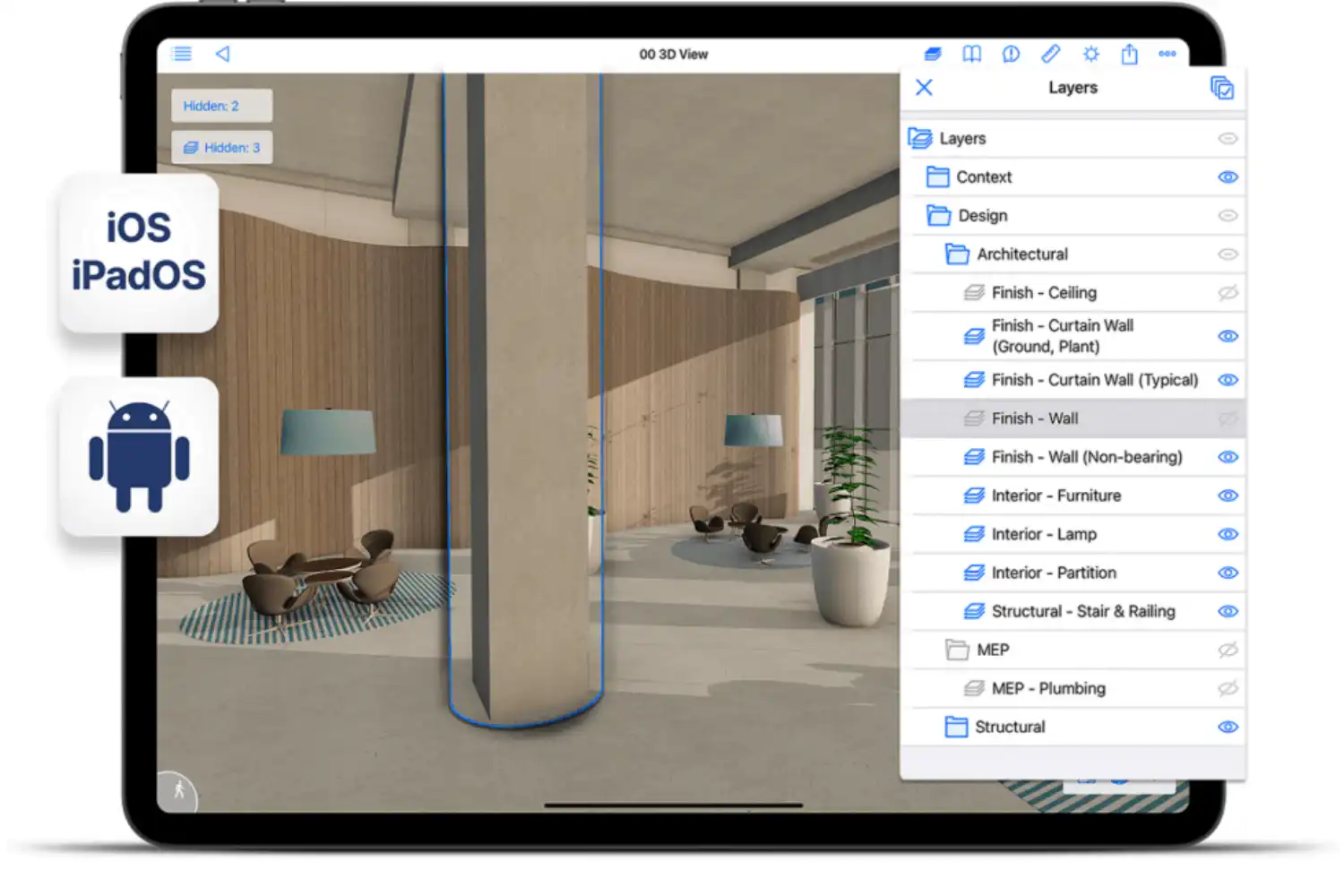
BIMx is a dedicated BIM 3D viewer built for presenting and coordinating Archicad projects. It works on iPad, Android, and even Apple Vision Pro. The app’s standout feature is its “Hyper-model” concept, which links the full 3D building model with 2D documentation sets. You tap a room in the 3D walkthrough and jump directly to the corresponding floor plan, section, or detail sheet.
Navigation feels game-like, with gravity-assisted walking and intuitive gesture controls. BIMx also supports real-time cutaways, sun positioning by date and time, and in-context measuring. The free version lets you view 3D models, while Pro features (layer control, issue tracking, hiding elements) are available through a Graphisoft account or subscription.
The limitation is that BIMx is tied to the Archicad workflow. You cannot import Revit or generic IFC files directly into BIMx. If your office uses Archicad, this is the best BIM model viewer for client presentations and field coordination. Architects who already use iPads for architectural design work will find BIMx integrates naturally into their tablet workflow.
3. Revizto
Revizto positions itself as an Integrated Collaboration Platform rather than a simple viewer. Its iPad app mirrors the desktop version closely, giving you access to combined 2D and 3D models, point cloud data, issue tracking across multiple disciplines, and custom property management. You can tie data to both 2D and 3D geometry, monitor issues across plumbing, electrical, and mechanical layouts, and add markups that sync back to the central project.
Revizto supports models from Revit, Navisworks, ArchiCAD, SketchUp, Rhino, and IFC files. This cross-platform file support makes it a strong pick for multi-discipline teams where not everyone uses the same authoring tool. Teams that also rely on AI tools for architectural visualization can use Revizto as the coordination layer between design iterations and field verification. The app does require a Revizto license, which puts it in a higher price bracket than free viewers.
4. Dalux BIM Viewer
Dalux offers a free BIM viewer that supports IFC files, making it one of the more accessible options for teams working with openBIM standards. The viewer runs in a browser and has native apps for both iPad and Android. You can upload IFC models, navigate in 3D, check element properties, and create issues tied to specific model locations.
Dalux is particularly popular in European markets, where IFC-based workflows and ISO 19650 compliance are common requirements. The free tier is generous for basic viewing and issue management, though advanced features like checklist templates and integration with other Dalux modules require a paid plan. If you are building your toolkit around free architectural digital tools, Dalux deserves a spot on your shortlist.
🎓 Key Insight
Graphisoft describes BIMx as an app that bridges the gap between the design studio and the construction site.
This principle applies to every app on this list. The real value of a BIM viewer is not just 3D visualization, but the ability to access accurate, current project data in the field, where decisions happen fastest and mistakes are most expensive to fix.
5. Autodesk Viewer (Web-Based)
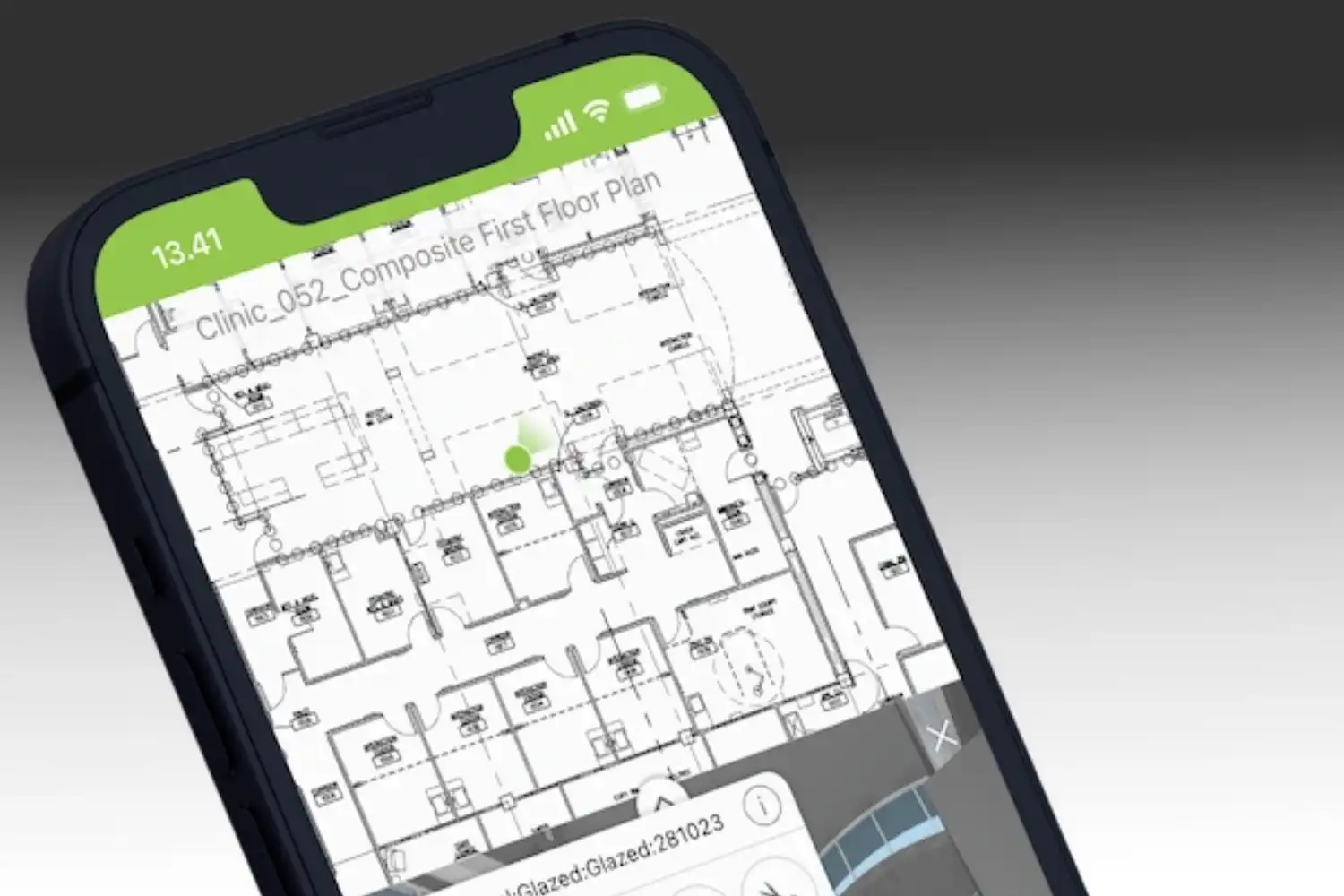
If you need a quick way to view Revit (.rvt), Navisworks (.nwd), or AutoCAD (.dwg) files on a tablet without installing a dedicated BIM app, the free Autodesk Viewer works through any modern browser. Upload your file, and the cloud-based engine converts it to a viewable 3D model. You can orbit, section, isolate components, and inspect element properties.
This is the simplest option for sharing a model with someone who does not have BIM software installed. The trade-off is that it requires an internet connection (no offline mode), and upload sizes are limited on the free tier. For quick reviews and one-off sharing, it works well. For daily field use, a native app will perform better.
6. Trimble Connect
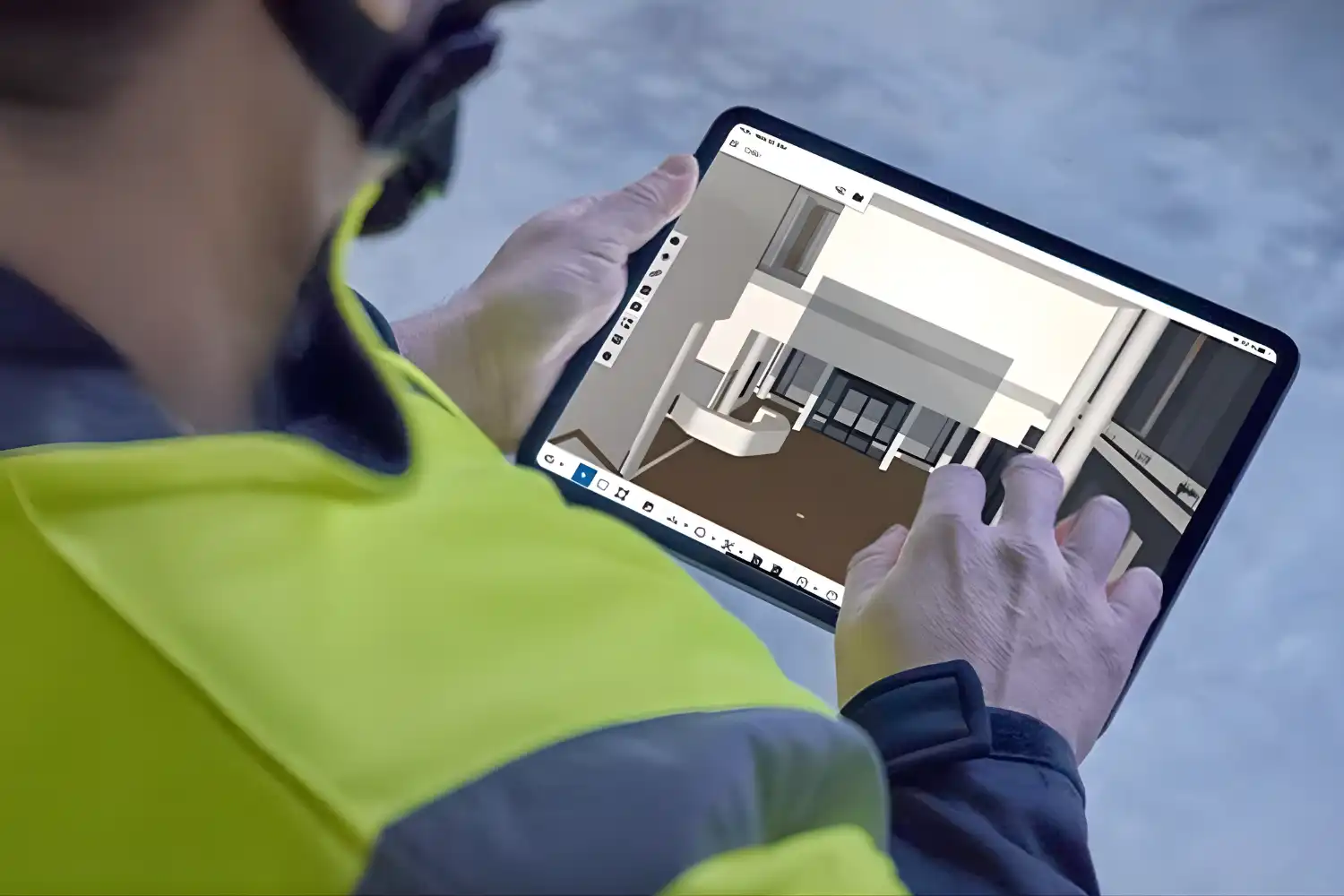
Trimble Connect is a cloud-based collaboration platform with native apps for iPad and Android. It supports IFC, SketchUp, Tekla, and several other file formats. The viewer lets you overlay multiple discipline models, run basic clash detection, and attach to-do items to model elements.
For structural engineers and contractors using Tekla Structures, Trimble Connect offers a direct publishing pipeline from the authoring tool to the mobile viewer. The free Personal plan gives limited storage but full viewing capability, while Business and Enterprise tiers add team management and integrations.
7. Catenda Hub (Formerly BIMsync)
Catenda Hub is an openBIM-focused Common Data Environment with a built-in 3D viewer. It reads IFC files natively and supports BCF (BIM Collaboration Format) for issue management. The platform follows ISO 19650 standards and is designed around open data exchange rather than locking users into a single vendor’s ecosystem.
The viewer is accessible through a browser on any tablet, with responsive design that adapts to touch input. Catenda Hub is well suited for project teams that include multiple software platforms (Revit, Archicad, Allplan, Vectorworks) and need a neutral ground for model sharing and coordination.
BIM Viewer Apps Comparison Table
The table below summarizes the key differences between these seven apps to help you decide which fits your workflow:
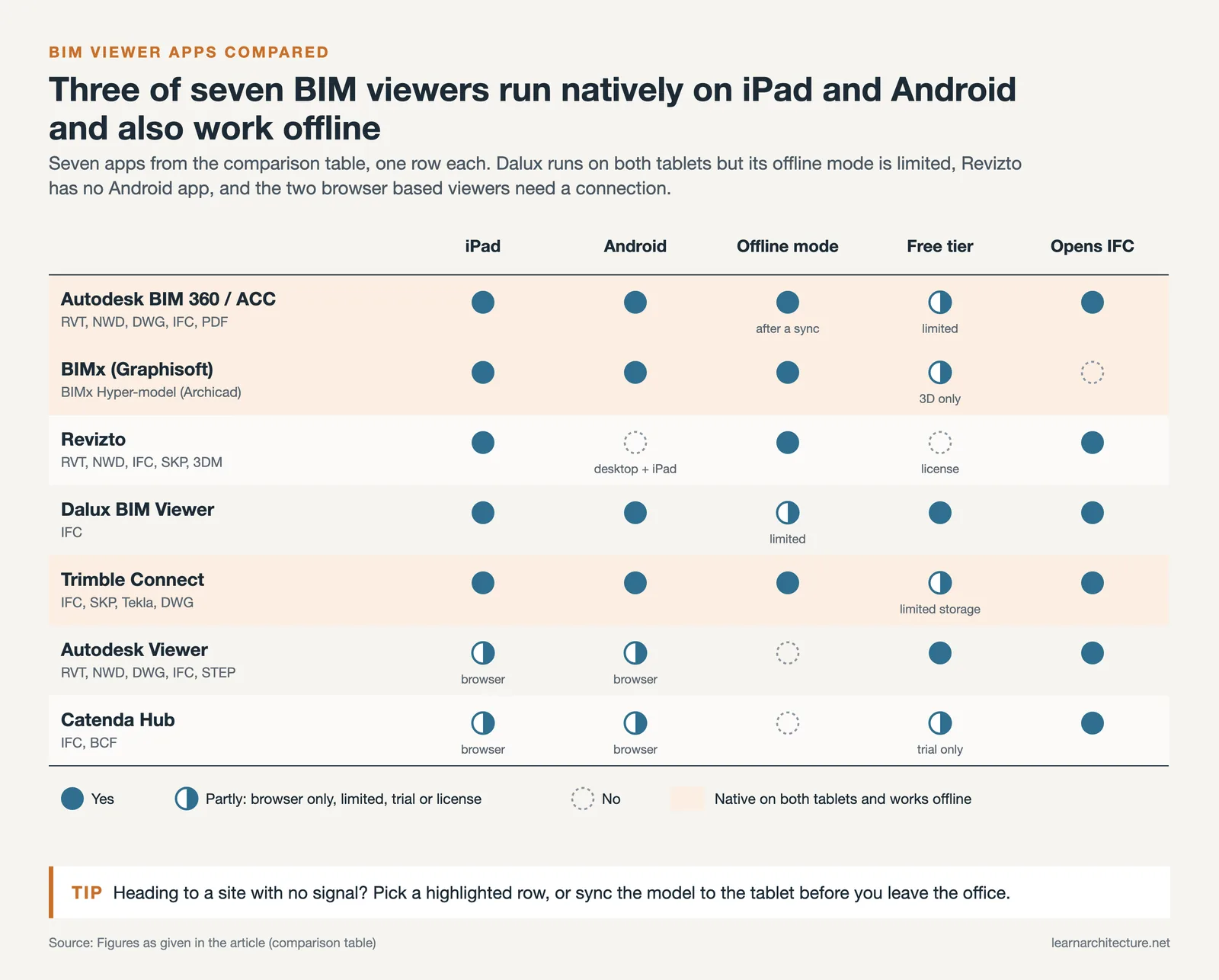
| App | iPad | Android | File Formats | Offline Mode | Free Tier |
|---|---|---|---|---|---|
| Autodesk BIM 360 / ACC | Yes | Yes | RVT, NWD, DWG, IFC, PDF | Yes (sync required) | Limited |
| BIMx (Graphisoft) | Yes | Yes | BIMx Hyper-model (Archicad) | Yes | Yes (3D only) |
| Revizto | Yes | No (desktop + iPad) | RVT, NWD, IFC, SKP, 3DM | Yes | No (license required) |
| Dalux BIM Viewer | Yes | Yes | IFC | Limited | Yes |
| Autodesk Viewer | Browser | Browser | RVT, NWD, DWG, IFC, STEP | No | Yes |
| Trimble Connect | Yes | Yes | IFC, SKP, Tekla, DWG | Yes | Yes (limited storage) |
| Catenda Hub | Browser | Browser | IFC, BCF | No | Trial available |
How to Choose the Right BIM App for Your Workflow
The best BIM viewer for your team depends on your existing software stack and what you need to do in the field. Here is a straightforward way to narrow down your choice:
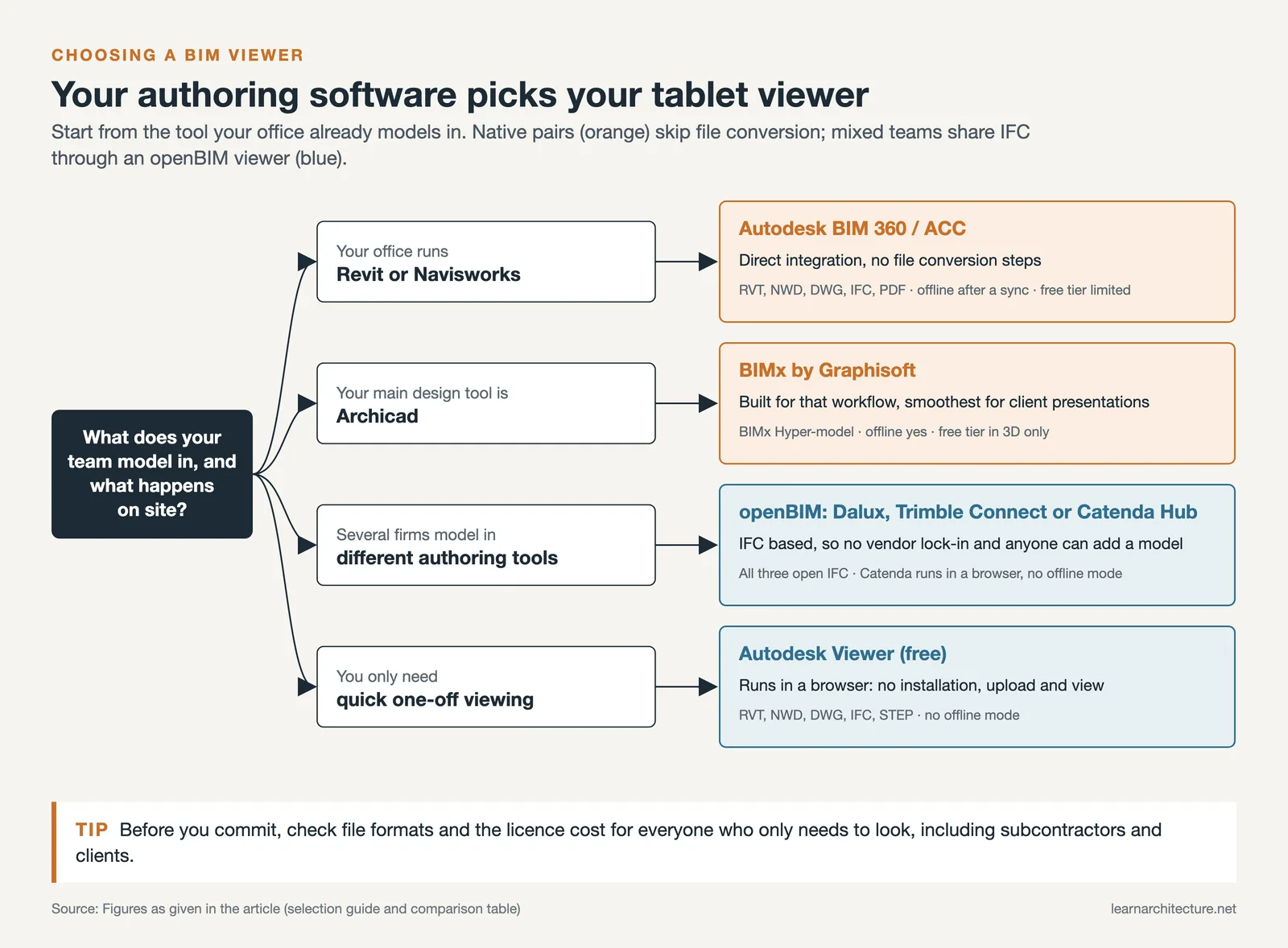
If your office runs Revit or Navisworks, start with Autodesk BIM 360 / ACC. The integration is direct, and you avoid file conversion steps. If you use Archicad as your primary design tool, BIMx is purpose-built for that workflow and offers the smoothest experience for presenting models to clients.
For multi-discipline teams where different firms use different authoring tools, an openBIM viewer like Dalux, Trimble Connect, or Catenda Hub makes more sense. IFC-based viewers avoid vendor lock-in and let everyone contribute models regardless of their software.
If you primarily need quick one-off viewing without ongoing collaboration, the free Autodesk Viewer handles most file types through a browser. No installation, no account setup, just upload and view.
⚠️ Common Mistake to Avoid
Many teams pick a BIM viewer based on features alone and then discover it does not support their file format or requires an expensive subscription for every user who needs access. Always confirm file format compatibility and licensing costs for your full team (including subcontractors and clients who only need to view models) before committing to a platform.

Can You Use an AutoCAD BIM Viewer on a Tablet?
Strictly speaking, there is no standalone “AutoCAD BIM viewer” as a separate product. AutoCAD itself is a 2D/3D CAD tool, not a BIM platform. However, Autodesk’s ecosystem connects AutoCAD files with BIM workflows through BIM 360 and the Autodesk Construction Cloud.
If you have DWG files from AutoCAD that are part of a BIM project, you can view them on a tablet through the BIM 360 app, the free Autodesk Viewer, or the AutoCAD Web app. For actual BIM data (element properties, schedules, linked documents), you need to work with Revit models exported to BIM 360 or ACC.
🔢 Quick Numbers
- The global BIM market was valued at approximately $8.1 billion in 2024 and is projected to exceed $22 billion by 2032 (Fortune Business Insights, 2025)
- Cloud-based BIM deployment accounted for 66.5% of market share in 2024 (Polaris Market Research, 2025)
- North America held over 36% of the global BIM market share in 2024 (Fortune Business Insights, 2025)
Tips for Using BIM Viewer Apps On Site
Having the app installed is just the first step. Getting real value from a tablet-based BIM viewer on a construction site takes some preparation. Here are a few practical recommendations from field experience:
Pre-load your models before heading to the site. Most BIM apps let you download project files for offline access, but syncing a large model over a 4G connection on a job site is slow and unreliable. Do the initial download over a stable Wi-Fi connection at the office.
Use a protective case with a hand strap. Tablets on construction sites get dropped, rained on, and covered in dust. A rugged case with a handle lets you hold the device securely while climbing scaffolding or walking through unfinished spaces.
Set up saved views before meetings. If you are presenting a model to a client or walking through a punch list with a contractor, pre-configure the views you need. Fumbling through a model in real time while people wait is a quick way to lose credibility.
💡 Pro Tip
Pair your BIM viewer with a Bluetooth keyboard for faster issue descriptions on site. Typing detailed notes on a tablet’s on-screen keyboard is tedious, and autocorrect often mangles technical terms. A compact wireless keyboard fits in a tool bag and makes longer site notes much quicker to type.
BIM 360 View Model: How It Works on Tablets
The Autodesk BIM 360 view model feature lets you open Revit models directly on your tablet without converting files or running desktop software. When a Revit file is uploaded to BIM 360 Docs, the cloud automatically processes it into a lightweight format optimized for mobile viewing. The result is smooth 3D navigation, even with large multi-discipline models, because the heavy geometry processing happens on Autodesk’s servers rather than on your device.
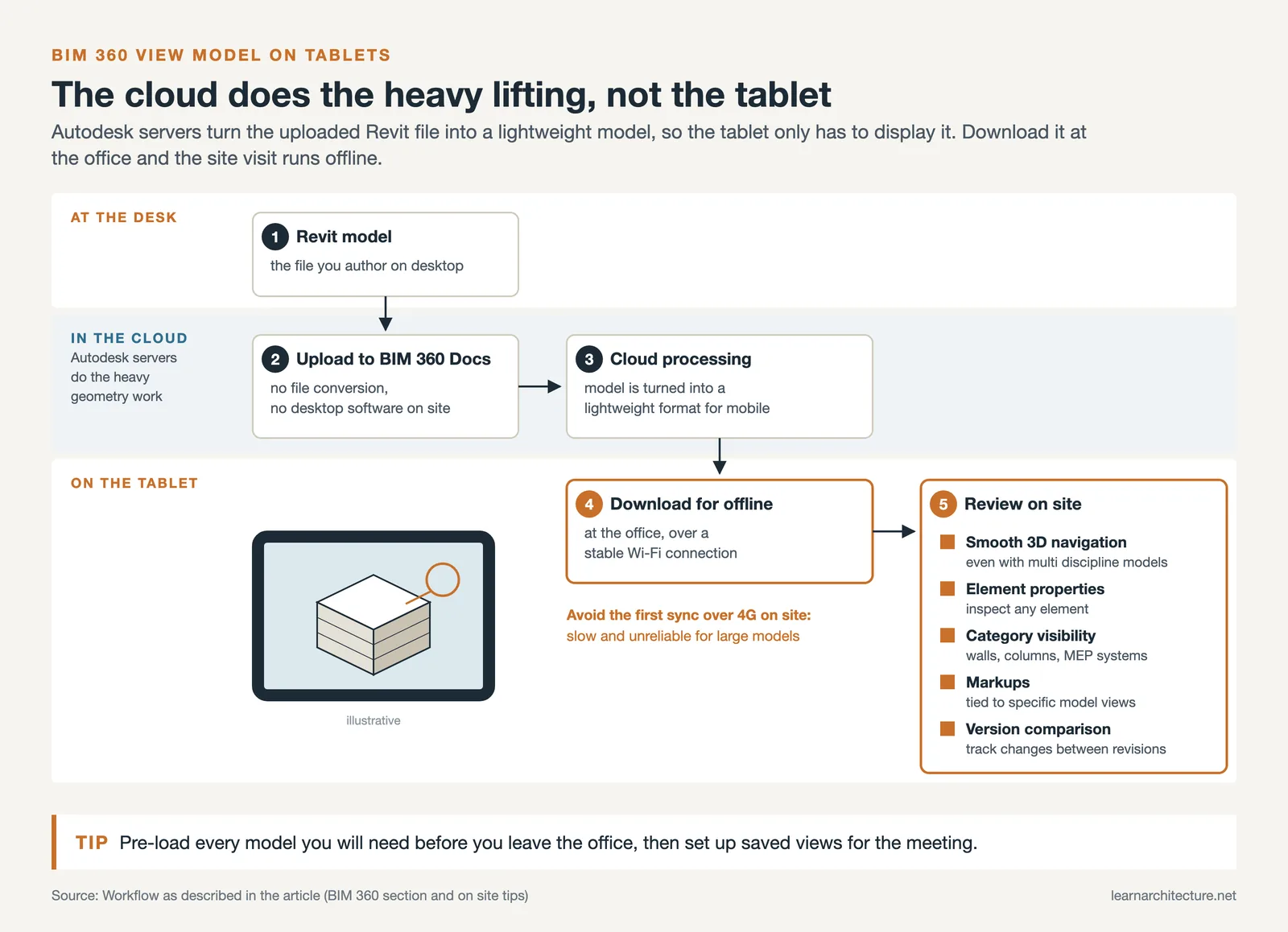
You can inspect element properties, toggle visibility of categories (walls, columns, MEP systems), and create markups tied to specific model views. The BIM 360 model viewer also supports comparing different versions of the same file, which is useful for tracking design changes between revision cycles.
Final Thoughts
BIM viewer apps have matured to the point where tablet-based model review is a routine part of many architectural and construction workflows. The choice between apps comes down to your authoring software, your team’s collaboration needs, and your budget. Autodesk BIM 360 dominates for Revit users, BIMx is the clear pick for Archicad offices, and openBIM viewers like Dalux and Trimble Connect serve multi-platform teams well.
Try two or three options with your actual project files before making a final decision. The app that handles your real models smoothly, works offline when you need it, and fits within your team’s existing workflow is the right one, regardless of feature lists and marketing claims.
BIM viewer apps and platform features change frequently. Always verify current pricing, supported file formats, and platform availability on each vendor’s official website before purchasing a subscription.














Leave a comment